

 PeterHuewe
Windows does not recognize the emulated TPM
I installed it using MinGW and all the stuff. When I ran the tpmd_start command, it all looked good. Same with the status command. However, Windows says that there is no TPM in the PC! I tried in Windows 10 and Windows 7, however, none of these operating systems worked. Could anyone help me?

I never ran it on a Windows PC so I'm not sure whether it would ever work that way.

@PeterHuewe Even though we don't use Windows, we don't compile for/on Windows, we can help anyway, can't we?
Not clear we refer to SW TPM or HW TPM. On Windows 10, you can have a look at this MMC:
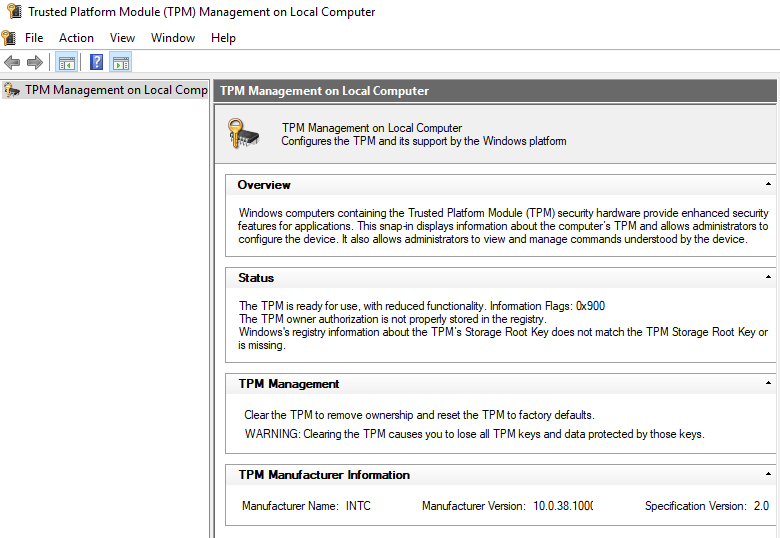
Then, you type: 'getcapability.exe -v -cap 0' and get the following output:
.... .... TSS_AuthExecute: Executing TPM2_GetCapability TSS_Tbsi_Open: Tbsi_Context_Create rc 00000000 TSS_Tbsi_SubmitCommand: TPM2_GetCapability ... ... TSS_Tbsi_Close: Closing connection 21 algorithms TPM_ALG_RSA TPMA_ALGORITHM: asymmetric TPMA_ALGORITHM: object TPM_ALG_SHA1 TPMA_ALGORITHM: hash TPM_ALG_HMAC TPMA_ALGORITHM: hash TPMA_ALGORITHM: signing TPM_ALG_AES TPMA_ALGORITHM: symmetric
Let us know if we can be of any/further assistance.

@ENZOLU Any news/update on this issue? Please, try English as much as you can!
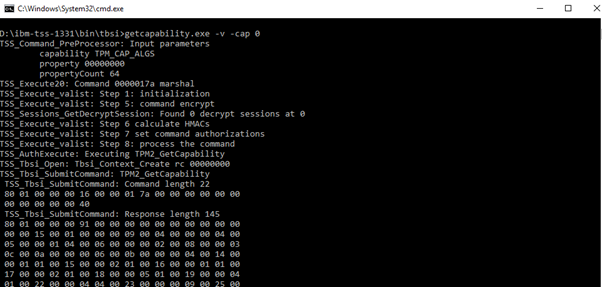
IBM TSS Get Capabilities (via TBSI on Windows 10)
