Part-DB
Strange page break in lables
Describe the bug Sometimes the page break in a lable is a little bit strange. I created a label with the dimensions 26x8mm and added the following content:
<div style="text-align: center;"><strong>[[NAME]]</strong></div>

<div style="text-align: center;"><span style="font-size:6px;">[[PARENT_FULL_PATH]]</span></div>
I also added the following as additional css:
@page {
    margin: 0px 0px;
}
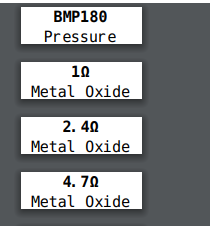
But if you look at the attached screenshot... I would have assumed that the PARENT_FULL_PATH would fit on the first page.
Screenshots
If applicable, add screenshots to help explain your problem.

Server Side
- Part-DB Version: fe405aae1e285ded8b8f32f917a5bc6e0f4de391
- PHP Version: PHP 7.3.16
- Database Server 10.3.22-MariaDB-0+deb10u1 Debian 10
Desktop:
- OS: Windows 10
- Browser Firefox
- Version 76.0.1 (64-Bit)

Hm I just realized that it works much better when setting margin to -1
@page {
    margin: -1px 1px;
}
<div style="text-align: center;"><strong>[[NAME]]</strong></div>

<div style="text-align: center;"><span style="font-size:10px;">[[PARENT_FULL_PATH]]</span></div>
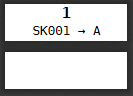
This happens when the content gets too long to be displayed on a single page. The behavior of the library used to generate the PDFs is a bit strange in that regard. However this should be fixed now and labels should not page break automatically if its too long (if you really want to insert an page break, you can still add one using CSS).
See: