

 Parik27
Bump mapping issues
First of all, thank you for the plugin! I am doing mods on Asterix XXL games that also use Renderware and we managed to make interesting mods with it!
I was experimenting with the bump mapping effect. The games I mod never use bump maps, but I wanted to see if it was possible to enable them.
At the beginning it was very confusing to make them work, but at the end I did manage eventually, though I realised there are some issues in DragonFF related to bump mapping;
Issue 1
The bump map effect is done through the use of a "Height Map" (Renderware docs just calls it Bump Map), which is simply a grayscale texture. For optimization reasons, there is also another texture, the "Bumped Texture", which is basically the diffuse map combined with the height map in the alpha channel (if not given, Renderware will basically create the combined texture automatically when loading, which makes loading a bit slower, also see page 117 of Renderware User Guide Vol 2).
However, in the Material > DragonFF's Export Material settings, when you enable Bump Map, you get a text box for "Height map", but this is actually for the Bumped Texture (combination of diffuse + height), which can be confusing. In the Wiki page on Materials, the text box was previously called "Diffuse Texture" and the page only claims it "overrides the default texture of the material".
I suggest to update the name of the text box to something like "Combined Texture" and explain in the Wiki it is a combination of the diffuse map in RGB channels and height map in alpha channel for optimization reasons, and that it is optional.
Issue 2
Another issue is that the plugin expects the height map to be passed directly as a normal map.
When exporting to DFF then looking at a material through the Shader Editor, the height map image node's Color output is passed to a Normal/Map node, which then passes the Normal output to the Normal input of the Principal BSDF, like this:
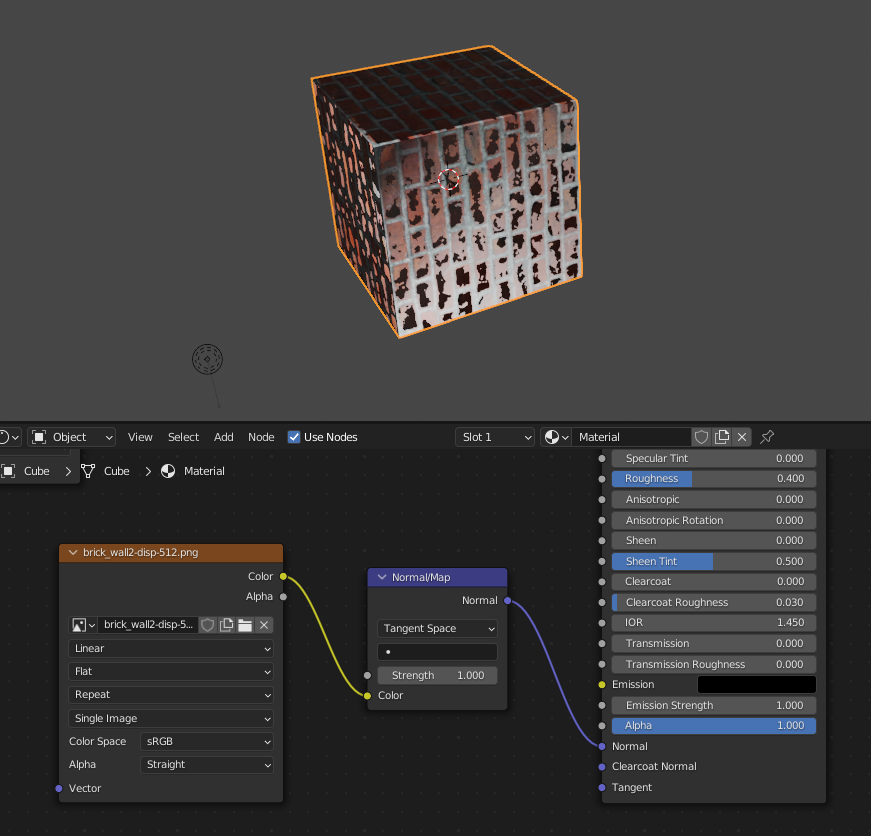
This doesn't make sense, especially when rendering the material, since the height map is obviously not a normal map.
I found that we can fix it by simply replacing the Normal Map node with a Bump node (which basically converts the height map into a normal map), and the model looks way better with it than with the Normal Map node:
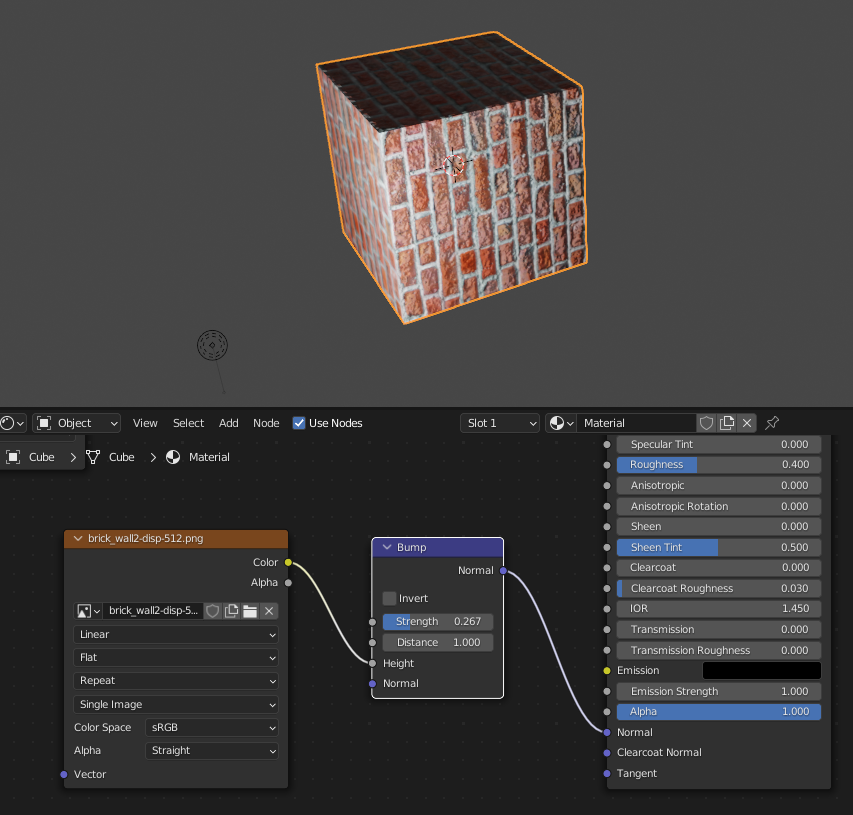
However currently the plugin only finds the height map when the Normal/Map node is being used, not with the Bump node. When exporting it will create a new Normal Map node and use it instead of the Bump node. It would be nice to have the plugin recognize the height map using a Bump node as well. There might be better alternatives to the Bump node as well, though I'm not sure.
