Paperback-iOS
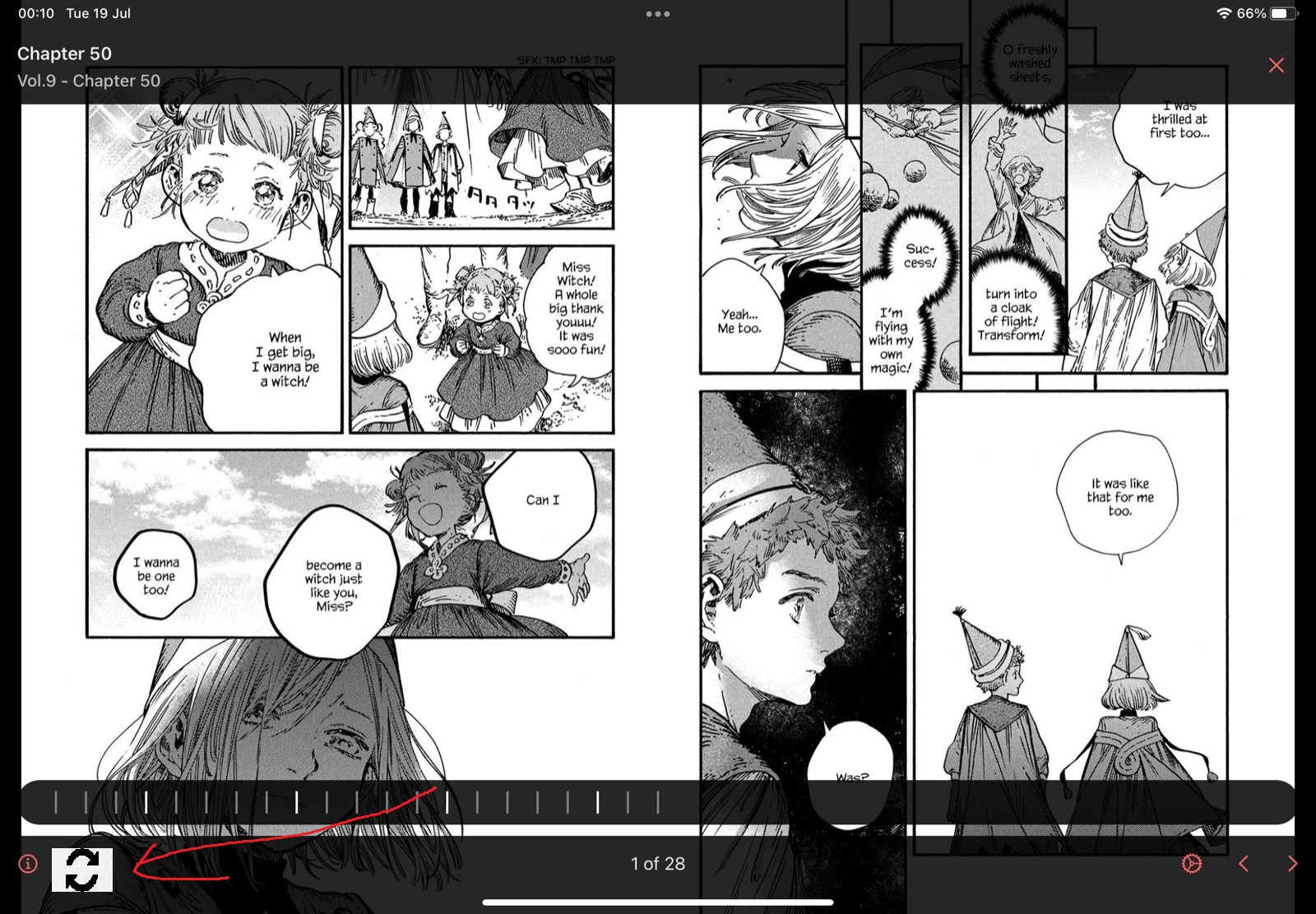
[REQUEST] Dedicated button to flip from single to double page view OR a button to realign the pages by advancing one page
Description Sometimes when you're reading manga, the source excludes blank pages from the original chapters which causes double pages to be misaligned. The pages that should be on the left are on the right and vice versa. Usually I just switch to single page view, advance a page, and then go back to double page view and a button to make this more convenient would be really nice. Also the current reader doesn't support switching between single/double without exiting the reader so I use the legacy reader still and rotate my ipad which is a pain in the a**.
I want a button on the reader that toggles between single and double page view (no automatic) and that should cover my issue and more. A button to just advance one page in double page view for my niche use case would be nice but the above is probably more useful for everyone.
How would it improve the App? Misaligned double pages look really bad in some manga who draw with a double page view in mind. People other than me would get value from the convenience of a single/double page view switch button.
Additional context
Desired button:
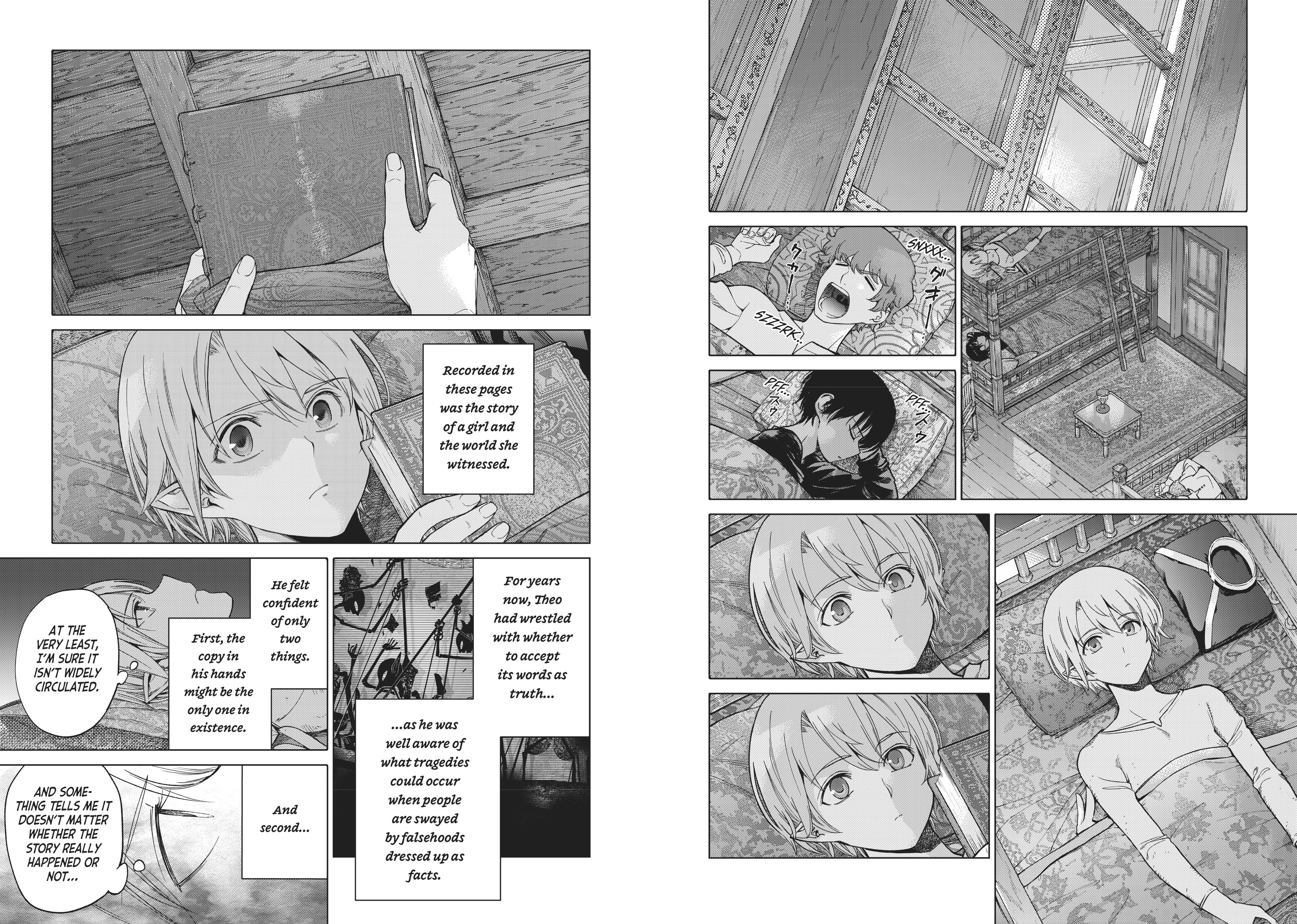
Bad alignment (look at the middle, all of that is meant to be on the edges of a page):
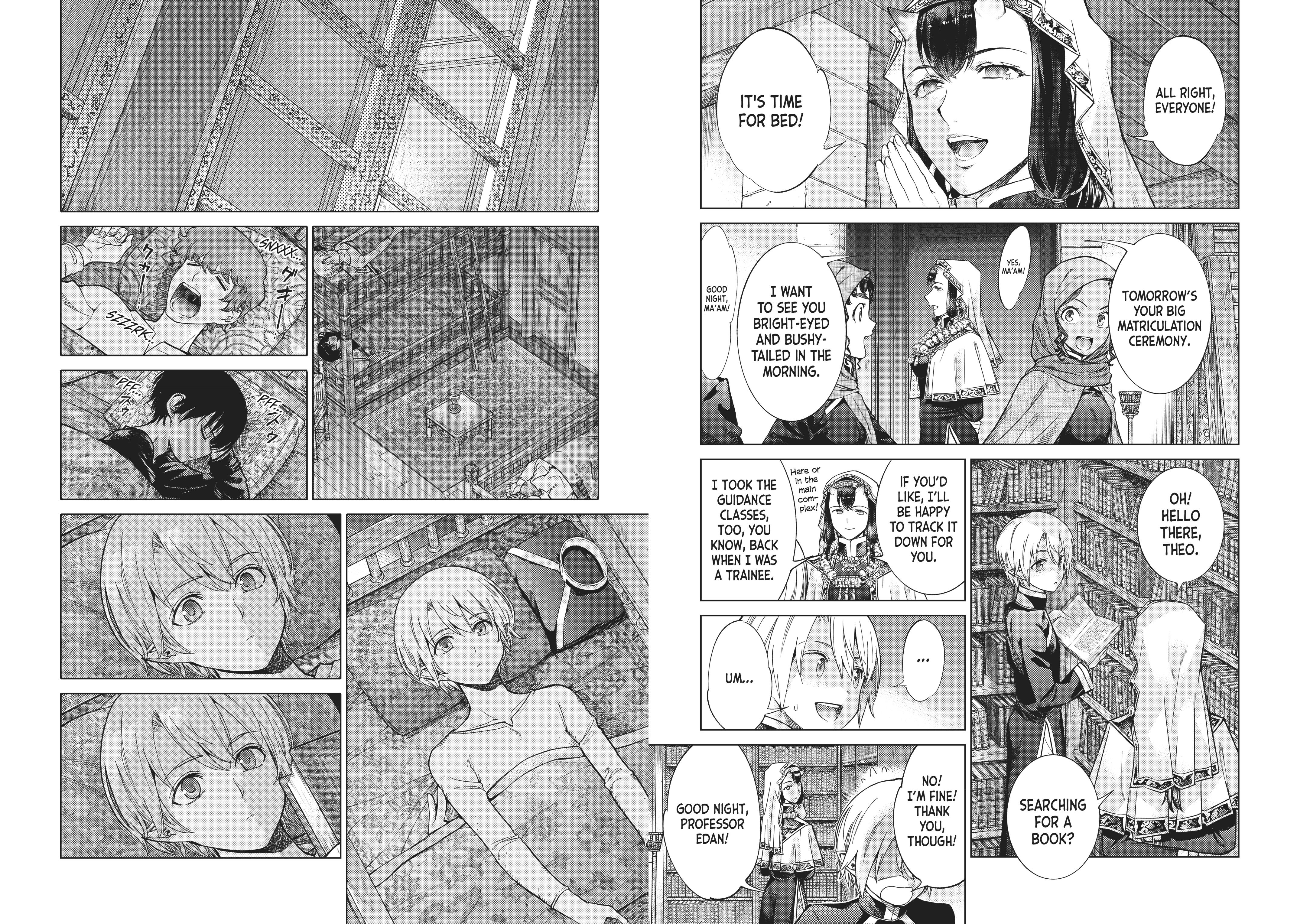
Good alignment: