

 Paperback-iOS
[REQUEST] delete json backup file in settings and restore backup from json file
Hi I know in settings -> backups -> new backup. we can export and create a backup. But, how to delete the .json backup file and restore backup from json file?
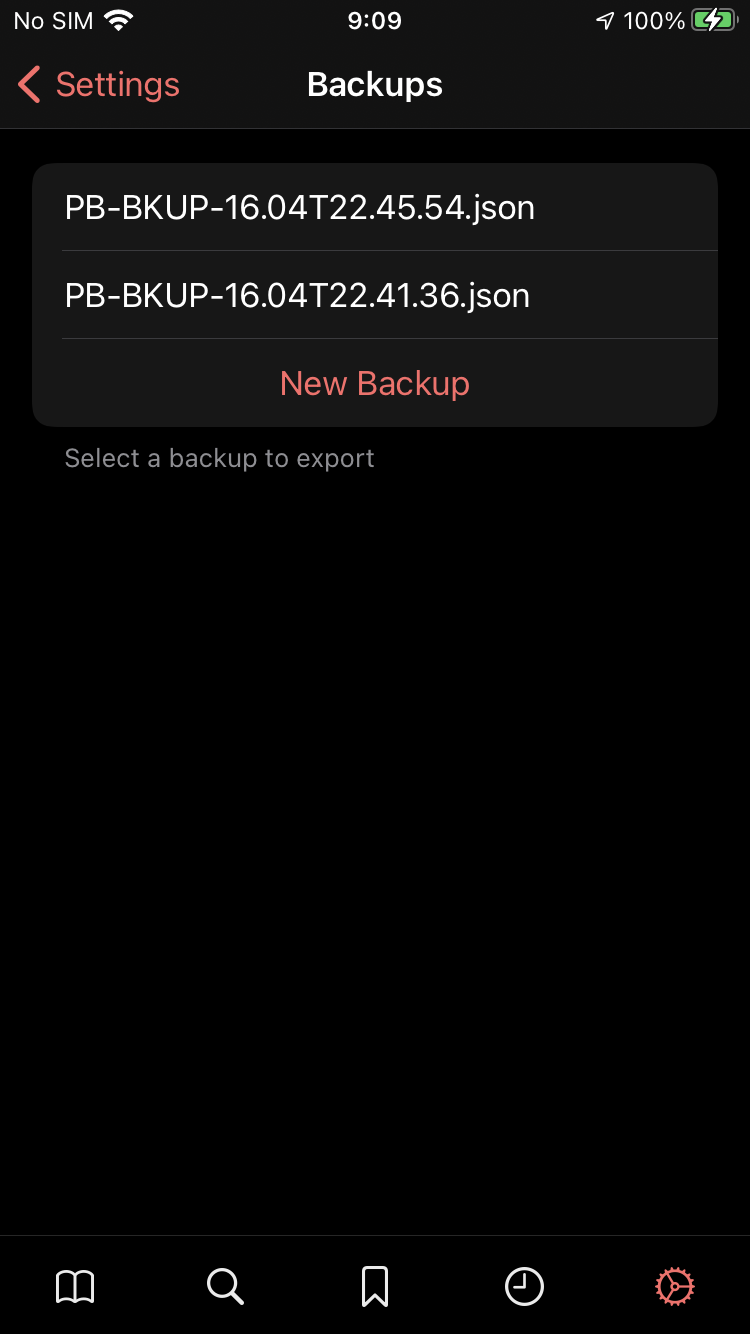

If you swipe left on the backup itll delete it in the App. You would have to delete it from other locations if you saved it elsewhere.

looked up on the paperback.moe website and found the following
https://www.youtube.com/watch?v=5EPN9FORQ1g video sample like who ever would think this is how it works instead of with a import button
friend had the issue found it here https://paperback.moe/help/faq/#adjust-content-settings
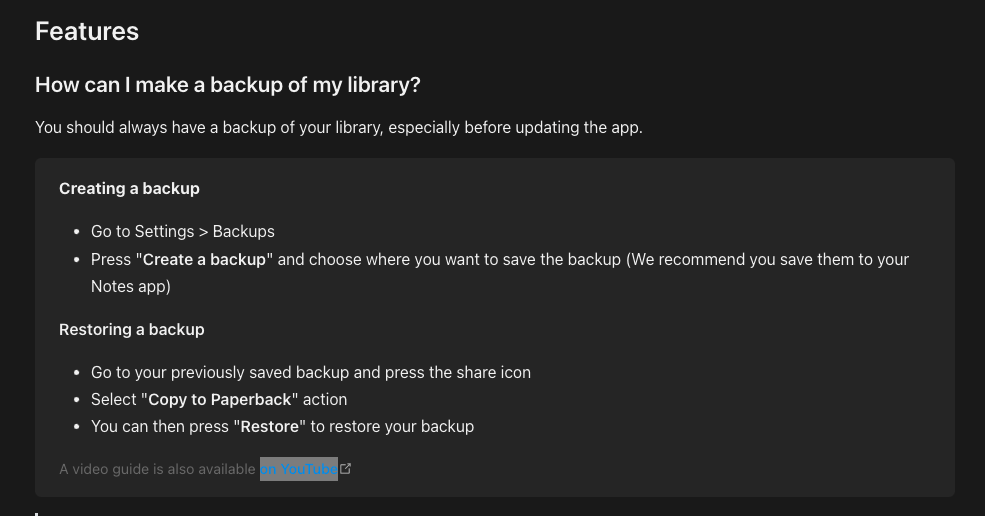
Its old hope this helps. for now until they make this a simple import button.

I tried that. But, there is no copy to paperback button or save to paperback with Notes app.
Friend had a similar issue with a file saved to onedrive...
He copied the file to iCloud and then did it and it worked... Not sure if this will work for you, try saving it from notes to icloud and uploading.
I assume the app is up to date.
Yes, technically it works. But, I hope they can simplify the restore and backup procedure like tachiyomi with just one tap.