

 PHPOffice
Repair required to view any PowerPoint generated
This is the code I've pieced together between the documentation, examples, and searching for solutions on github and stackoverflow to try to generate a file and download it rather than saving it:
$powerPoint = new PhpPresentation();

$masterSlide = $powerPoint->getAllMasterSlides()[0];
$slideLayout = $masterSlide->getAllSlideLayouts()[0];

$currentSlide = $powerPoint->getActiveSlide();
$currentSlide->setSlideLayout($slideLayout);

header('Content-Type: application/vnd.openxmlformats-officedocument.presentationml.presentation');
header('Content-Disposition: attachment; filename="test.pptx"');
header('Cache-Control: max-age=0');

$writer = IOFactory::createWriter($powerPoint, 'PowerPoint2007');
$writer->save('php://output');
When the file downloads and I click on it, I get this message:
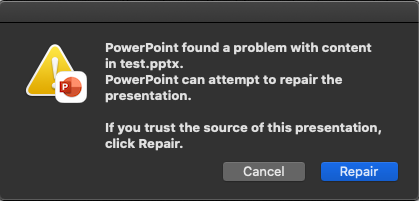
When I click "Repair", I get this message:
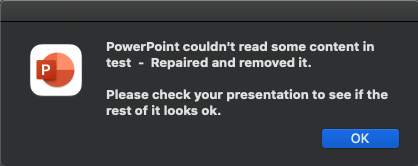
I'm using phpoffice/phppresentation dev-master with Microsoft PowerPoint for Mac Version 16.50.

Well... how is this not the number 1 issue to solve? Same for me, mac tries to repair it, windows cannot open files at all ("Sorry PowerPoint can't read x")
I tried the "Simple" example provided in the src code, and the and one provided above, as well as my own version testing stackoverflow suggestions like setting master slides, setting all properties.
I tried converting to XML before and after repair and using git to diff the files, but there's nothing I can see.
Even a blank empty slide throws a repair error.
I would guess something core has changed in newer versions of PowerPointnt that need to be addressed in the generation of ppt/pptx files?

Ok so given that PPTX files are essentially .zips...
- I generated a simple "hello world" style basic-test.pptx file
- then I opened in mac powerpoint, and repair, and saved as basic-test-fixed.pptx
- then I converted both to .zip files, and formatted all the xml to be consistent with eachother (as the repaired version is minified)
- then I staged changes for the basic-text.zip files, and then copied over the top the fixed version
In theory, this then gives you a simple GIT view of every single change before and after the repair.
Attached are the two files if anyone wants to do this themselves, as well as the actual pptx files.
I also used AI to quickly summraize and list every change below since there might be someone who goes "Ahhh ha" when they see what the repair is actually doing.
This is not my wheelhouse so I hope someone can figure out what is actually important here.
basic-test FIXED.pptx basic-test.pptx
basic-test-fixed.zip basic-test.zip
AI diff summary:
Running Tally of Differences
[Content_Types].xml
- Missing SVG content type declaration - HIGH
- Removal of custom.xml content type - HIGH
- Removal of image type declarations - MEDIUM
- Removal of XLSX content type - MEDIUM
- Reordering of elements - LOW
_rels/.rels
- Removal of custom properties relationship - HIGH
rId4relationship to custom.xml is completely removed
- Reordering of relationship elements - LOW
docProps/app.xml
- Application version change - HIGH
- From "12.0000" to "16.0000"
- From "Microsoft Office PowerPoint" to "Microsoft Macintosh PowerPoint"
- HeadingPairs vector size change - HIGH
- Size increased from 4 to 6 with added "Fonts Used" entry
- TitlesOfParts vector changes - HIGH
- Size increased from 1 to 3
- Content completely different
- Additional metadata added - MEDIUM
- TotalTime, Words, PresentationFormat, Paragraphs, Notes, HiddenSlides, MMClips
docProps/core.xml
- Modification date updated - MEDIUM
- From "2025-04-01T00:01:36Z" to "2025-04-01T00:29:49Z"
- Last modified by changed - MEDIUM
- From "Unknown Creator" to "Maurice Kindermann"
- Revision number added - MEDIUM
- Empty to "1"
- Element order rearranged - LOW
- Elements reordered but content mostly the same
ppt/presentation.xml
- Slide reference ID changed - HIGH
- From
r:id="rId3"tor:id="rId2"
- From
- Addition of extLst element - HIGH
- Added
<p:extLst>with guide list extension
- Added
- Attribute order rearranged in paragraphs - LOW
- All paragraph elements have reordered attributes
ppt/presProps.xml
- Show presentation properties expanded - HIGH
- Added
<p:sldAll/>for showing all slides - Added pen color settings with
<p:penClr> - Added nested
<p:extLst>with laser color and media controls
- Added
- Additional extension in main extLst - MEDIUM
- Added chart tracking reference extension
<p15:chartTrackingRefBased val="0"/>
ppt/viewProps.xml
- View properties significantly expanded - HIGH
- Removed attributes
showComments="0"andlastView="sldView" - Added
<p:normalViewPr>section with restored settings - Added
<p:notesTextViewPr>section - Added
<p:gridSpacing>element
- Removed attributes
- Slide view scaling changed - HIGH
- From 100/100 to 121/100 (zoomed in)
- Origin changed from (0,0) to (1464,176)
- Added
varScale="1"attribute
- Added empty guide list - MEDIUM
<p:guideLst/>element added
ppt/_rels/presentation.xml.rels
- Relationship ID reassignment - HIGH
- Theme moved from rId2 to rId5
- Slide moved from rId3 to rId2
- presProps moved from rId4 to rId3
- viewProps moved from rId5 to rId4
- Reordering of relationship elements - LOW
- Element order completely changed
ppt/slideMasters/slideMaster1.xml
- Body style indent value change - HIGH
- From indent="-324900.00000000006" to indent="-51206400"
- Attribute order rearranged - LOW
- Order of attributes changed in bodyStyle's lvl1pPr element
ppt/slideMasters/_rels/slideMaster1.xml.rels
- Reordering of relationship elements - LOW
- Order of relationships changed but content identical
ppt/slides/slide1.xml
- TextBox name addition - HIGH
- From
<p:cNvPr id="2" name=""/>to<p:cNvPr id="2" name="TextBox 1"/>
- From
- CDATA text formatting removed - MEDIUM
- From
<a:t><![CDATA[Hello World]]></a:t>to<a:t>Hello World</a:t>
- From
- Attribute order rearranged - LOW
- Elements like
a:bodyPranda:pPrhave reordered attributes
- Elements like
ppt/theme/theme1.xml
- Attribute order rearranged - LOW
- Elements like
a:outerShdw,a:lightRig,a:bevelT, anda:fillToRecthave reordered attributes
- Elements like
This solution could be brute forced, ie write a script to test every file iteratively, but hopefully there is a more elegant solution.
The solution for me was using integer for indent for <a:lvl1pPr> in ppt/slideMasters/slideMaster1.xml

The solution for me was using integer for
indentfor<a:lvl1pPr>inppt/slideMasters/slideMaster1.xml
Oh - did you manage to do this inside PHPPresentation, or did you manually change this in the .zip version? I'd love a fix in the package itself, cannot be used commercially otherwise, since you can't release a product that tells all users to repair their PPT.
The solution for me was using integer for
indentfor<a:lvl1pPr>inppt/slideMasters/slideMaster1.xmlOh - did manage to do this inside PHPPresentation, or did you manually change this in the .zip version? I'd love a fix in the package itself, cannot be used commercially otherwise, since you can't release a product that tells all users to repair their PPT.
Downgrading phpoffice/common to 1.0.4 will help to fix this
Ok good to know, but I will wait for an official release. I had created a proof of concept, which I hoped to build out and use, but the Repair issue makes it unsuitable for public facing applications.
I tested common 1.0.4 and it worked, so I did some digging and think I found the issue:
Version 1.0.5 changed two functions to return float instead of int, and I'm guessing that is causing PowerPoint XML to contain decimal EMU values that break Microsoft PowerPoint parsing:
Drawing : Fixed emuToPixels (returns float and not int) https://github.com/PHPOffice/Common/compare/1.0.4...1.0.5
I compared the XML output between versions:
- Broken (1.0.5): indent="-324900.00000000006"
- Working (1.0.4): indent="-324900"
So I'm guessing PowerPoint XML spec requires integer EMU values, and the floating-point decimals cause parsing errors requiring file repair (and also why repair works and doesn't break anything else).
The fix seems to just be in /vendor/phpoffice/common/src/Common/Drawing.php
- Fix emuToPixels() method (around line 112):
// breaks in 1.0.5:
public static function emuToPixels(int $pValue = 0): float
{
    return $pValue / 9525;
}

// fixed (restore 1.0.4 behavior):
public static function emuToPixels(int $pValue = 0): int
{
    return (int) round($pValue / 9525);
}
- Fix pixelsToEmu() method (around line 213):
// breaks in 1.0.5:
public static function pixelsToEmu(float $pValue = 0): float
{
    return $pValue * 9525;
}

// fix:
public static function pixelsToEmu(float $pValue = 0): int
{
    return (int) round($pValue * 9525);
}
This seems to fix the issue, after hacking these fixes into /vendor/ files I can directly open newly created files without the repair dialog. Does anyone know why these changes were made? Not sure what level of rounding or fidelity would be needed.
If anyone who works on this can verify then this seems like a simple fix for a future release?
hey @mauricekindermann
I think the issue you are talking about was already fixed here. We're all just waiting for it to be released. @Progi1984 had promised a release for May 2025, but unfortunately that never happened.

Came here researching a repair issue as well for the past week, and thanks @mauricekindermann for having the solution!
It seems then that PPT cannot support floats in really any case. In my case I have a table with columns that are automatically sized. Any table width that results in decimal values for columns (say 1200px table widths / 7 columns) result in a broken table.
Same with margins...
