

 PCSX2
PCSX2
[BUG]: NI Patches Loading/Caching Even if Disabled in a Per-Game Config
Describe the Bug
While testing Onimusha: Warlords I noticed that the included NI patch for it didn't seem to be working correctly. There was noticeable jittering and interlacing artifacts with it enabled and deinterlacing set to either None or Auto. I use NI patches in most cases, so I didn't want to disable those globally, just for that specific game. So I selected to disable it in the game's config:
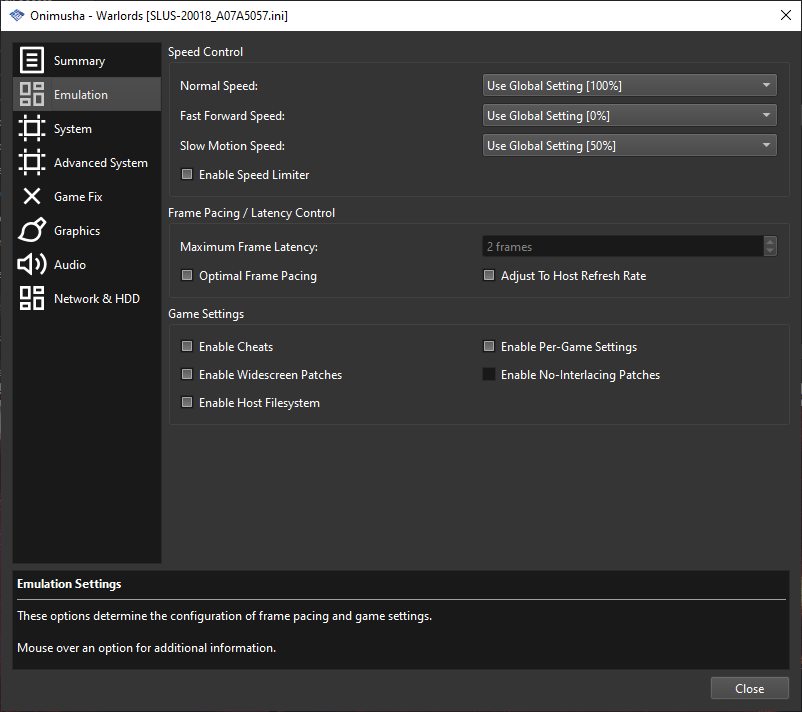
However, when restarting the game I noticed that, despite the fact that the UI said that no no-interlacing patch was loaded, the screen jitter and artifacts remained with deinterlacing set to Auto. So then, out of curiosity, I tried disabling them globally - the problem went away. So I then re-enabled them globally but then opened up the NI zip and renamed the patch to !BAK-[the game's CRC].pnach and started the game again (NI re-enabled globally but disabled for the game's config) and the problem came back. I then restarted PCSX2, with it still re-enabled globally but disabled for the game's config, and now it worked correctly (the patch was disabled).
So 1) disabling them in a per-game config isn't actually working correctly which definitely seems to be a bug, especially since the UI itself is stating that it isn't being loaded but in fact it is and 2) removing them from the zip doesn't have any effect until PCSX2 is restarted, so I guess it's caching them; I don't know that this is necessarily a bug - I'm assuming this is by design - but it wasn't the behavior I was expecting anyway.
Reproduction Steps
See description. Create a per-game config and choose to disable no-interlacing patches while having them enabled globally. The UI says that they are disabled when starting the game, but based on testing that doesn't seem to be the case.
Expected Behavior
To be able to actually disable NI patches on a per-game level.
PCSX2 Revision
v1.7.3150
Operating System
Windows 10 (64bit)
If Linux - Specify Distro
No response

When you're loading the game back up are you actually loading it normally, like booting it and loading the game from the memory card through the games menu? or are you loading a savestate? because the latter will retain any previous patches you had enabled.

can't reproduce on latest (v1.7.4993 as of writing) nightly, it seems to properly stops the patch from getting loaded,
