

 PCSX2
PCSX2
[BUG]: Dynasty Warriors 5 seams/lines on ground
Describe the Bug
This has been on the wiki for some time, i didnt see a github issue for it however.
A (usually) dark line that looks like the border of a group of triangles shows through the ground in many areas on most stages.
Reproduction Steps
Any renderer or GS settings, i also tried different clamping and rounding along with interpreters for EE and VU, nothing seems to get rid of it. It is also independent of any resolution scaling, possibly thicker on hardware vs software.
Expected Behavior
This line shouldnt appear.
PCSX2 Revision
v1.7.2128
Operating System
Windows 10 (64bit)
If Linux - Specify Distro
No response
CPU
i7-4790
GPU
RX 570
GS Settings
No response
Emulation Settings
No response
GS Window Screenshots
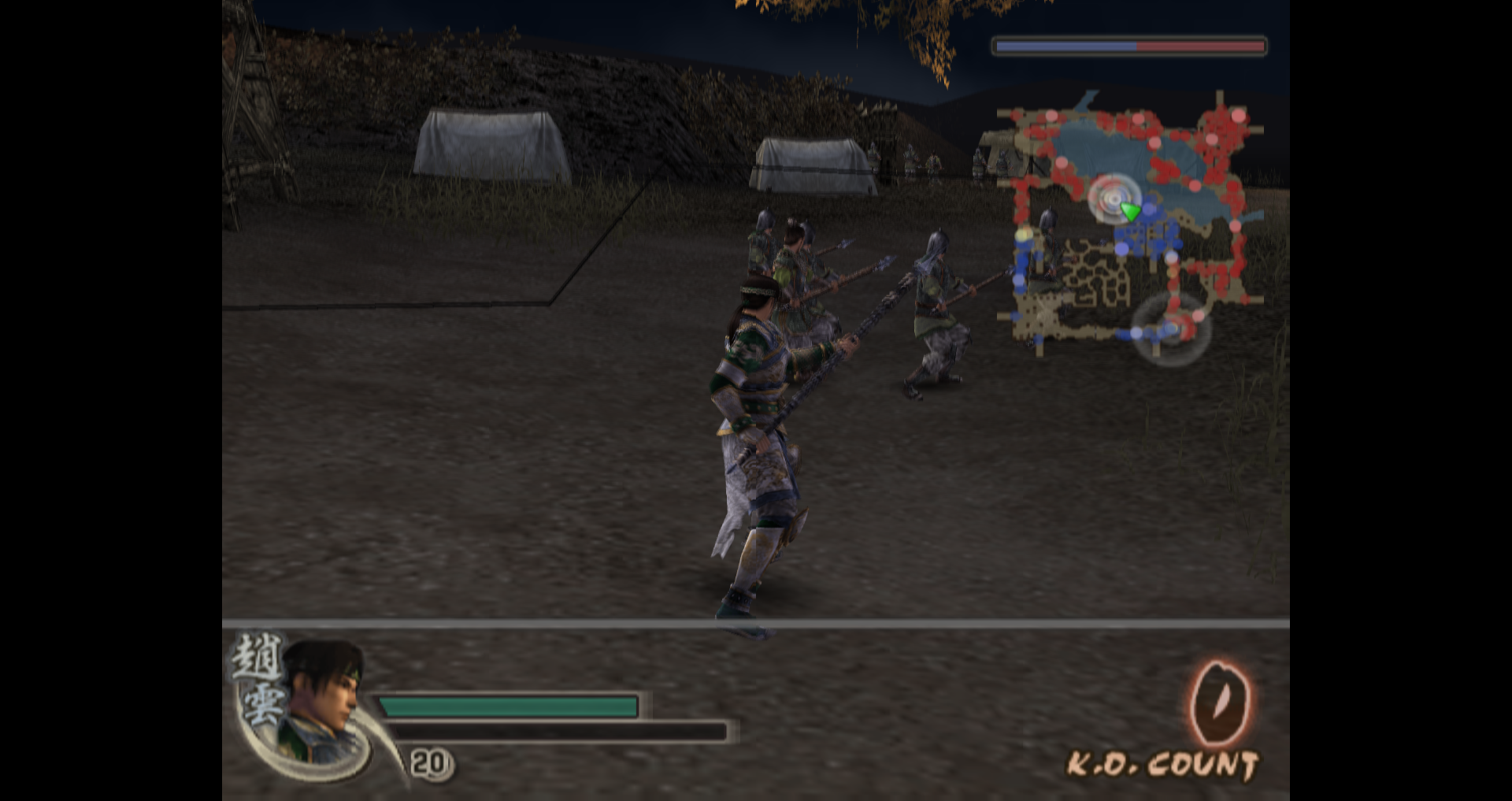
Logs & Dumps
SLUS-21153 (6677B437).00.zip gs_20211227171142.gs.zip Savestate and GS dump


Can confirm this happens in Dynasty Warriors 5: Empires as well, and by association probably other titles on the same engine. Something that affects it directly is skipdraw, and judging by how parts of the ground seem to disappear using it, this might be some sort of ground texture blend border or lod system that's getting misaligned on a more foundational level.
The Half-Pixel Offset (Vertex) hack has a minor effect on it but it's not a perfect fix, it only makes the line thinner. Round Sprite hack makes it worse in either setting.
The only "good" fix I found was using Texture Offset, at least 800 in both fields. However, this results in a lot of mismatched textures everywhere else, such as dialog sprites. I wonder if being able to use negative values might have had a better effect.

Koei games with this issue have two memory addresses with the value of "3000000C". Changing one of them to "30000003" fixes the issue, but I don't know if this issue is a result of COP2/VU0, or GS. So I'll leave that to someone else to figure out.

This patch is for Dynasty Warriors 5: Empires (which also suffers from the same issue) SLES_540.95 patch=1,EE,001E57B8,word,00000000
@Buzzardsoul i think the pre-round pr fixes it ( or did the last time i checked)

@Buzzardsoul i think the pre-round pr fixes it ( or did the last time i checked)
Yeah, I believe my patch might be just nopping a normal behavior that the gs is failing at.
Koei games with this issue have two memory addresses with the value of "3000000C". Changing one of them to "30000003" fixes the issue, but I don't know if this issue is a result of COP2/VU0, or GS. So I'll leave that to someone else to figure out.
How do you change these address? I have DW5 XL (US) and DW6 (US) and would like to try it myself.

Koei games with this issue have two memory addresses with the value of "3000000C". Changing one of them to "30000003" fixes the issue, but I don't know if this issue is a result of COP2/VU0, or GS. So I'll leave that to someone else to figure out.
How do you change these address? I have DW5 XL (US) and DW6 (US) and would like to try it myself.
Something keeps writing to them, so patching the offsets won't work. You're gonna need to nop the instructions writing at them, and finding them is a luck-based hassle.