

 PCSX2
PCSX2
DW3XL: Crash on death element attacks
PCSX2 version: 1.5.0
PCSX2 options:
(For example, Clamping/Rounding, Speedhacks, GameFixes)
Using the safest preset in emulation settings. Using OpenGL rendering (Hardware) with a 1920x1080 upscaled resolution, everything else at default, hardware hacks disabled.

Plugins used:
All default plugins used.

Description of the issue: Game: Dynasty Warriors 3: Xtreme Legends (Please note that I use a custom made disc containing both xtreme legends expansion and the original game to circumvent the disc swap not working in PCSX2. Tested on a normal xtreme legends disc as well as a normal dynasty warriors 3 disc and the issue persists) Every time I use an attack that triggers a death element (Wei Yan's fourth weapon for example), the whole emulator crashes with a windows error message saying the program crashed and was closed. The death element uses a very specific graphical effect, don't know if that is what's crashing the emulator. I did test both hardware and software rendering, both crash.
How to reproduce the issue:
Play any stage with any character who has a death element fourth or fifth weapon. Use the death element attack. Emulator should crash

Last known version to work: Haven't tested any older versions, but it is worth noting that my very first stage worked flawlessly when using death element attacks. No settings at all were changed since then, but now it crashes every time I use a death element attack.
PC specifications: CPU: i7 7700k @stock frequency GPU: Asus RoG Stix 1080Ti at 2GHz, 12GHz effective memory clock RAM: 16GB Corsair LPX RAM @2800MHz


Nobody's done a test case since 1.2.1 (where the entire game is playable); so there could be a regression involved.

@willkuer This is how memory usage looks while playing. I've highlighted the moment of the crash with a red circle. It does seem to write something to memory every time the program crashes, but it's only a tiny spike. This happens in both Software and Hardware mode:

@MrCK1 I tried version 1.2.1 and it does indeed work perfectly. This version even loads my save file on initial startup, unlike 1.5.0, in which I have to load original DW3 data from the iso before I can load my save manually through options(Says the savefile is corrupted otherwise, gave me quite a scare initially. Will make a separate bug report regarding that one). Even if 1.2.1 does not crash when using the death attack, I did notice two messages popping up in the console window (only on the first death element attack in a stage):
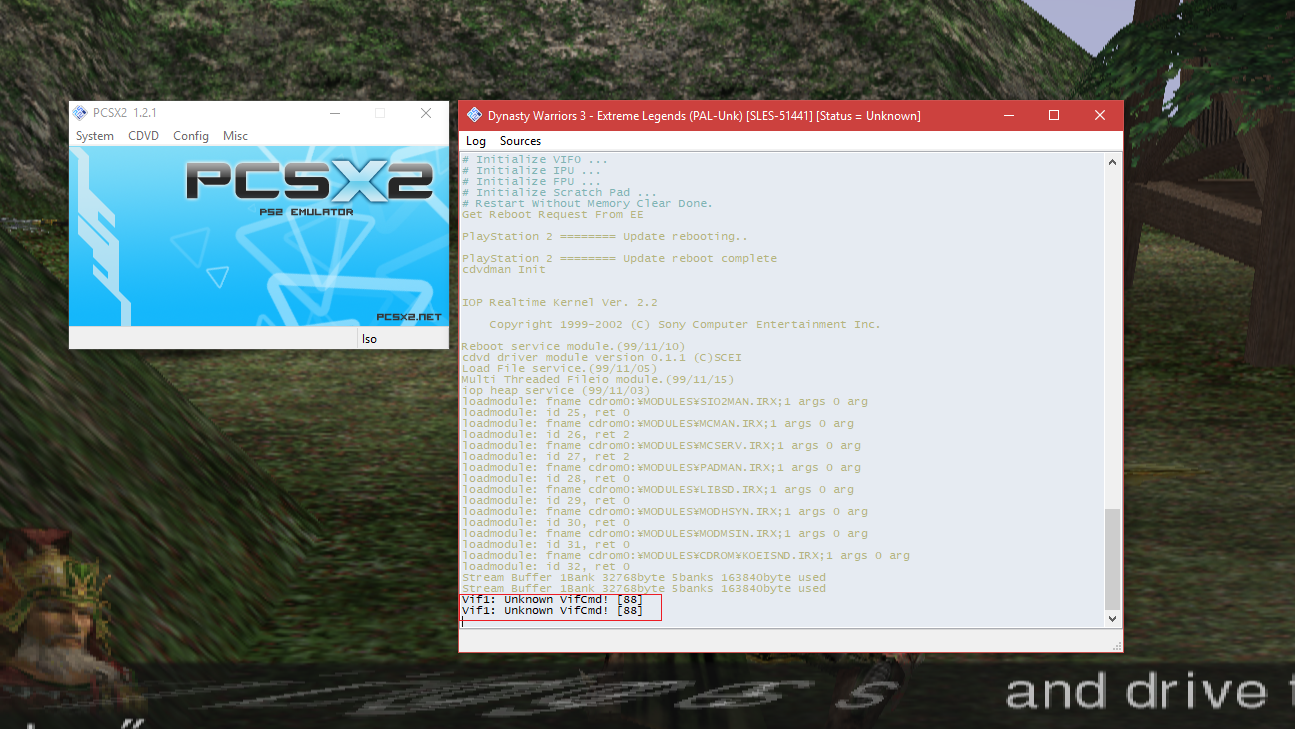 Hopefully this info helps you guys debug it. Thanks!
How's v1.4 ?
Edit: Try this and see if it works. You can use the plugins from the latest git. pcsx2.zip

@lightningterror the file you linked crashed just like the 1.5.0 dev release I used to make the initial bug report. I also downloaded 1.4.0 and it crashes as well. The only version I've tried so far that has actually worked is 1.2.1. The save corruption issues (#2135) are also present in both the one you linked and 1.4.0, but not in 1.2.1.
@lightningterror 1.2.1 exe with 1.5 plugins does not crash on death element use and seems to work flawlessly (it doesn't fail to load saves either). The issue seems to be related to the exe. The two console messages I posted in my previous screen shot are still displayed, though.
I played around with death element some more on the 1.2.1 exe with 1.5.0 plugins, and this error popped up:

Pressing ignore causes the game to go on as normal. I'm assuming that the newer emulator deals with this error differently, which may be why it is crashing. Hope this helps troubleshoot.
Could you check if OpenGL Software, or DX11 Hardware have the issue? I am having an identical bug in Rogue Galaxy and i'm wondering if they are related.
I'd test, but i only have the Samurai Warriors series :)

@hellbringer616 The crash happens regardless of rendering mode. I have tested DX9 HW and SW, DX11 HW and SW as well as OpenGL HW and SW. It seems to be related to the handling of an "invalid unpack error" in the PCSX2.exe itself. Version 1.2.1 of the exe works in DW3XL, so it might also work in Rogue Galaxy.

DW3 (PAL SLES-50641) Savestate: "Death Attacks" (PCSX2 v1.6 stable | Dev build v1.7 not tested) Crash when performing the "Death Attack" by pressing 5x square and 1x triangle with the fourth or fifth weapon of a character. (Character Cao Cao is used in savestate)
Note:
- The crash doesn't happen on all maps (As far as I have tested)
- If you click on "Ignore" in the crash message, PCSX2 will be completely terminated. After restarting PCSX2 and DW3 I could click on "Ignore" in the error message and the game worked without the crash. (I don't know if this works or can be reproduced by everyone) DW3PAL_DeathCrash_SaveState.zip
Can this be retested with latest dev builds? If it does, can you try the EE Timing gamefix?

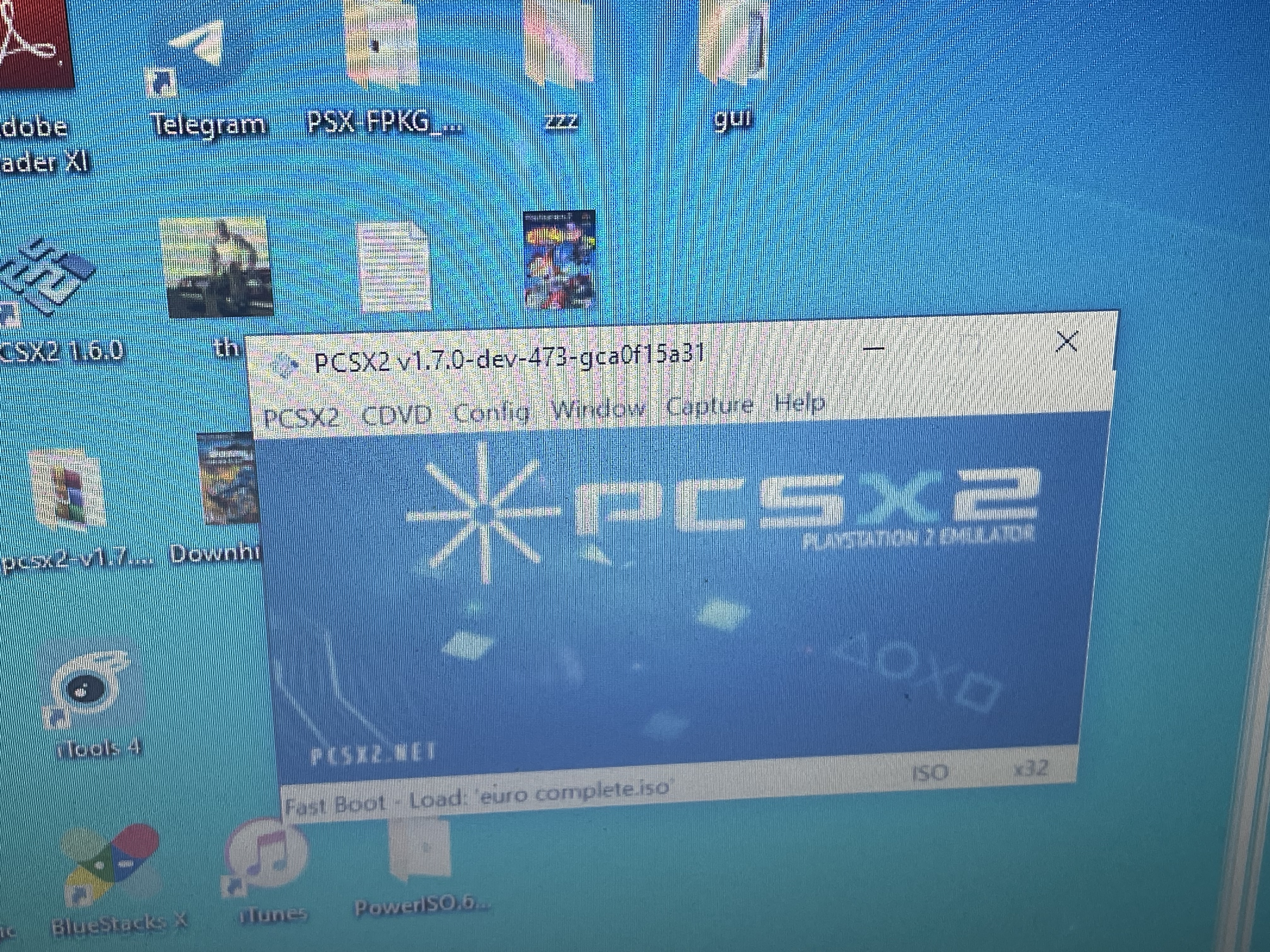 This crash fixed on PCSX2 1.7.0 dev-473-gca0f15a31. I tested cao cao and wei yan’s 4th weapons on PAL version. Wei yan ‘s 4th encountered with precaution text box on his very first match of my test but choose the option “ignore” and further attempts will be ok.

okay but what about the most recent nightly build? how does it function? does it crash? do you still have to work around it?

https://user-images.githubusercontent.com/127841782/225100190-f00834d3-58b1-4f95-a1a7-be170672713e.MOV
https://forums.pcsx2.net/Thread-Dynasty-Warriors-XL-problem-SOLVED i followed above; no need to change disc just merge iso and push start
Okay I don't really care about that, I just want to know how the game works on the latest build of PCSX2 and if it needs any workarounds.
I've tested this on my NTSC-U copy, with the characters Lu Xun and Wei Yan. Maybe this pertains to the PAL version, I can't test that as I don't own the PAL version, but there's nothing on my end causing a crash, whether it be in Software or Hardware. (1.7.4231)

iirc it didn't happen every time, I had to get somebody to make a savestate for me, and it did crash in that, but of course I didn't really get anywhere with it and now the savestate is defunct.
Tested this again today, on version 1.7.5158, spent about 45 minutes stringing combos that trigger a death element and didn't come across a crash, I'll attach a savestate so anyone else can give it a try.
To trigger the combo string that makes use of the Death Element on Lu Xu, hit Square x3 and follow it by 1x Triangle. You'll see Dark Purple shadows if done correctly. SLUS-20617 (C22D5152).01.p2s.zip