

 OpenShot
Wrong section of video is exported
Describe the bug:
Another issue with exporting specific range by specifying start / end frame. Though I highly doubt this one is related to #4842 in any way.
I've been cutting up editing 3 days worth of conference videos and got to the point where I'm exporting the final clips. The source was hours long continuous video and I'm outputting short 40-60 minute sections. I think this is important detail as the source is a fixed framerate (as far as I know) all from a single source (Microsoft Teams recording).
Previously I've created one project per section but figured I'd try one project and export pieces ad-hoc. All worked reasonably well besides a couple that are completely off. In order to cut it up I noted down the start / end frames of every section in a text file and after that set out to export the videos. I think this is an important detail because I can verify no data entry mistakes as it is a copy/paste operation easily verified to be correct.
Sample of my clip frames:
01: 1 - 11214
02: 12239 - 47522
03: 48405 - 79973
04: 80674 - 87761
05: 88976 - 105481
06: 107030 - 151765
07  185853 - 218793
The first 6 worked perfectly. The 7th is no where near. It started towards the end of the desired clip and ended half way through what I would want as the 8th.
I thought I had made a mistake so simply verified the numbers and re-exported it. Same deal. Thought I was going mad so shifted the entire section "7" a little bit over and noted down new start/end frames and exported. Same result.
I then exported it with the frame numbers visible and the first frame is 216243!
And just to clarify, the remaining clips up to 22 (of 24) as far as I can tell from a cursory look are all fine. Starting and ending where I expect. The final two clips had the same issue as "clip 7" but have not yet dug into those two. I'll update this later with any extra info I discover there.
Steps to reproduce the behaviour:
- I don't know how I can reproduce or otherwise share what is going on, please feel free to direct me to provide more details.
Expected behaviour: Selected frame start/end should be used for the export.
System Details:
- OpenShot Version [e.g. 2.4.3]: 2.6.1 with
-no-sandbox - Operating System / Distro: ubuntu

In an attempt to get the right clip, I saved the original project as a new project and deleted everything before my "clip 7" (not touched anything after). I then looked at the end frame which should have been 67542 for a total of 20m38s.
The resulting video is 37m31s long 🤯
In this screen shot, track 2 was what was exported, track 3 is the resulting export
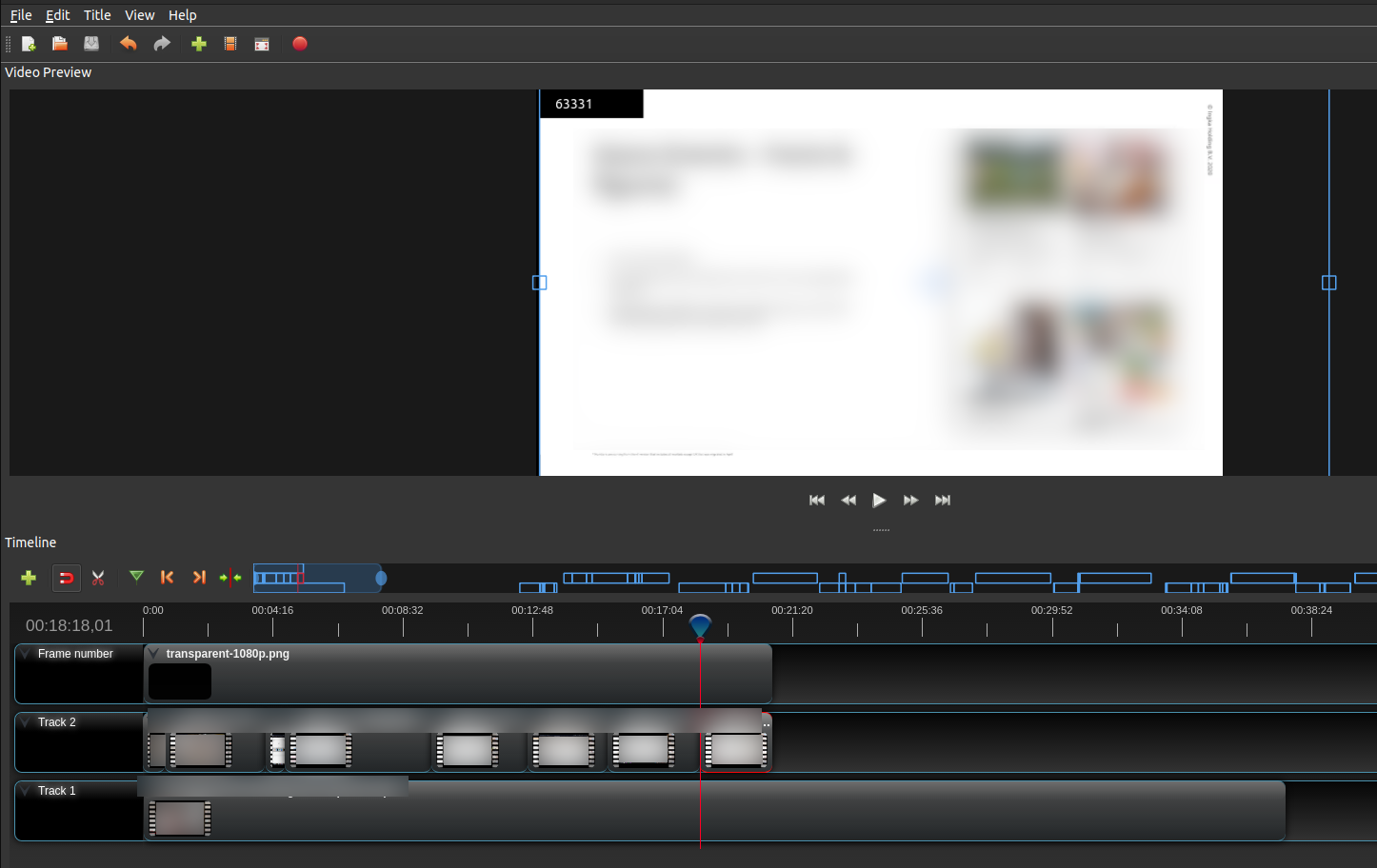
I've now removed everything in the project besides "clip 7" and the export frames by default are start: 1 and end 37211.
From the screen shot above it can clearly be seen that the frame near the end is in the 60k's, not the 30k's
This export with only "clip 7" in the project resulted in a correct export.
Thank you so much for submitting an issue to help improve OpenShot Video Editor. We are sorry about this, but this particular issue has gone unnoticed for quite some time. To help keep the OpenShot GitHub Issue Tracker organized and focused, we must ensure that every issue is correctly labelled and triaged, to get the proper attention.
This issue will be closed, as it meets the following criteria:
- No activity in the past 180 days
- No one is assigned to this issue
We'd like to ask you to help us out and determine whether this issue should be reopened.
- If this issue is reporting a bug, please can you attempt to reproduce on the latest daily build to help us to understand whether the bug still needs our attention.
- If this issue is proposing a new feature, please can you verify whether the feature proposal is still relevant.
Thanks again for your help!
![stale[bot] avatar](https://avatars.githubusercontent.com/in/1724?v=4 "Published by a pub.dev verified publisher")
Please download the latest DEV Daily Build and give it a try: openshot.org/download/#daily
