

 OpenOrienteering
Feature implementation: show/hide map parts
As discussed in #1121 it would be beneficial to show and hide individual layers. I implemented that feature, but used a simple GUI approach by just adding a map part dependent 'Hide current part' or 'Show current part' to the Map parts toolbar (as mentioned by @Symbian9 in #1121).
The visibility is stored in a new attribute:
<part name="Part1" visibility="100"><objects count="393">
<part name="Part2" visibility="0"><objects count="146">
Current versions of Mapper and Purple Pen do open these kind of files properly.
I used the values 0 and 100 in order to provide a migration path if somewhen later this becomes an true opacity value.
Example by using my favourite sample map and after having moved some objects to another map part:
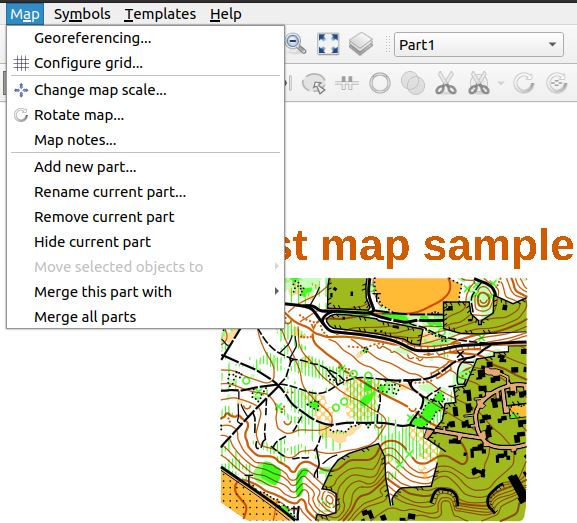 The Map parts toolbar offers the 'Hide current part' as the current part is visible and thus can be hidden.
Map parts toolbar after part was hidden:
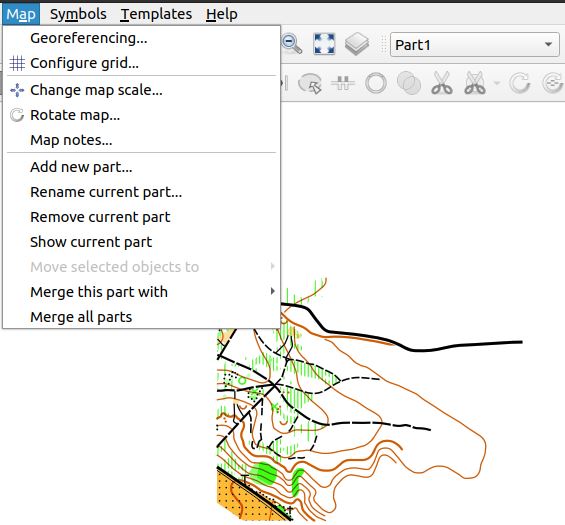
The change considers opening previous maps as well as considering the undo feature on map parts.

Regarding the implementation: I considered Object::update() as appropriate to prevent objects from being added to the list of renderables for map parts that shall not be shown. However, as an 'Object' object possesses a map element but not a map part element, Object::update() does not know the visibility of the map part it belongs to. As an easy workaround I temporarily store the visibility of the map part being processed in Map::applyOnAllObjects in a new element of the map object, since Object::update() then does have access to it through its map element.
See #1960

@mlerjen: Maybe in the case of showing/hiding map legends, or if (different) course settings are part of the map. E.g., if you move all contour lines to a separate map part you can hide them in a single operation (instead of having to hide a number of symbols).
Another usecase might be to duplicate an object, assign it to another symbol and move it to a different map part. Thus, an area with slow running on the 'winter' map part is duplicated as an area which is difficult to run on the 'summer' map part.