

 OpenKH
CTD editor bug with accented characters, icon button, colors and other characters
When I use the CTD editor, the accented characters, icon button and other characters doesn't work in Birth By Sleep :
The accented characters and other characters like ',“,” are replaced by X and shift the text that are after
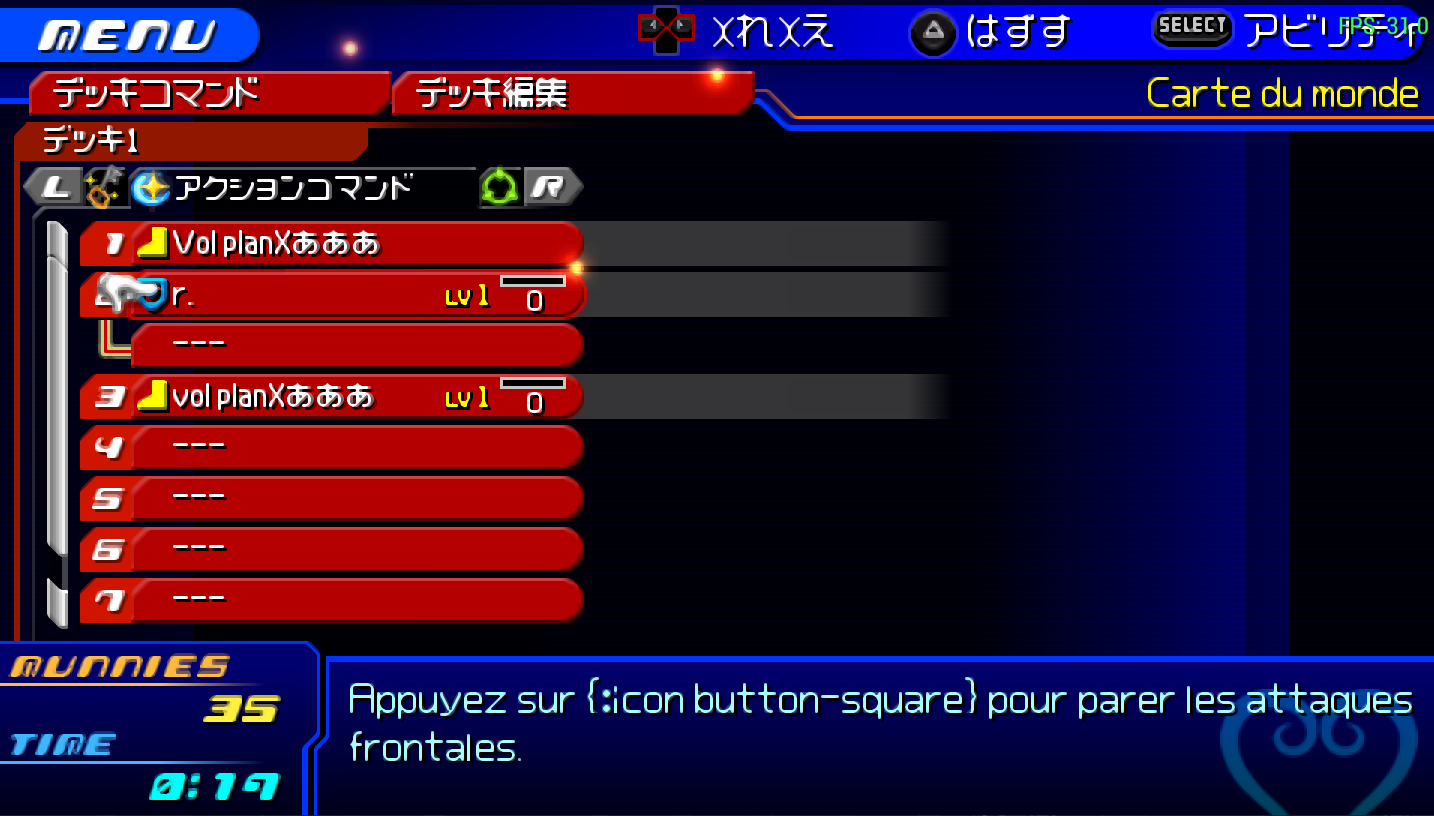 In this image the "r." is from a text that is before.
The icon button and colors are replaced by text like the cross button is replaced by {:icon button-cross} and colors by {:color yellow}
In this image the "r." is from a text that is before.
The icon button and colors are replaced by text like the cross button is replaced by {:icon button-cross} and colors by {:color yellow}
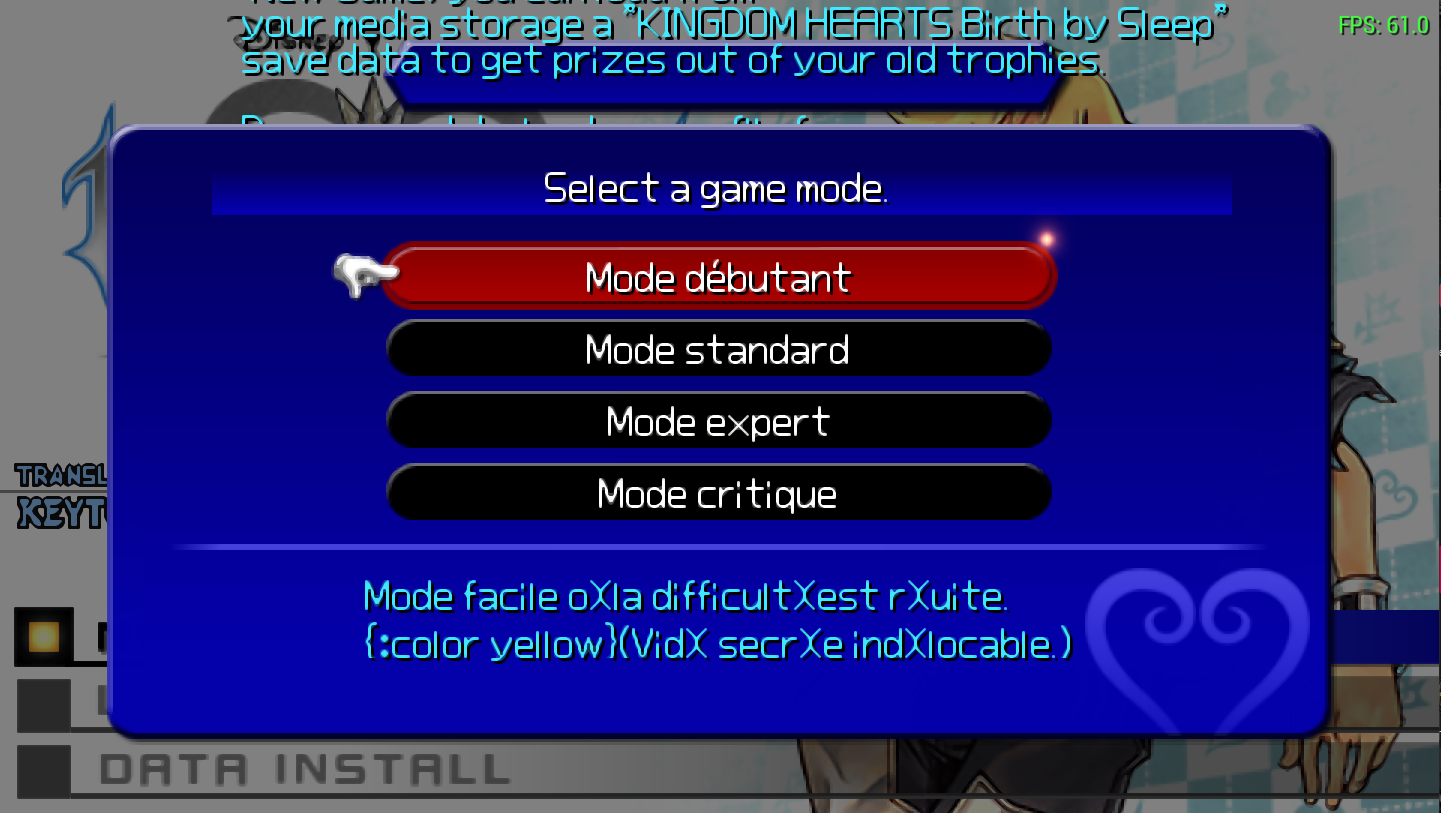
I've made a list of everything I've found that doesn't work to help you :
Don't know but is replace by -- on CTD editor=815c8161
'=8166 “=8167 ”=8168 ×=817e °=818b ☆=8199 ★=819a ◎=819d Maybe lack "
À=9980 Ç=9985 É=9987 Ê=9988 Î=998c Œ=9994 à=999a â=999c ç=999f è=99a0 é=99a1 ê=99a2 ë=99a3 î=99a6 ï=99a7 ô=99ab ù=99ae û=99b0 œ=99b2 ®=99cc ™=99cd
Triangle=f1ae Circle=f1af Square=f1b0 Cross=f1b1 Analog=f1b2 Button-R=f1b3 Button-L=f1b4 Only on PS4 most probably R2=f1b8 Only on PS4 most probably R3=f1b9 Only on PS4 most probably L2=f1ba Only on PS4 most probably L3 but is not used=f1bb dpad=f1c3 dpad-h=f1c4 Not shown on CTD editor maybe dpad=f1c5 Not shown on CTD editor maybe Start and Option for PS4=f1d2
Color default=f941 Don't know but seams like a color=f950 Color white=f958 Color yellow=f959
Thanks in advance for any help.
