

 OpenBB-finance
[Critical Bug] Installers - All Installers: Failed to execute script 'terminal' due to unhandled exception!
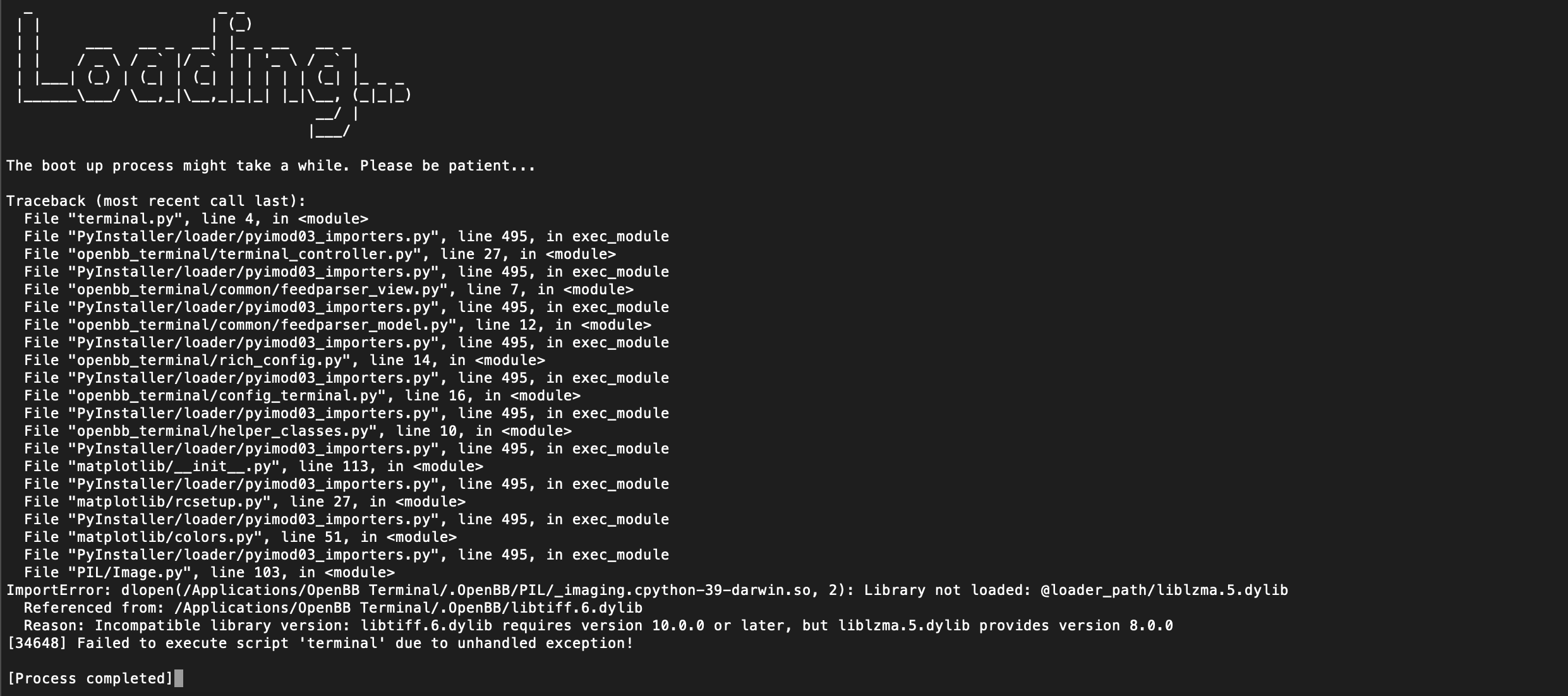
Reports of installers failing to launch, across all platforms, and the error is the same. This is an issue with the installers only, cloning repo and installing the old-fashioned way works just fine. Users are currently being advised to install via the Git Clone, Conda and Poetry method.
Traceback (most recent call last):
  File "terminal.py", line 3, in <module>
  File "PyInstaller/loader/pyimod03_importers.py", line 495, in exec_module
  File "openbb_terminal/terminal_controller.py", line 27, in <module>
  File "PyInstaller/loader/pyimod03_importers.py", line 495, in exec_module
  File "openbb_terminal/terminal_helper.py", line 16, in <module>
  File "PyInstaller/loader/pyimod03_importers.py", line 495, in exec_module
  File "matplotlib/init.py", line 109, in <module>
  File "PyInstaller/loader/pyimod03_importers.py", line 495, in exec_module
  File "matplotlib/rcsetup.py", line 27, in <module>
  File "PyInstaller/loader/pyimod03_importers.py", line 495, in exec_module
  File "matplotlib/colors.py", line 51, in <module>
  File "PyInstaller/loader/pyimod03_importers.py", line 495, in exec_module
  File "PIL/Image.py", line 103, in <module>
ImportError: dlopen(/Applications/OpenBB Terminal/.OpenBB/PIL/_imaging.cpython-39-darwin.so, 2): Library not loaded: @loader_path/liblzma.5.dylib
  Referenced from: /Applications/OpenBB Terminal/.OpenBB/libtiff.6.dylib
  Reason: Incompatible library version: libtiff.6.dylib requires version 10.0.0 or later, but liblzma.5.dylib provides version 8.0.0
[33102] Failed to execute script 'terminal' due to unhandled exception!



So if you are feeling adventurous, we are testing our build process.
You can try downloading our latest dev version here (download the artifact and then extract the dmg from it): https://github.com/OpenBB-finance/OpenBBTerminal/actions/runs/4106730075
Make sure to delete the OpenBB Terminal folder in your applications first!
 @jmaslek

It was confirmed that this issue appears only on macOS Catalina that reached EOL in October 2022. Folks who see this are advised to either upgrade the OS or use the pip installable or source code versions that still work on older machines
This is not just MacOS Catalina, there have been reports from both newer Intel and M1 builds.
MacBook Pro (Intel i7) macOS 11.7.1
Any reference of a similar issue that I can find online are pretty old. The latest one is from 2021 which is 2 years ago. We can not replicate the issue on machines with the latest macOS. This is an outlier behaviour (on the user machine side). maybe the user has a specific rationale to use Catalina or Bug Sur in 2023 but that rationale is what makes it an outlier.
As a potential workaround that you can try testing on your old mac is what stackoverflow suggests
brew install xz(the xz package has the liblzma.5.dylib)
@kadnan Hey ! We identified the issue here - Can you please follow these steps
1 - Show hidden files -
 Command + Shift + . (period)

Then go to Applications folder > OpenBB Terminal > .OpenBB

Find the file "liblzma.5.dylib" and remove it.

Relaunch the terminal
