

 OneBusAway
Add home screen widget that shows arrival information
Summary:
It would be nice to show arrival times for starred stops/routes right on your home screen in a widget.
Related iOS issue: https://github.com/OneBusAway/onebusaway-iphone/issues/322
Screenshots of home screen widgets of other transit apps on iOS: https://github.com/OneBusAway/onebusaway-iphone/issues/322#issuecomment-247826131

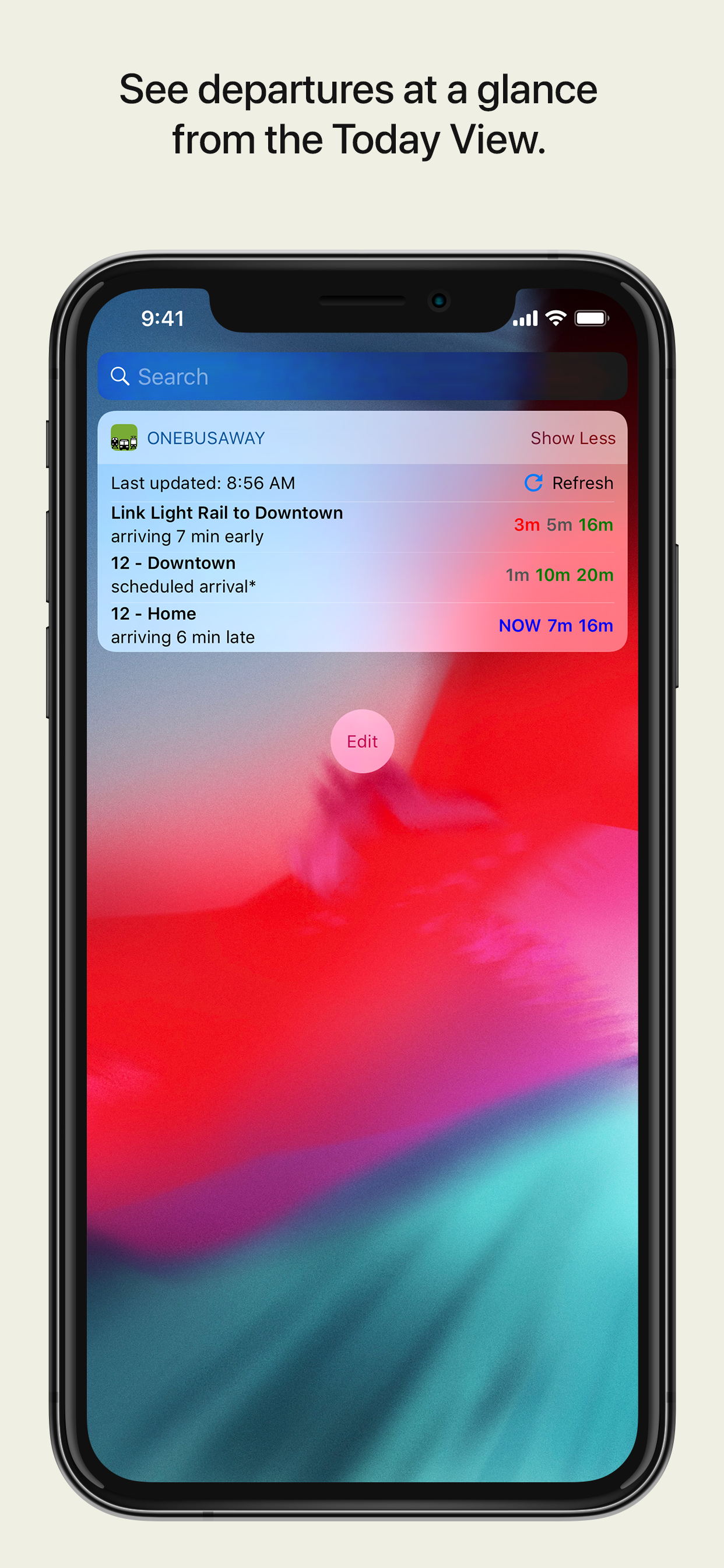
Here's what OBA iOS looks like (from https://github.com/OneBusAway/onebusaway-iphone/releases/tag/v18.2):
@amrhossamdev i would like to work on this issue , please assign it to me .

Can you write a technical plan first, try to include a code snippet, and explain your approach? @CyberFranky05

@amrhossamdev let me code some simple widget and provide u technical plan with code snippets asap
@amrhossamdev here is the snippet and plan of action as u asked for
Below is a screenshot that shows a widget implementation for seeing list of starred stops ( for testing )
and here is a snippet of code used in implementation of the widget .
@Override
        public RemoteViews getViewAt(int position) {
            // Return empty view if cursor or position is invalid
            if (mCursor == null || !mCursor.moveToPosition(position)) {
                return null;
            }

            // Create RemoteViews for list item
            RemoteViews rv = new RemoteViews(mContext.getPackageName(), R.layout.widget_starred_stop_item);

            // Get stop ID and name from cursor
            String stopId = mCursor.getString(mCursor.getColumnIndex(ObaContract.Stops._ID));
            String stopName = mCursor.getString(mCursor.getColumnIndex(ObaContract.Stops.UI_NAME));

            // Set the text views
            rv.setTextViewText(R.id.widget_stop_name, stopName);
            rv.setTextViewText(R.id.widget_stop_id, stopId);

            // Create an intent to launch when this list item is clicked
            Bundle extras = new Bundle();
            extras.putString(MapParams.STOP_ID, stopId);
            extras.putString(MapParams.STOP_NAME, stopName);

            Intent fillInIntent = new Intent();
            fillInIntent.putExtras(extras);

            // Make the entire list item clickable
            rv.setOnClickFillInIntent(R.id.widget_starred_stop_item, fillInIntent);

            return rv;
        }
Action Plan: Bus Arrival Widgets
-
Configuration Screens
- Develop Ui : develop UI for stop and route in figma ( currently working on this )
- Stop Widget Config: let user pick a starred stop
- Route Widget Config: let user pick a starred route
-
Layouts
-
Widget XMLs:
- Stop view (header + list of upcoming arrivals)
- Route view (header + list of next arrivals per stop)
- Item XMLs: row templates for arrivals and route‑stop entries
-
Widget XMLs:
-
Data Services
-
RemoteViewsService + Factory:
- Load starred IDs from local DB
- Fetch fresh arrival data via OBA API
-
RemoteViewsService + Factory:
-
Widget Providers
- Wire up layouts → data service
- Handle periodic & manual refresh
- Respond to “star” changes via broadcasts
- On‑tap: open detailed stop or map view
-
Integration & Settings
- Add widget preferences ( number of arrival per widget)
- Broadcast favorites updates → trigger widget refresh
- Use Work Manager for background updates
-
Testing & Polish
- Verify on various screen sizes & widget sizes
- Ensure graceful offline behavior & error messaging
- Optimize data calls and battery impact
let me know if i can start working on it or if any changes needed .