
script-lab

script-lab copied to clipboard
Published
9 months ago
•
 OfficeDev
OfficeDev
Missing `language` in imported snippet causes hang/crash.
Bug Report
- Host: Excel
- OS: Windows 10
- Browser: Desktop
- Environment: Beta
Expected behavior:
Script Lab either loads or throws an error.
Actual behavior:
Script Lab hangs, and continues to do so after restarting. Side-note, the Functions run pane loads and says the snippet must be trusted before registering it.
Steps to Reproduce:
- Paste this code into the import snippet text box.
Screenshot
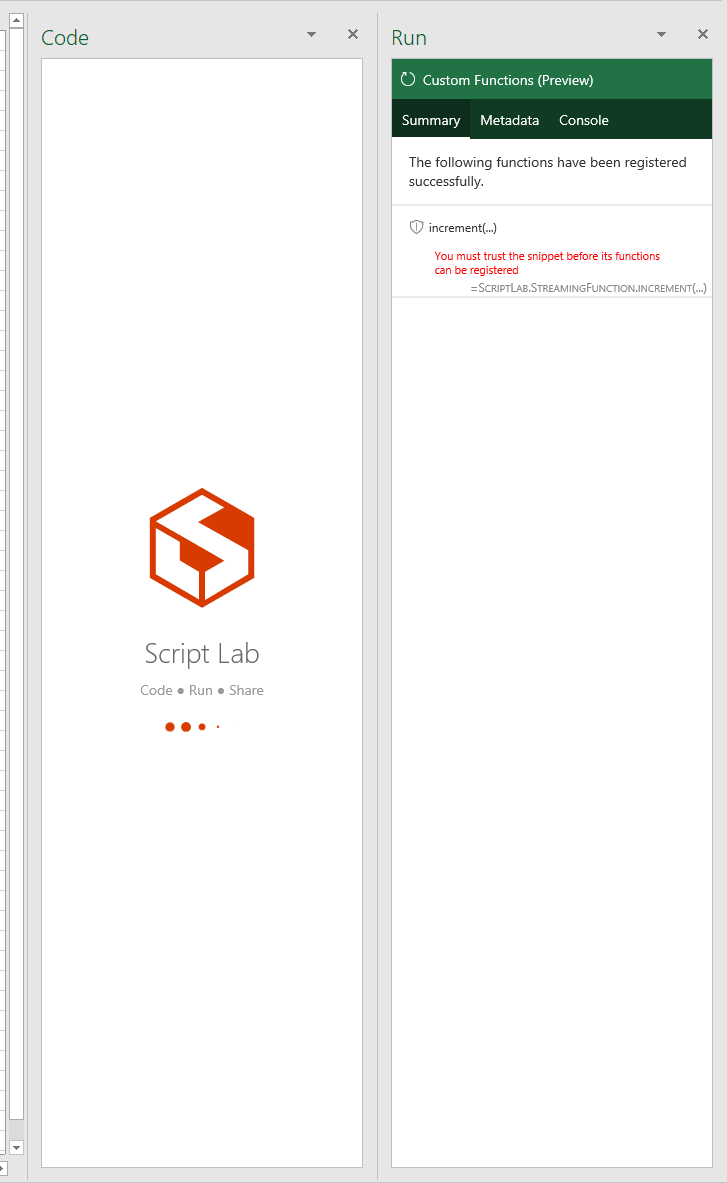

Huh, very interesting. I can repro it, at least on desktop. Let me look into it.

The culprit seems to be the lack of language in this code:
order: 2
id: excel-custom-functions-streaming
name: Streaming function
description: A streaming function that continuously increments the cell value.
host: EXCEL
api_set:
    CustomFunctionsRuntime: 1.1
script:
    content: |
        /** @CustomFunction
        *  @description Increments the cell with a given amount at a specified interval in milliseconds.
        * @param amount - The amount to add to the cell value on each increment.
        * @param interval - The time in milliseconds to wait before the next increment on the cell.
        * @returns An incrementing value.
        * @streaming
        */
        function increment(amount: number, interval: number, handler: CustomFunctions.StreamingInvocation<number>): void {
          let result = 0;
          const timer = setInterval( () => {
            result += amount;
            handler.setResult(result);
          }, interval);

          handler.onCanceled = () => {
          clearInterval(timer);
          }
        }
libraries: |
    https://appsforoffice.microsoft.com/lib/1/hosted/office.js
    @types/office-js
    [email protected]/client/core.min.js
Should be partially addressed via: #723
However, Script Lab should do basic validation on imported data before consuming it.
