

 OfficeDev
Position of the editor context menu lets sometimes be entries not visible
Hi there, I noticed, that sometimes the upper entries from the context menu are not visible. This is due to that if you right click at certain positions in the editor, the context menu is placed above the position where the right click occured. I added some screenshots below to visualize the problem.

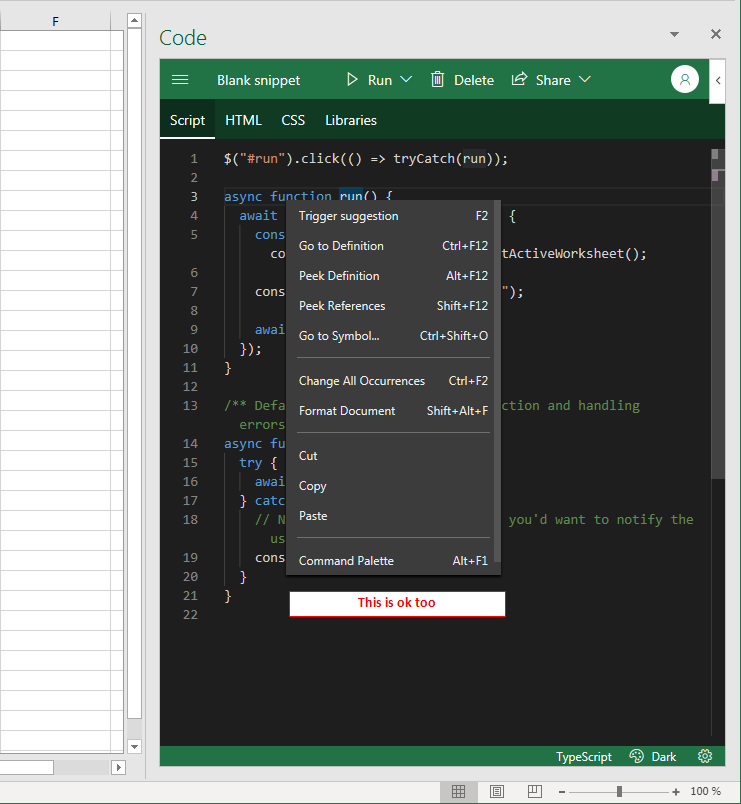
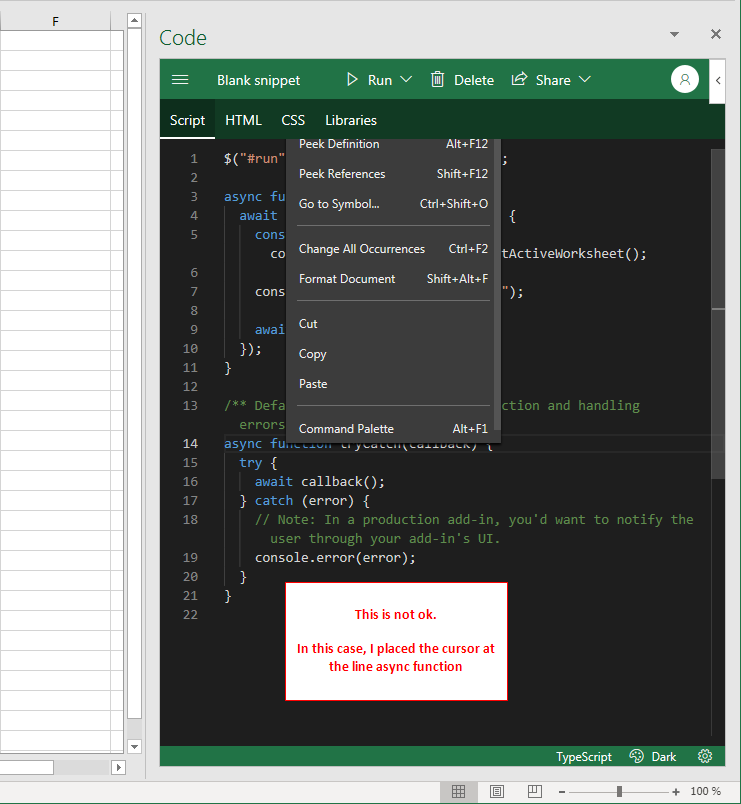
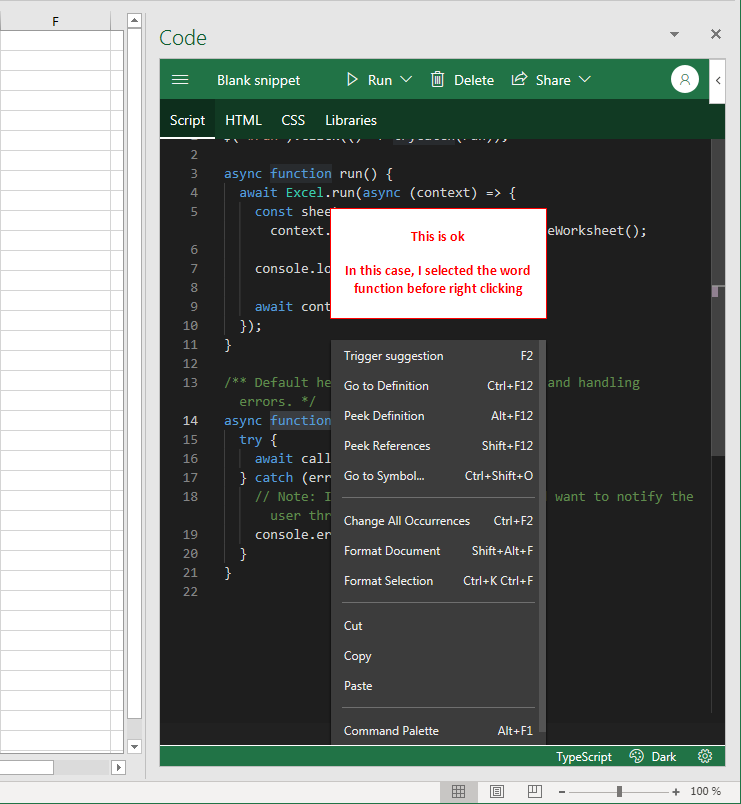
For seeing the effect with the invisible menu entries, it may be possible, that you have to resize the Excel window. In maximized state of the Excel window on a large monitor, I could not reproduce the issue. In my tests above, my Excel window had a size about 1300 * 1000. I guess, that the issue has perhaps something to do with the space available between the last line and the bottom edge of the editor.
Best, Mourad

We could probably move the z-index of the editor to be on top, but then I believe we will have issues with the message bar animations.

