
script-lab-2017
 script-lab-2017 copied to clipboard
 OfficeDev
[Win32] [Accessibility] [11yMAS][Name, Role and Value] [MAS4.1.2][HighImpact][Name and Role is not defined for several the Interactive controls in the code and run pane.
User Experience: User who rely on AT will not get proper information about the elements, if role is not defined properly which provides the purpose of control. Also name is not defined for most of the controls on the page.
Test Environment: OS Build: 16299.19 Excel version:1712(8808.1000)
Prerequisites: Add script lab “Add ON” In Excel
Attachments:
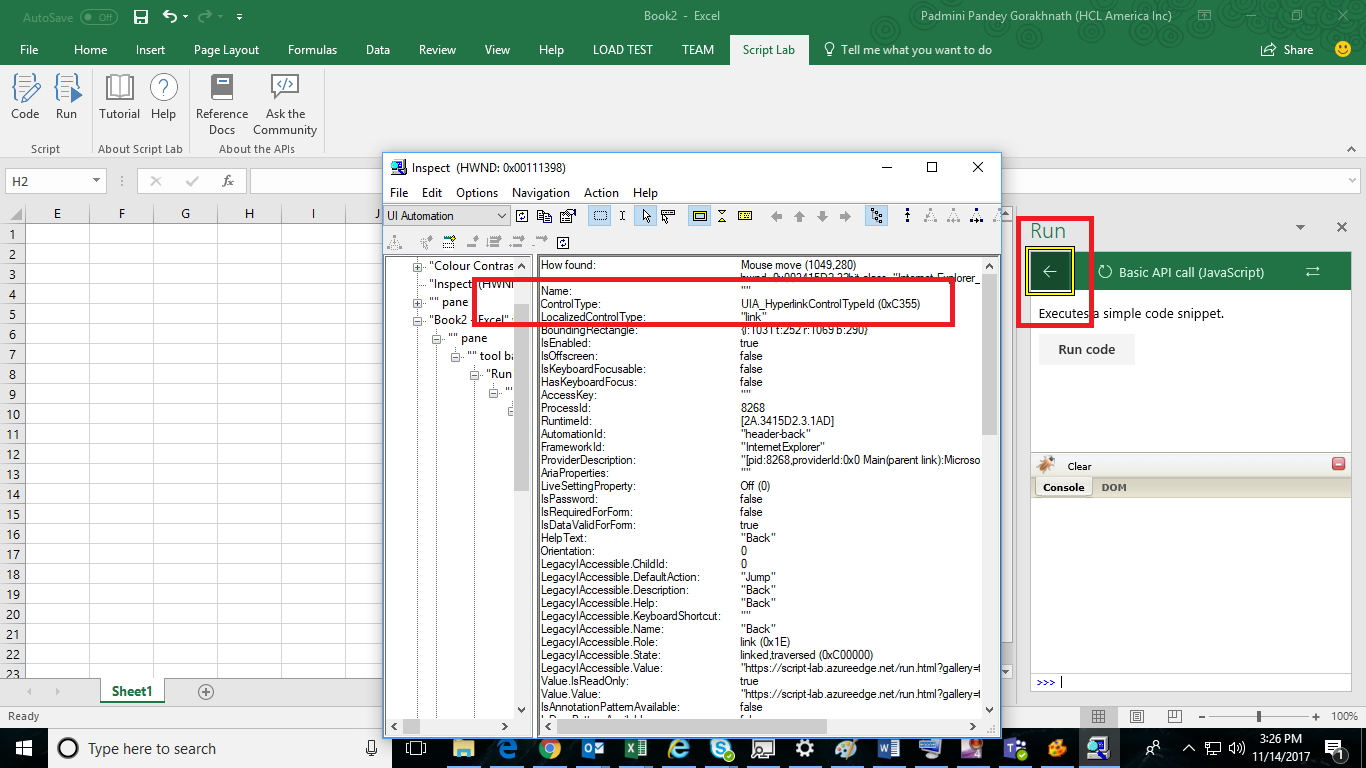
Repro Steps:
- Open Script Lab in Excel
- Navigate to run pane and code pane using F6
- Verify name and role for all the controls on the page.
Actual Behavior: Name & role is not defined for several controls on the Run pane and code pane. Also for several controls role is defined incorrect. 1.Back button in the run pane: Name is not defined and role is defined as link , it should be defined as the button. 2. “>>>” edit field in run pane: Name is not defined 3. Minimize button in run pane: Name is not defined. 4. Firebug menu in run pane: Name is not defined. 5. Table defined in the run pane for Console and DOM: Name is not defined. 6. Name is not defined for the run pane & fire bug section in the run pane.
Expected Behavior: Name & role should be defined correctly on the run and code pane page. And role should be defined correctly for all the controls.
Note: All the above issues are repro for the Word and PowerPoint also.
MAS Reference: https://microsoft.sharepoint.com/:w:/r/teams/msenable/_layouts/15/WopiFrame.aspx?sourcedoc={248054a6-5e68-4771-9e1e-242fb5025730}
Suggested Fix: https://microsoft.sharepoint.com/teams/msenable/mas/pages/mas-details.aspx?masid=4.1.2
