
script-lab-2017
 script-lab-2017 copied to clipboard
 OfficeDev
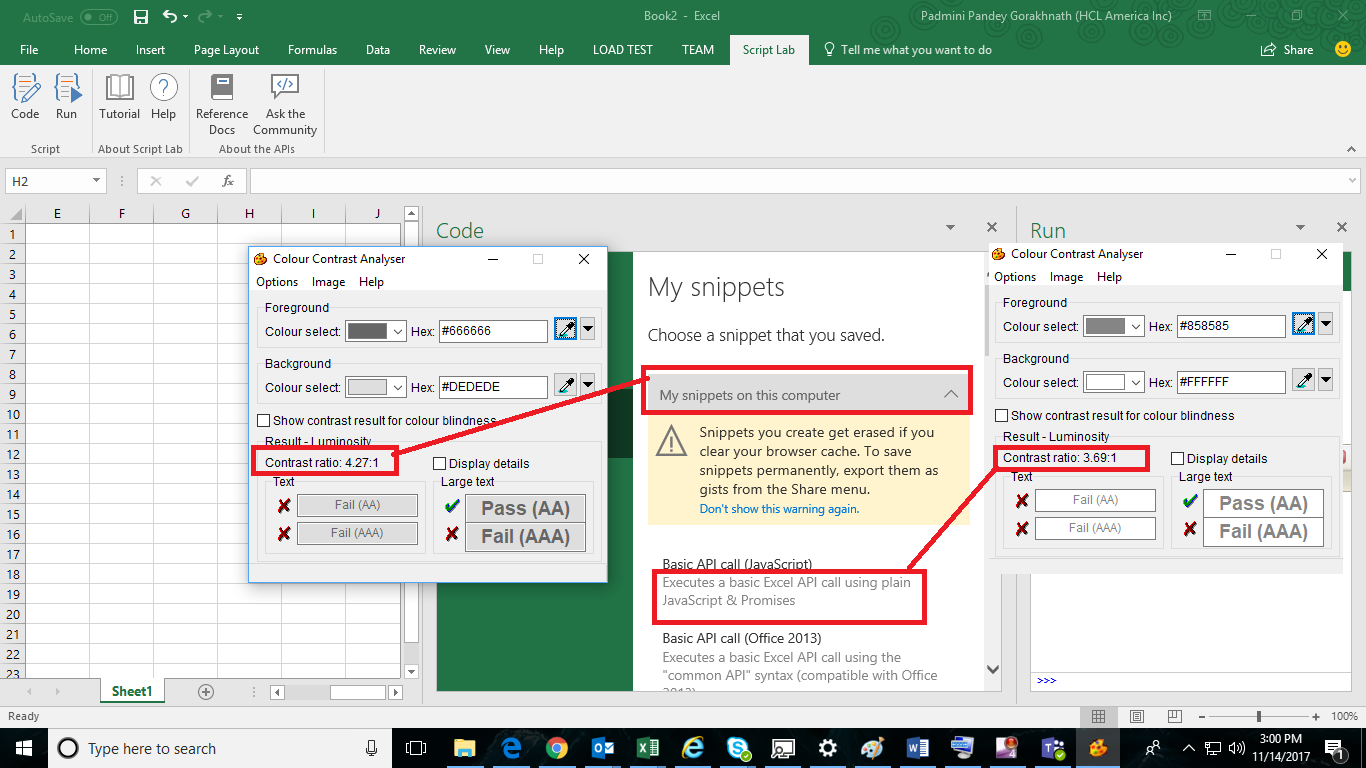
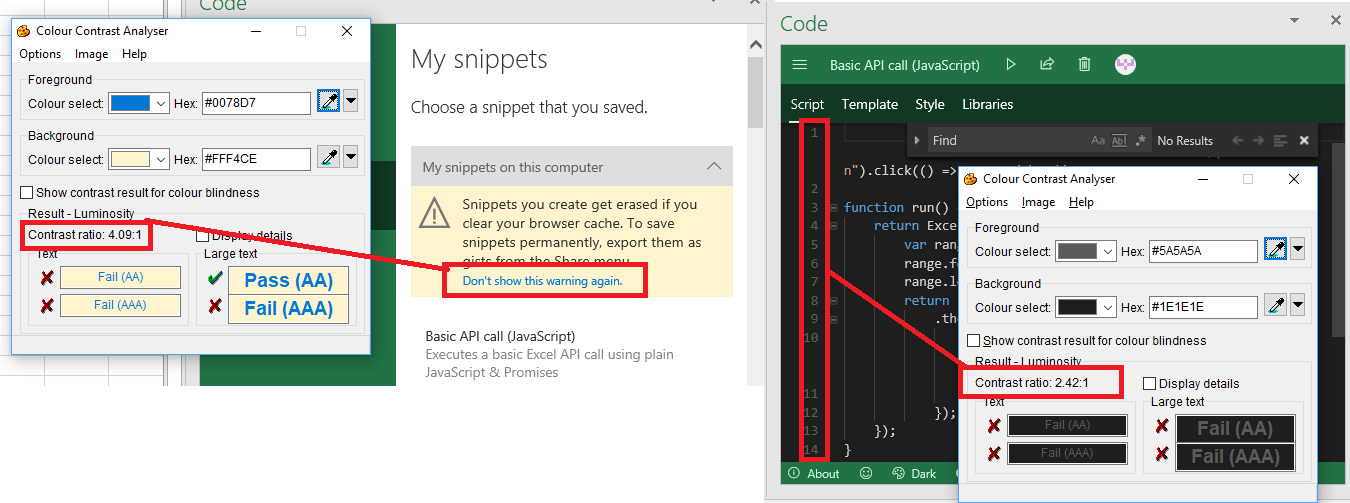
[Win32][Accessibility] [11yMAS][Visual Requirement] [MAS1.4.3][Luminosity ratio is less than 4.5:1 for the several controls of the page.
User Experience: User with partial vision disability will not be able to view the controls properly as the luminosity ratio is less than 4.5:1
Test Environment: OS Build: 16299.19 Excel version:1712(8808.1000)
Prerequisites: Add script lab “Add ON” In Excel
Attachments:
Repro Steps:
- Open Script Lab in Excel
- Navigate to Code button and activate it.
- Navigate to Code pane Using F6 key
- Navigate to Command bar and verify the luminosity ratio.
- Navigate to description text of the gallery list and verify the luminosity ratio.
- Navigate to the warning message link and verify the luminosity ratio.
- Navigate to any editor and verify the luminosity ratio for the Line numbers.
Current Behavior: Luminosity ratio for the Command bar is 4.27:1. Luminosity ratio for the description text is 3.69:1 Luminosity ratio for the warning message link is 4.09:1 Luminosity for the Editor Line numbers is 2.42:1
Expected Behavior: Luminosity ratio should be more than or equal to 4.5:1 for all the controls.
Note: 1.Issue is also repro for the last opened in the run pane. Luminosity ratio is 4.27:1 2.All the above issues are repro for the Word and PowerPoint also.
MAS Reference: https://microsoft.sharepoint.com/teams/msenable/_layouts/15/WopiFrame.aspx?sourcedoc={a73546c7-765f-489c-b18f-afb659fe99e6}
Suggested Fix: https://microsoft.sharepoint.com/teams/msenable/mas/pages/mas-details.aspx?masid=1.4.3
