
script-lab-2017
 script-lab-2017 copied to clipboard
 OfficeDev
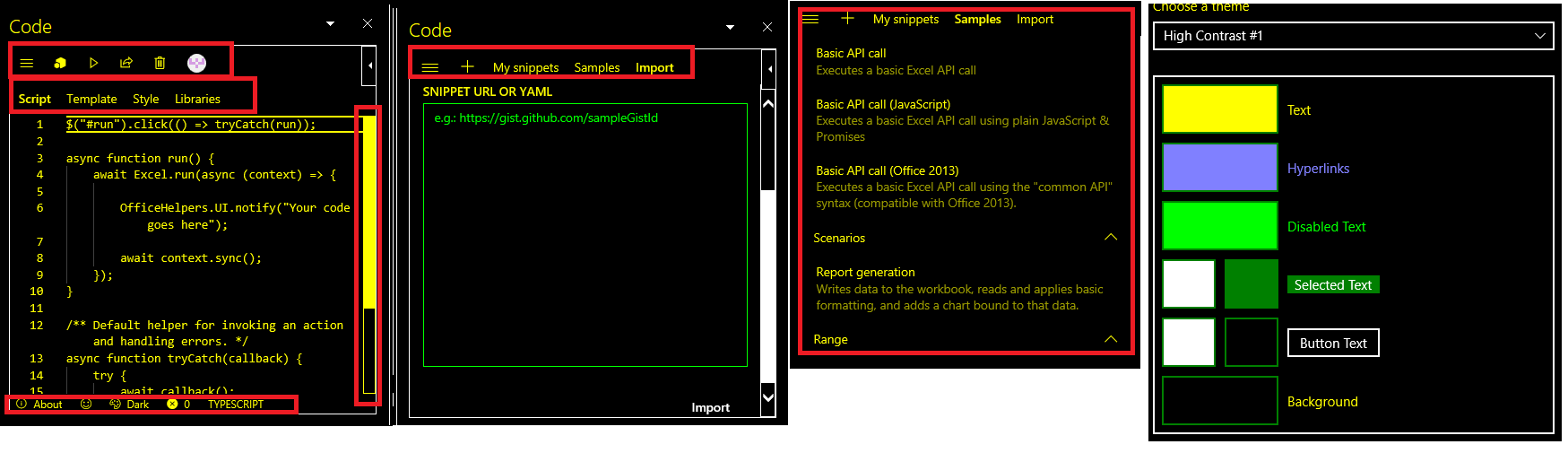
[Win32][Accessibility] [11yMAS][Supporting the Platform] [MAS4.3.1][HighImpact][ All the controls on the Script lab page is visible as text in High Contrast theme.]
User Experience: User with partial vision disability will not be able to identify the controls properly in high contrast theme.
Test Environment: OS Build: 16299.19 Excel version:1712(8808.1000)
Prerequisites: Add script lab “Add ON” In Excel Turn On High contrast modes
Attachments:

Repro Steps:
- Open Script Lab in Excel
- Navigate to Code button and activate it.
- Navigate to Code pane Using F6 key
- Navigate to Navigation page. Verify Navigation page in high contrast theme.
- Navigate to New snippet page and verify in high contrast theme.
Current Behavior: All the controls are visible as text in all the High Contrast theme. Issue repro in all the theme and across all the pages High Contrast Black theme High Contrast White theme High Contrast 1 theme High Contrast 2 theme
Expected Behavior: All the controls should be visible correctly as per the theme in the high contrast theme mode This issue is repro throughout the application.
Note
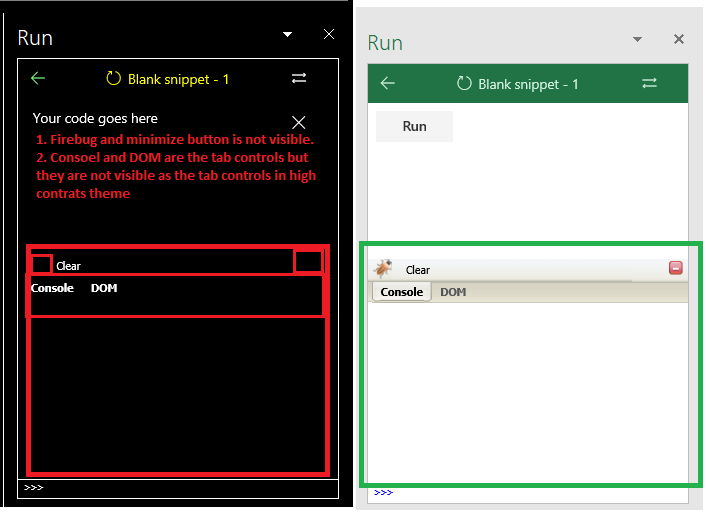
- Few Controls are not visible in high contrast theme. This issue is repro in all the high contrast theme. link above the console and and DOM in run pane, controls in the find tab (CTRL +F) are not visible in high contrast theme.
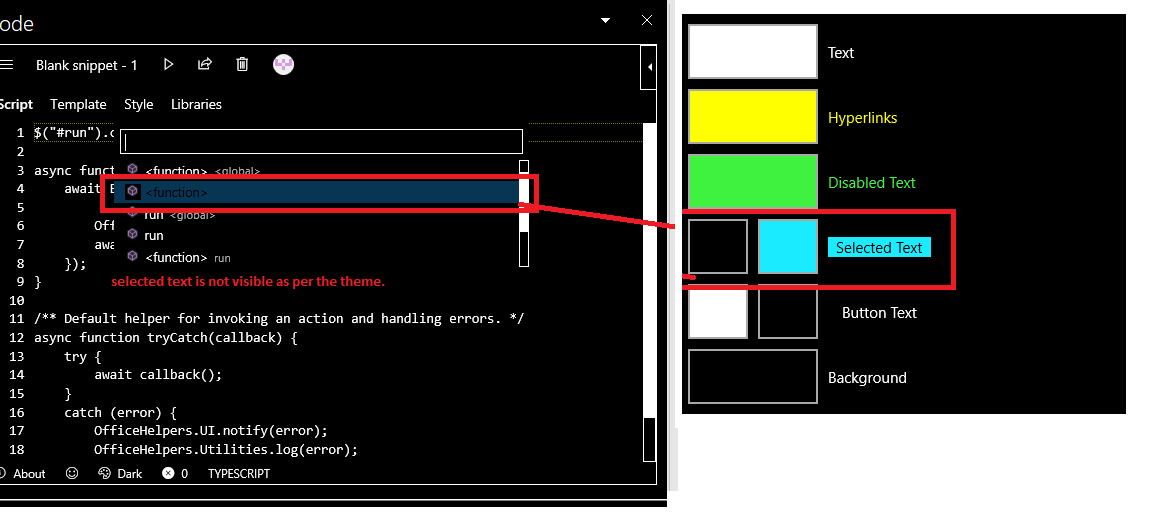
- Selected command in the command palate is not visible as per the high contrast theme.
- All the above issues are repro for the Word and PowerPoint also.
MAS Reference: https://microsoft.sharepoint.com/teams/msenable/_layouts/15/WopiFrame.aspx?sourcedoc={672c8a8b-ed4f-463f-868f-e8131caf9b74}
Suggested Fix: https://microsoft.sharepoint.com/teams/msenable/mas/pages/mas-details.aspx?masid=4.3.1
