

 ONLYOFFICE
Does not auto-save by default, can close edited document without any warning about saving it first
Do you want to request a feature or report a bug? Bug as it has consequences for commonly expected behaviour.
What is the current behavior? When I open a document, I can edit it and close my screen. OnlyOffice does not warn the changes are not saved.
If the current behavior is a bug, please provide the steps to reproduce and if possible a minimal demo of the problem.
- Open a file from nextcloud for example in OnlyOffice Documentserver.
- Edit the document.
- Close OnlyOffice.
- Open the document again, notice the changes are not present.
- Do step 1 and 2, this time save the document manually. then close it.
- Open the document, notice changes are saved.
What is the expected behavior?
- At least a warning "do you want to save changes".
- auto-save should be on by default, or that should be an option via Docker env variables.
Did this work in previous versions of DocumentServer? I don't know.
DocumentServer Docker tag: image: onlyoffice/documentserver
Host Operating System: Ubuntu Budgie 20.10

@zilexa Hi, could you try to check same scenario using integrated test example (you can enable it temporarily via command descrbed in http://doc-server-url/welcome) and check if problem with save message appears for clean DocumentServer?

Interesting! With the example, auto-save is enabled by default! Only when I open something from my fileserver it is off. Also the layout seems different:
Going to office.mydomain.com and creating a new file from the example:
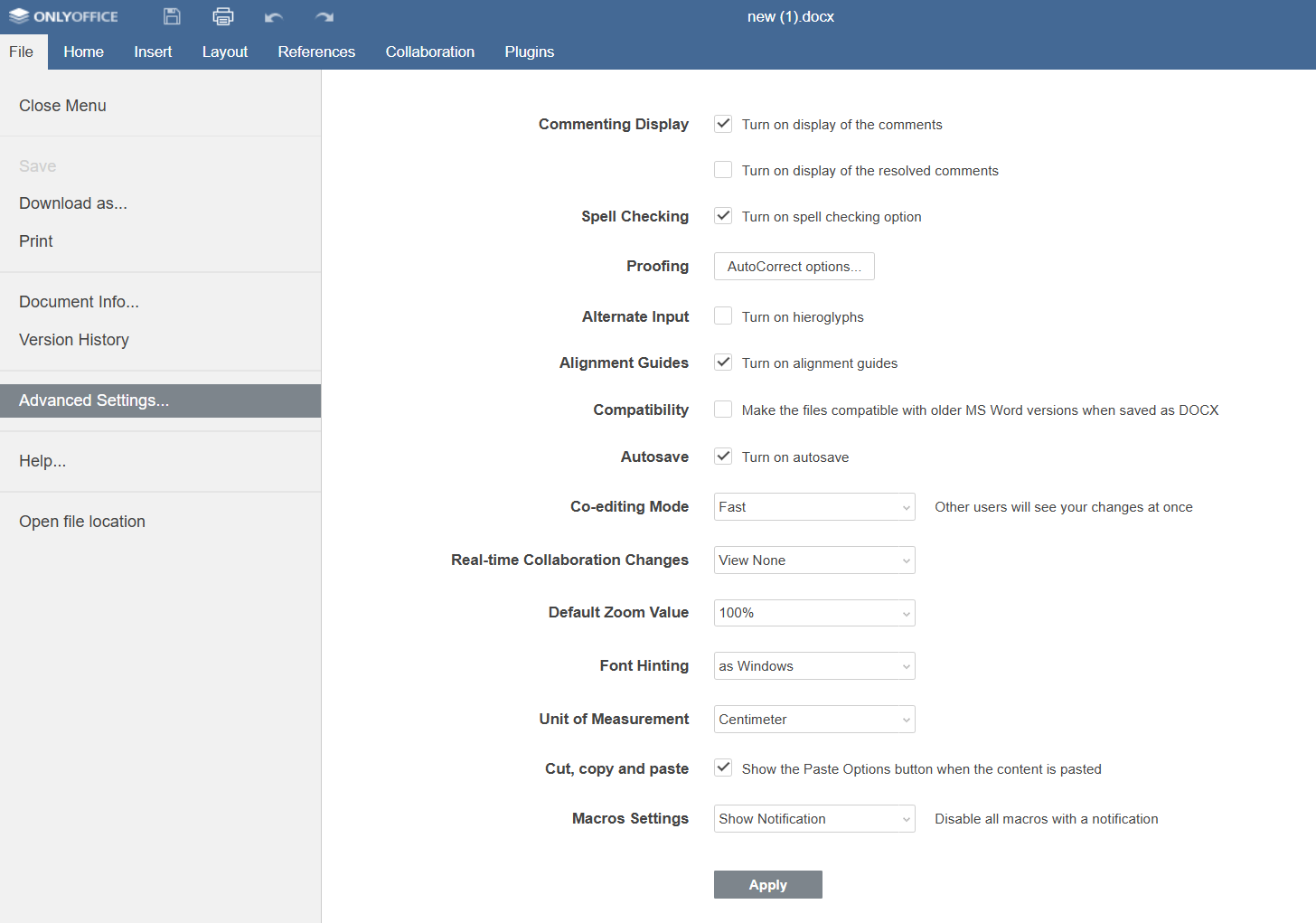
Opening an existing doc from my fileserver, perhaps since this is opened from the fileserver domain, it looks different?:
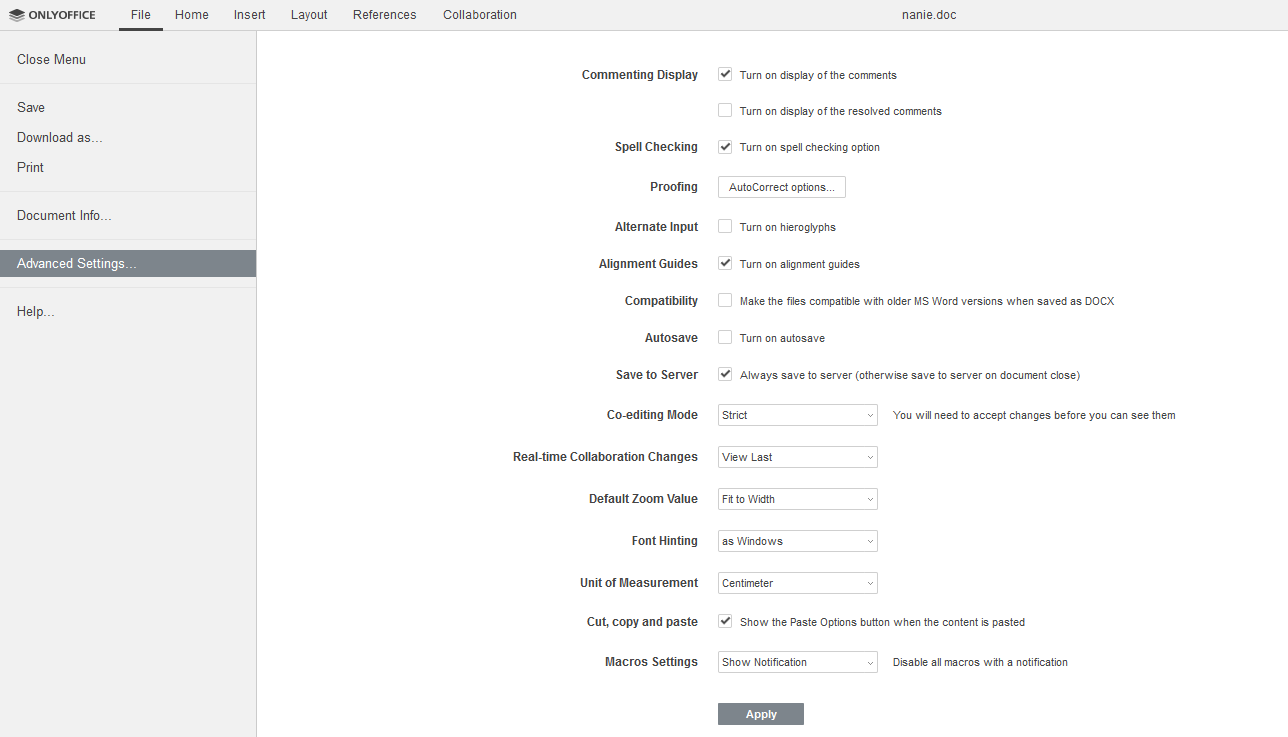
With the example, auto-save is enabled by default!
It's enabled by default but maybe you're disabled it and saved this setting, it's stored in browser localstorage
But anyway even with autosave disabled - there should be message about losing data, you can see it via test example
OK tested:
- In a private window, I do get a popup if I try to close a newly created or existing doc (opened via my fileserver) or spreadsheet with unsaved changes. So that's good.
- In a private window, autosave is off by default for newly created and existing doc and spreadsheets.
- When I doubleclick a file in my fileserver, a new tab isn't opened, Onlyoffice is shown embedded in a "popup" within the webpage. I can edit document, close it, no popup will appear, losing changes. When I right-click and open in OnlyOffice (this triggers a new tab), the behaviour is as mentioned in 1. and 2.
So auto-save is still off by default, except for the test example. Also, the UI looks very different. Any reason why?
So auto-save is still off by default, except for the test example. Also, the UI looks very different. Any reason why?
On your screenshot there is only difference in top tab - we changing it for usage in nextcloud, but I cannot see any other differences
So auto-save is still off by default, except for the test example. Also, the UI looks very different. Any reason why?
On your screenshot there is only difference in top tab - we changing it for usage in nextcloud, but I cannot see any other differences
Ok that explains. BTW I notice auto-save is disabled again: each time I open a document, I have to manually enable it. It seems my fileserver is using some sort of setting to open files with basic/default settings. Things like auto-save, but also standard language (always US English, I would prefer Dutch) are always reset when opening (the same) document.
@zilexa So, to be clear
There is no problems in incognito mode while you're using DocumentServer test example There is problems with save while you're using your nextcloud instance
If this is right I've moving this issue to another repo, since my speciality is not in integration with other services, but in clean DocumentServer installation and there may be trouble on nextcloud side
Yes you are correct, I also do not believe the issue is clean OnlyOffice as the example proves auto-save should be on. It has to do with the integration.
@zilexa Ok thanks, in that case I've moving this issue to onlyoffice-nextcloud repo
Hello @zilexa I have installed Nextcloud 21.0.0, Onlyoffice Documentserver 6.2.0, Onlyoffice connector 6.3.0, auto-save is on by defolt. Please specify some additional information:
- version of Nextcloud;
- version of Onlyoffice Documentserver;
- version of Onlyoffice connector app.
What happens if you turn on autosave and reopen the document or create a new one? Is autosave on?
