

 ONLYOFFICE
Warning: "The document could not be saved"
I have nextcloud (apache), redis, postgres all installed with docker-compose (my compose file here)
Versions:
- nextcloud: Major Version 19
- postgres: Major Version 12
- redis: docker hub latest alpine
- onlyoffice: latest docker hub
I have nginx (non-docker) serving up https with LE. It proxies cloud.example.com to my nextcloud container. I also have onlyoffice proxied with https with https://onlyoffice-connect.mydomain.com.
When I've added my onlyoffice-connect url to the only office settings.

But when I try to open an xslx doc, I get the following warning/error:
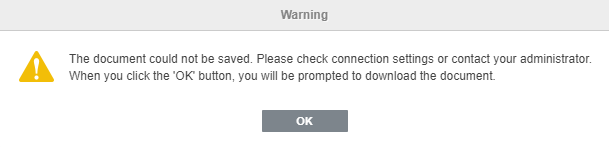
I'm at my wits end trying to figure this out. Any ideas?

Hey, if you're still struggling try this:
- in NC's config.php, add the following (root level):
  'onlyoffice' =>
    array (
      'verify_peer_off' => TRUE,
      'jwt_header' => 'Authorization',
      'jwt_secret' => 'secret',
  ),
If you have the OO server on the same host as NC, you also need this (still at root): 'allow_local_remote_servers' => true,
- in OO's (/etc/onlyoffice/documentserver/)local.json, ensure that "inbox", "outbox", and "browser" are true and that secrets under "secret" are the same in NC's config.php:
      "token": {
        "enable": {
          "request": {
            "inbox": true,
            "outbox": true
          },
          "browser": true
        },
        "inbox": {
          "header": "Authorization"
        },
        "outbox": {
          "header": "Authorization"
        }
      },
      "secret": {
        "inbox": {
          "string": "secret"
        },
        "outbox": {
          "string": "secret"
        },
        "session": {
          "string": "secret"
        }
      }
Lastly, you can ensure the proper working state by running occ onlyoffice:documentserver --check which should yield something like:
Document server ADDRESS version VERSION is successfully connected

I have the same issue, but with demo ONLYOFFICE docs server (version 7.0.0.132)

This strange warning doesn't affect functionality.
When I click OK I am not prompted to download document.
Later after clicking tab Home I can freely edit and save this document.
I seem to have same configuration but with Only Office 7.0.1.37 and I do share same problem, which is harsh for non geek users

I experienced the same issue in 2 separate environments. In both cases it is very likely the the connection between the Nextcloud and OnlyOffice server was temporarily (few minutes) broken. Can this be the cause? If that is the case I'm wondering if OnlyOffice should with some delay have additional retries to save the document back to the Nextcloud.

I have pulled docker images "sudo docker run -i -t -d -v onlyoffice_docx_volume:/var/lib/onlyoffice/documentserver-example/files -p 8050:80 --restart=always -e JWT_SECRET=my_jwt_secret onlyoffice/documentserver-de".
when i try to open in localhost:8050, it should the list of documents but when i try open open a document, it shows error as
"The document could not be saved. Please check connection setting" followed by "Download Failed"
