

 ONLYOFFICE
Excel: Copy-Paste Bugs
Do you want to request a feature or report a bug? Bug
What is the current behavior?
Internet-Explorer (Version: 11.472.17134.0):
Copy-Paste of a formatted spreadsheet and pasting it into a separate sheet (within the same file, new sheet with the bottom left option) results in pasting the same rows with one empty row at the top and pasting every column as plaintext in the first column.
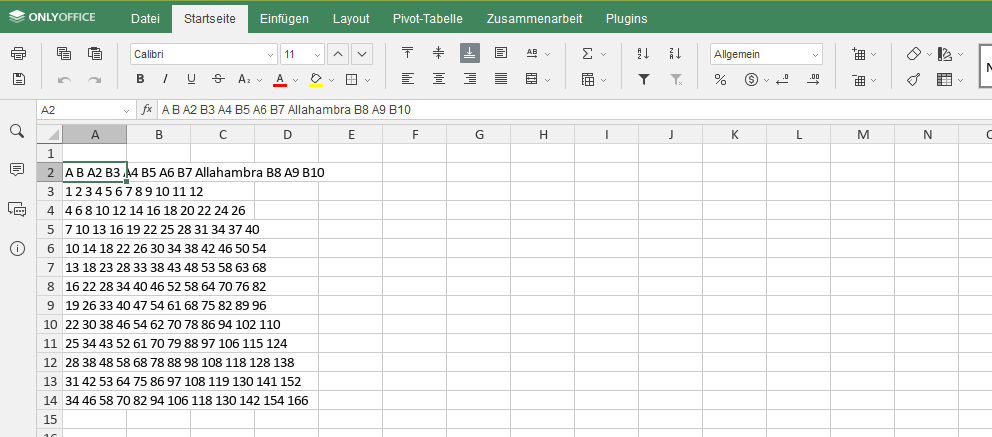
Firefox (Version: 64.0):
Doing the same copy-paste descriped for the internet explorer results in pasting almost everything except that the column width is not pasted. Every column will keep their sizes as they were beforehand (is this a configuration?).

If the current behavior is a bug, please provide the steps to reproduce and if possible a minimal demo of the problem.
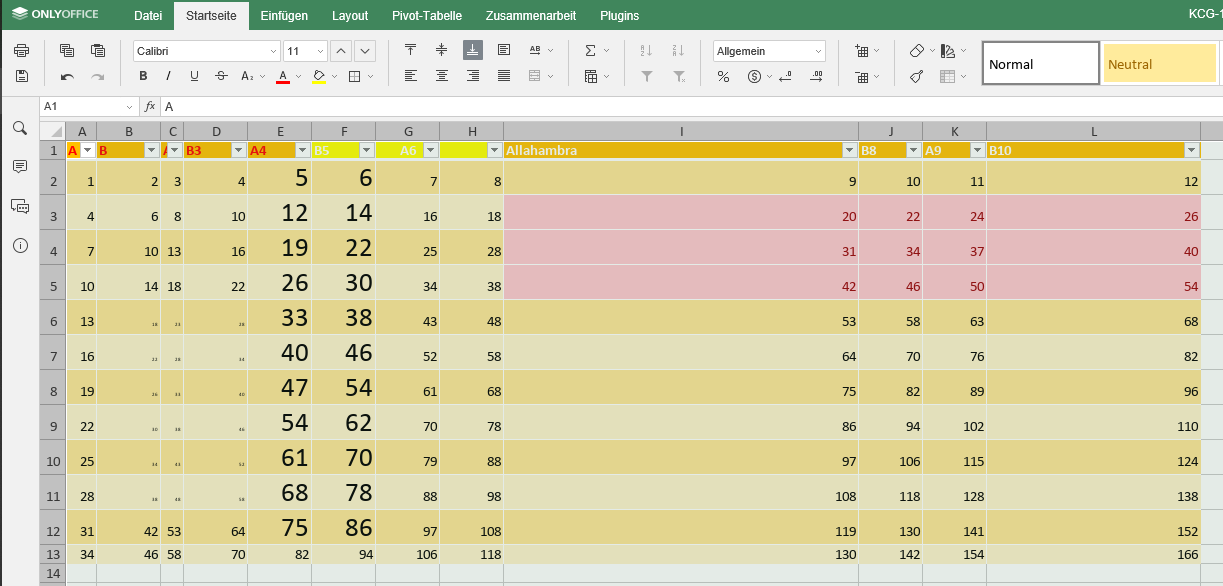
- Marked all rows and lines with the triangular shape between A column and the first row
- Use Ctrl+C or the copy icon in the menu bar or the copy entry in the context menu
- Switch the sheet
- Mark all cells again (like in 1.)
- Paste either with context-menu, icon or hotkey
- Result should be as described beforehand
What is the expected behavior? Every copied cell will be pasted like it was when I copied it. Including the column width, column height, etc. Firefox does is almost as expected except for the height but the internet explorer is unusable like that.
Did this work in previous versions of DocumentServer? I don't know.
DocumentServer version: 5.2.6.2
Operating System: CentOS
Browser version: Internet-Explorer (Version: 11.472.17134.0) Firefox (Version: 64.0)


Sure, there it is. On the second sheet called "ie" I pasted the copied sheet 1 from the internet explorer and for the third sheet called "firefox" accordingly. Copy-Paste-Problems.xlsx
About problem in Internet Explorer 11. We were able to reproduce it, using Copy and Paste button from Top Toolbar (known bug 38167). Are you sure your problem occurs using ctrl+c and ctrl+v, not top toolbar buttons?
About second one problem with Firefox. We were not able to reproduce. Can you attach video with it?
About the ctrl+c and ctrl+v for the Internet Explorer: I checked it again and you are right, I used the Top Toolbar buttons. Thanks for pinpointing this!
About the second problem I mentioned with the Firefox Bug: The copy-paste function do work in any case. That's not the problem there, see this video https://www.useloom.com/share/908424f2e37842dcaff7d8020acfd246
Maybe my description was confusing with the second problem. I made another video showcasing this exact problem: https://www.useloom.com/share/bd11f52f42fd4336960d7f2f75b42d61
About second one problem with Firefox. I can agree - while copy whole Sheet1 and pasting into Sheet2 (with changed columns width) - our editor keep column width of second sheet. I created bug 40183.
But if you wanna keep column width of Sheet 1 you can do:
- Go to Strict co-edit mode
- Paste data to sheet2
- Press
Special Pasteicon - Select
Formula + column width
Hi @denpawy
The problem was fixed in this commit: https://github.com/ONLYOFFICE/sdkjs/commit/2de570edd613db7c736ed0dcc3d579dca9cbf44e
It will be released in the next major version.

DocumentServer v8.1.0 is released so I close this issue. Feel free to comment or reopen it if you got further questions.