

 ONLYOFFICE
Colored Emojis?
This issue is unique.
- [X] I have used the search tool and did not find an issue describing my idea.
Your idea.
Currently OnlyOffice only shows Emojis in black and white.
Example:
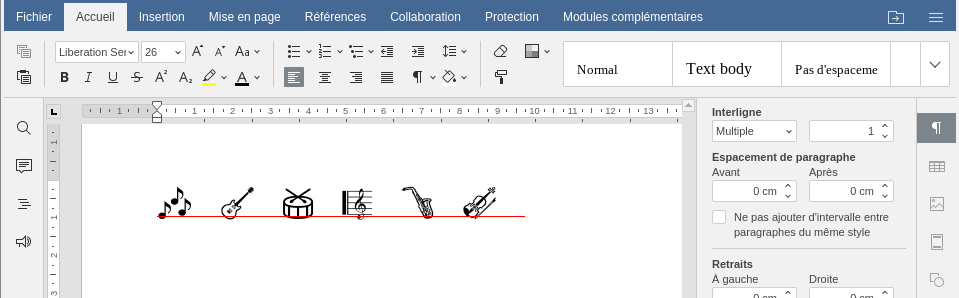
Would colored emojis be possible in the future?
Thanks in advance.

Hi, I think there is a misunderstanding here
Those are not emojis - those are symbols with special font And as far as I'm aware - those symbols are not colored in those fonts
You can try to save this file and open it in LibreOffice\MS office and I'm almost sure - they will be colorless as well
If not - could you attach this file?

Unicode-wise, these are technically emojis, the same as the ones I can write in this comment: 🎶️ 🎸️ 🥁️ 🎼️ 🎷️ 🎻️
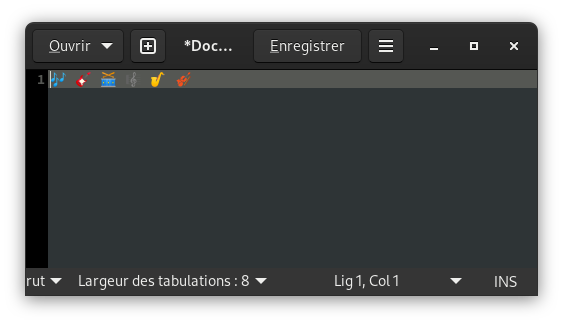
In other text editors I tried, I can copy and paste this string and I can see them colored.
gedit:
Libreoffice writer:
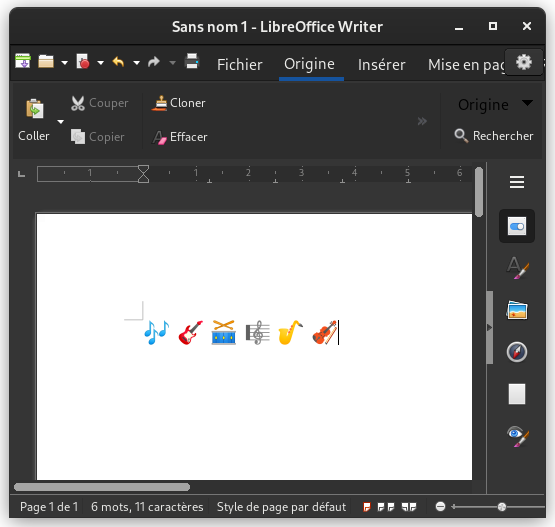
However if I copy+paste this string in OnlyOffice, they appear black and white (as in the screenshot in the original post).
I copied your emojis from latest message and inserted in both LibreOffice and ONLYOFFICE DesktopEditors and they both colored an !!!they both inserted as images:
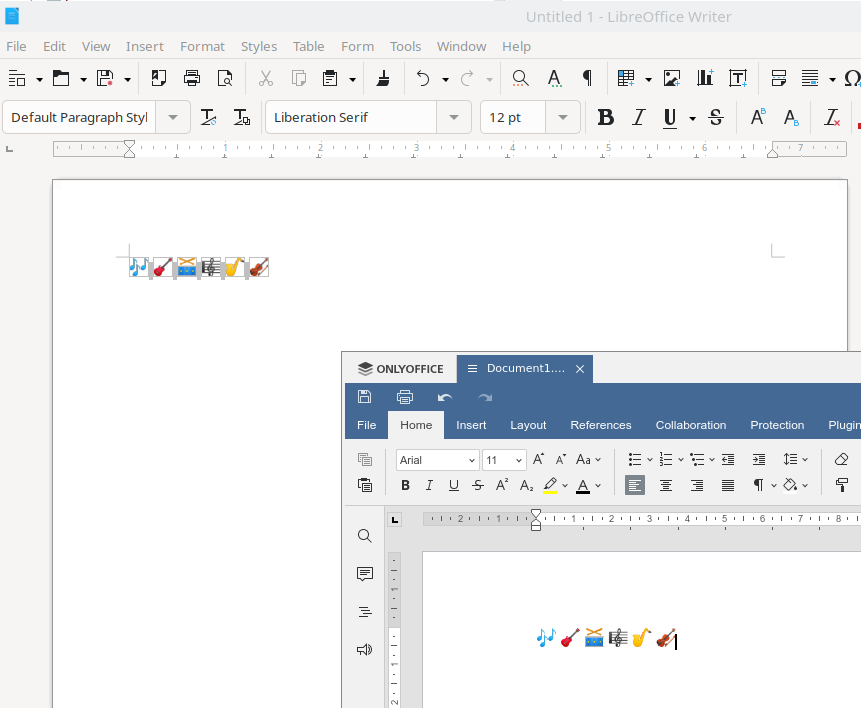
Maybe you could attach your Libreoffice resulting doc to be sure that it's not an images?
Ah yes, you see them like this because Github in the end display them as images in the HTML and not as proper unicode characters (even though in the Github input text box I wrote them as unicode characters). Therefore you actually pasted images in OnlyOffice, not uniocode text.
To better explain my case, I made a video capture of the following scenario:
- I prepared a plain text editor with a sequence of emojis (which here can only be pure text, since I am in a text editor)
- I copy this sequence in the clipboard, then:
- (a) I paste the sequence of emojis in OnlyOffice desktop: they are shown in black and white (with extraenous white rectangles in between, for some reason)
- (b) I paste the sequence of emojis in LibreOffice Writer for comparison, and they are shown colored as expected.
The video is zipped here: Capture d’écran vidéo de 08-03-2022 18:53:19.zip
Could you attach the resulting file after pasting in ONLYOFFICE DesktopEditors?
Ah yes sorry I forgot. Here are the three resulting files from the video:
Hello, @ebousse. Thank you for the report. I can confirm - this is a bug, issue 55936 in our private issue tracker.
This problem reproduces in Document Server.

Moving this issue to DocumentServer repo, since it's our base product and problem actual there too
Hi! Related to this bug is the fact that many unicode emoji are not supported at all. For example, if one tries to insert a country's flag, only an empty box character appears.
Regards.

Hello @ebousse https://github.com/ONLYOFFICE/DocumentServer/issues/1675#issue-1163716478 Out of Curiosity - Could you tell me where did you get these Emojis in the first place ?

Hello @ebousse #1675 (comment) Out of Curiosity - Could you tell me where did you get these Emojis in the first place ?
Using Fedora Linux, I can insert emojis in text fields using CTRL+ SHIFT + ; (only works in apps well integrated in Gnome), or I can use the app called Characters. Or with any Android device you can write emojis with the virtual keyboard directly.
Related to: https://forum.onlyoffice.com/t/how-to-insert-colorful-emojis-in-desktop-editors/2830

Related to https://github.com/ONLYOFFICE/DocumentServer/issues/1764 and https://github.com/ONLYOFFICE/DocumentServer/issues/759
If you install using docker in the fonts directory the noto emoji from google the render works but not inside the document:
My wife and kids pressure is making my life hard because of this... 😭😭😭
