

 ONLYOFFICE
Text overlaps table structure
Do you want to request a feature or report a bug?
It is a bug
What is the current behavior?
open it with onlyOffice online preview and the table overlaps
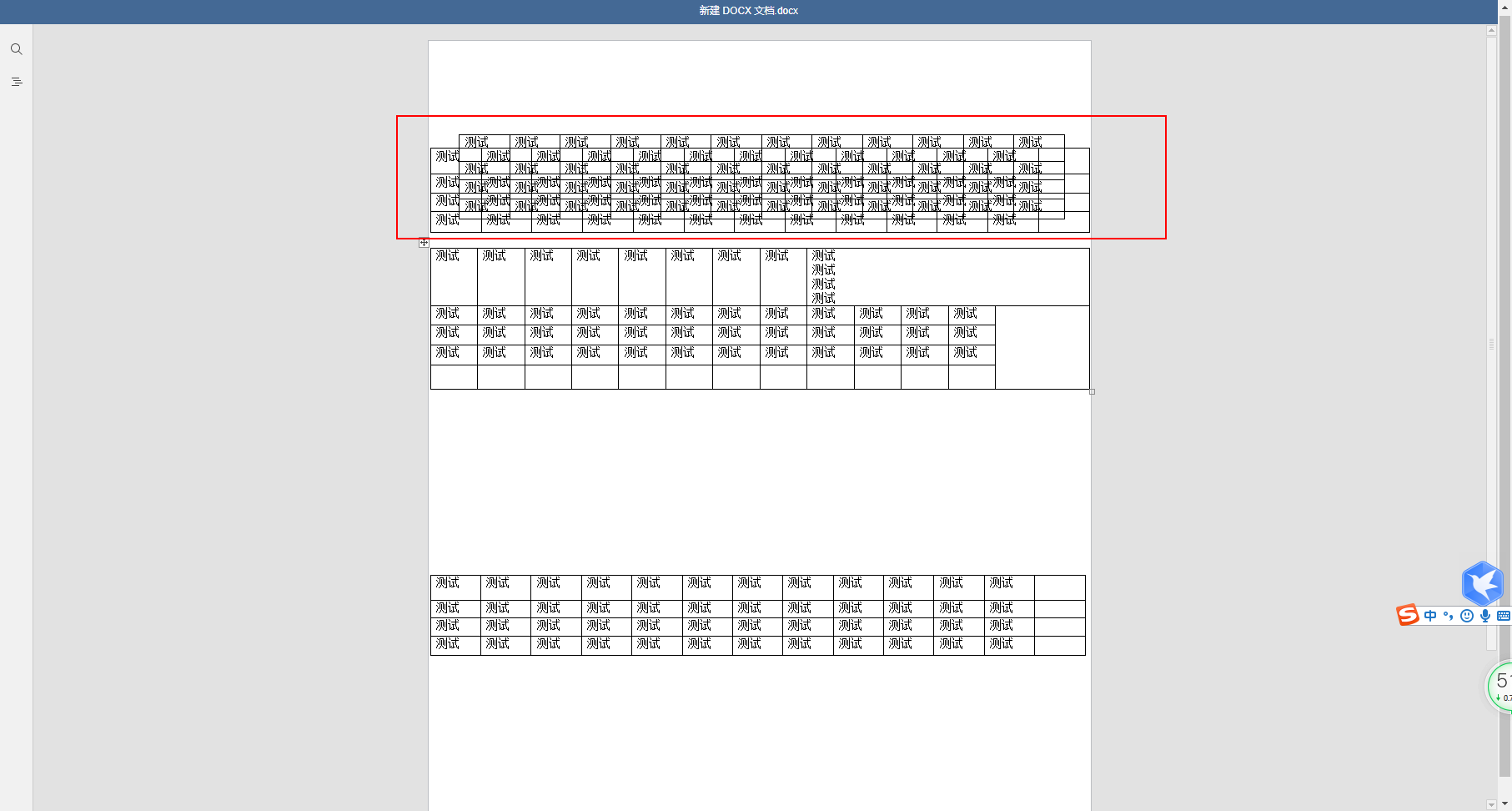
If the current behavior is a bug, please provide the steps to reproduce and if possible a minimal demo of the problem.
1、 Create tables in Word using WPS or Microsoft Office software
2、Use onlyOffice online preview to open it
What is the expected behavior?
I expect the table in Word to display properly
Did this work in previous versions of DocumentServer?
No, it is working on the latest DocumentServer, version 6.3.1
DocumentServer version:
6.3.1
Operating System:
win10
Browser version:
Google Chrome 91.0.4472.124
This is the document in question 新建 DOCX 文档.docx


Hello, @baoyuping Thanks for your request! I can confirm - this is know bug, issue 20294 in our private issue tracker.

Possible duplicate of https://github.com/ONLYOFFICE/DocumentServer/issues/787 but I'm not sure, so leave this issue separate
sorry,I found another problem. When I open Word with table in OnlyOffice, the table will not be displayed completely 。
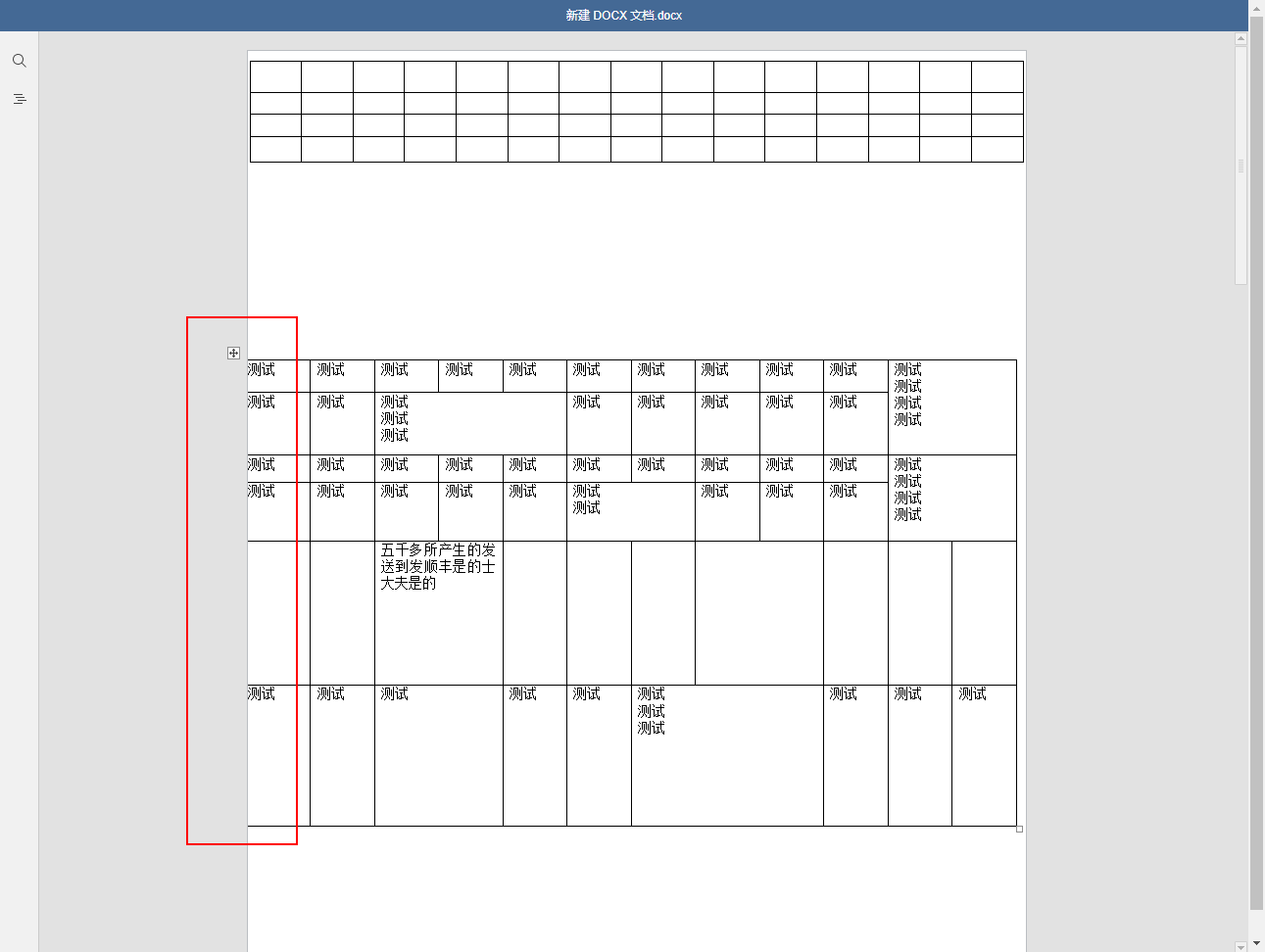 This is the attachment for the test
Uploading 新建 DOCX 文档.docx…
This is the attachment for the test
Uploading 新建 DOCX 文档.docx…
@baoyuping you didnt attach file, link are goint to nowhere
I think those issues may be unrelated, so please create a new issue
meet similar issue, location error and overlap
@ShockwaveNN @TatianaKirillova
onlyoffice desktop Mac APPLE CHIP Version 8.0.0
Table location error and overlap.docx

@Mannixhu Indeed, there is a problem, and the reason is still the same. The problem is related to wrapping around floating tables.