

 ONLYOFFICE
PDF export changes format of date in resulting PDF file
Do you want to request a feature or report a bug? bug
What is the current behavior?
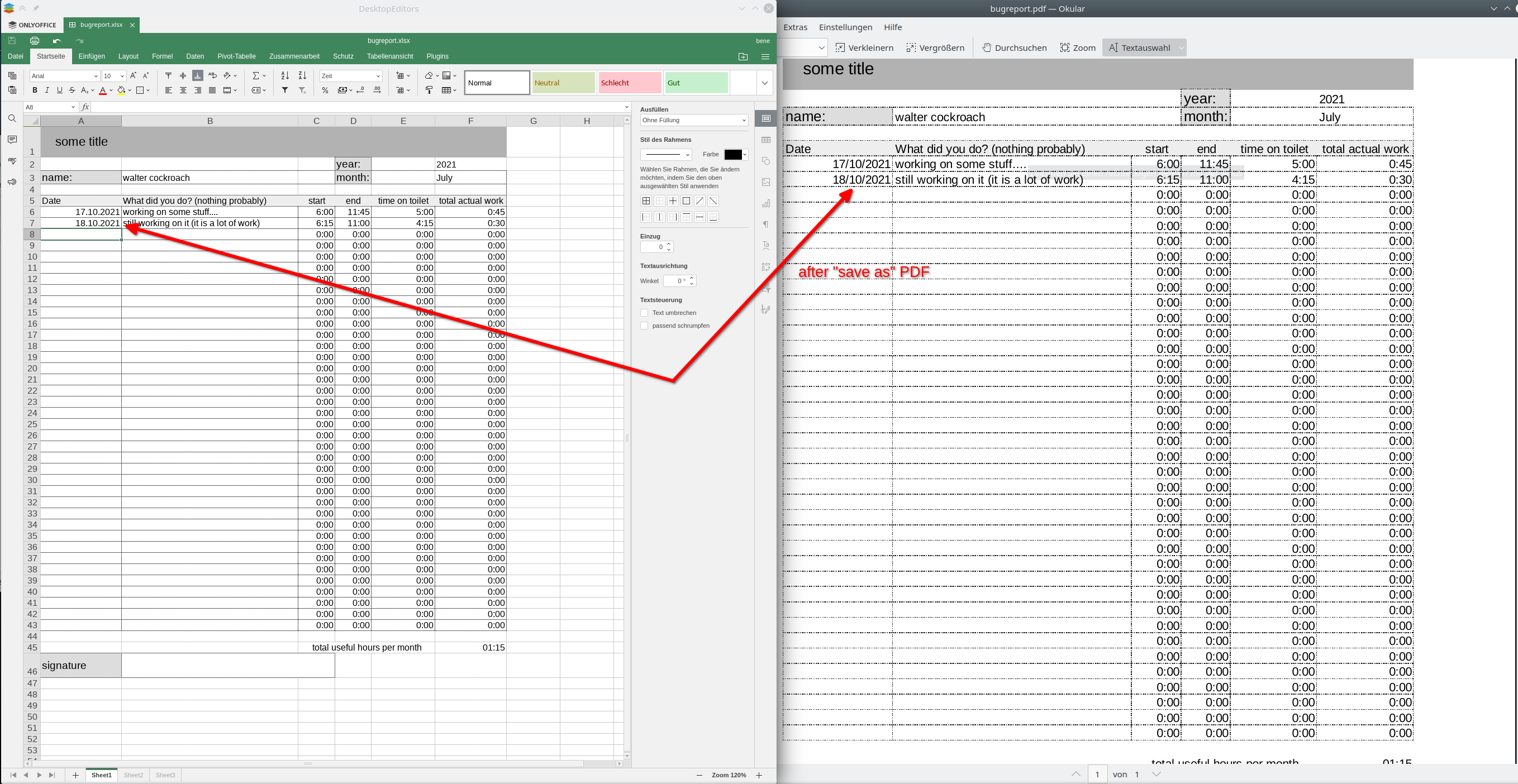
If the current behavior is a bug, please provide the steps to reproduce and if possible a minimal demo of the problem. Create a new document with a cell formated as date, type a valid date in and export it as PDF. It seems like the German date format gets converted into a different one.
What is the expected behavior? the .xslx and the PDF should have the exact same formats
Which versions of DesktopEditors, and which OS are affected by this issue? Did this work in previous versions of DesktopEditors?
- 6.3.1.56 on Ubuntu Linux (DEB)
additional note the same file converted to PDF using LibreOffice does not have this issue

Hello @zocker-160 Thank you for reporting this bug Issue #51531 was created in our private issue tracker

Moving this issue to DocumentServer repo, since it's our base product and problem actual there too

This problem also applies to number separators and decimal points. 3.500,99 will turn into 3,500.99 no matter what language settings are selected in the OS

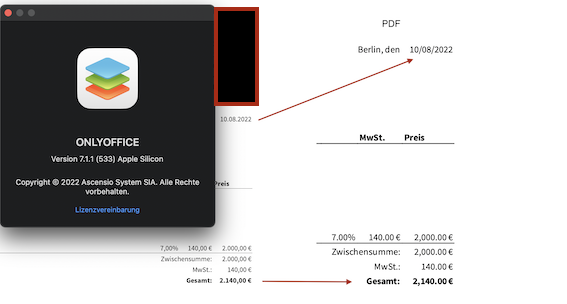
@2bmade Yes, this issue is still unresolved and currently we got not ETA of fix, sorry
Hello, I'm re-launching this issue to inform you of a date conversion bug between Excel (latest version: (2312 Build 16.0.17126.20132)) and onlyoffice documentserver (version 7.4.1.36). This problem also appears on the Excel 2016 version.
I'm using the French version of Excel and, in the language settings, I've specified that the office display language settings and the office language creation and verification settings should be set to French.
Similarly, on the onlyoffice documentserver settings, the Workspace, Regional and Verification settings are set to work in the French language and region.
The date format is set in the same way for Excel and onlyoffice (dd/mm/yyyy):
Excel:
OnlyOffice:
Then, when I edit a document in Excel, I specify a date in dd/mm/yyyy format:
If I then open the excel document in documentserver, the modification appears in the correct format:
However, when I convert the .xlsx document to .pdf format with onlyoffice, the date format changes:
This problem does not appear when the xlsx document is edited only with onlyoffice, nor does it appear if the document is edited with libre office and then imported into documentserver.
Thank you in advance for any solutions you can find to this problem.
