

 ONLYOFFICE
Import contacts from files failed
Env: Chrome 75.0.3770.142 64bit I have import contacts by chrome via CSV file. When i choose the csv file, the chrome console display some error and can not parse this CSV file successfully.
Error message
Uncaught SyntaxError: Unexpected token < in JSON at position 582 at JSON.parse (<anonymous>) at AjaxUpload.hr (qljsuwDEgatlb_odUGL-ZQ2.js?ver=10.0.1.897:89) at HTMLIFrameElement.<anonymous> (qljsuwDEgatlb_odUGL-ZQ2.js?ver=10.0.1.897:34)
When i see json content: {"Columns":"[{\"Key\":\"FirstName\",\"Value\":\"First Name\"},{\"Key\":\"LastName\",\"Value\":\"Last Name\"},{\"Key\":\"Email\",\"Value\":\"Email\"}]","Success":true,"Data":null,"Message":"[{\"Item1\":[\"First Name\",\"Last Name\",\"Email\"],\"Item2\":[\"First Name\",\"Last Name\",\"Email\"]},{\"Item1\":[\"First Name\",\"Last Name\",\"Email\"],\"Item2\":[\"san\",\"zhang\",\"[email protected]\"]},{\"Item1\":[\"First Name\",\"Last Name\",\"Email\"],\"Item2\":[\"si\",\"li\",\"[email protected]\"]},{\"Item1\":[\"First Name\",\"Last Name\",\"Email\"],\"Item2\":[\"��\",\"��\",\"[email protected]\"]}]"}<audio controls="controls" style="display: none;"></audio>
I think the audio content maybe the key point that why json is pars failed. please fix it.
This also happed on Firefox Quantum 68.0 Works well on IE

@tsaijian it seems like you added html tag <audio controls="controls" style="display: none;"></audio> to your csv file.
Now import fails with the same Error message in console, if CSV file contains symbols <> with text inside (for example - <text>), so new issue 42273 was created in our private bug tracker.
lf it's not the reason of your problem, please attach your csv file here, or send it to our support email [email protected] with the link of issue on GitHub.

@olga-nesterova Sorry for the later reply,it's not caused by the CSV file, i can import the same file through IE successfully. Here is the test CSV file onlyoffice_contacts.zip I think this is a browser compatibility issue.
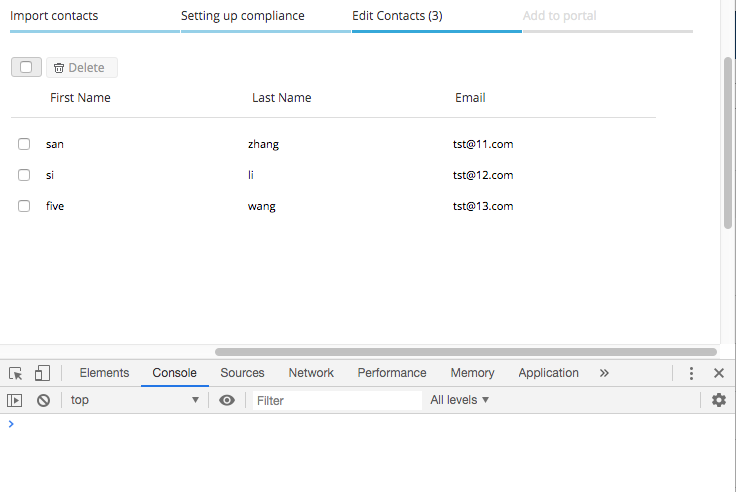
@tsaijian after importing file onlyoffice_contacts.csv i didn't get any errors for both Firefox Quantum 68.0 and Chrome 75.0.3770
 please, send video of how you're getting this error