

 ONLYOFFICE
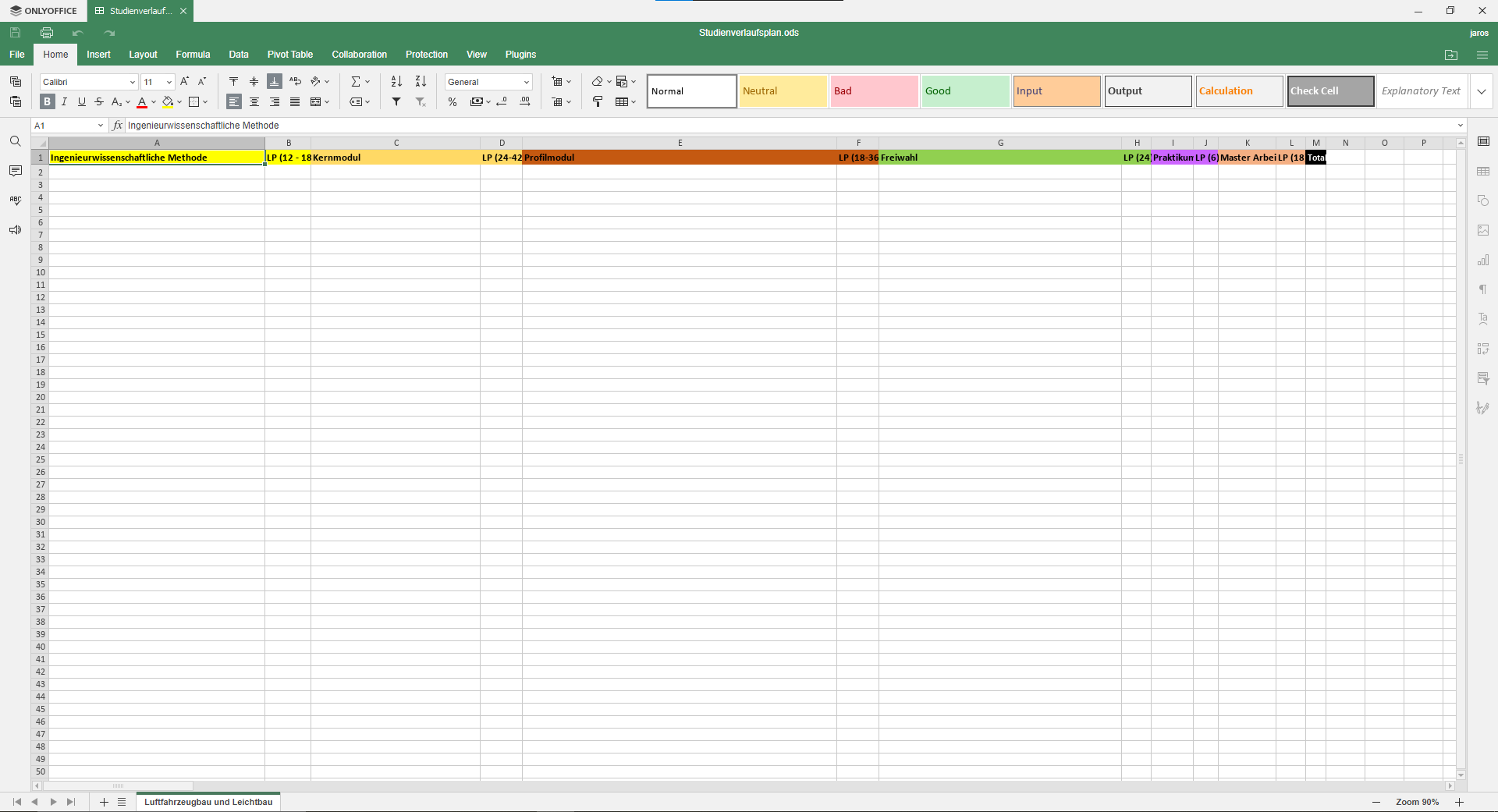
With the exception of the top row of the first worksheet, all the data on my spredsheet was deleted
This issue is unique.
- [X] I have used the search tool and did not find an issue describing my bug.
Operating System
Windows 10 / 8.1 / 7
Version information
7.1.1.57
Expected Behavior
The program shouldn't delete my work if not told to do so.
Actual Behavior
I saved my file continuously and never closed it before saving it. I opened it afterwards and only the first worksheet was left with only the first row of the data still there, the rest was gone. I had at least four worksheets with a full table each, this is the only thing left when I open the file.
Reproduction Steps
- Create a spreadsheet file.
- Save it.
- Close the file.
- At some point your data will be gone.
Additional information
No response

Hi, I'm sorry to hear that all data is lost, but I'm not sure that we'll be able to localize the problem in your current scenario, because I'm sure it involved a lot more steps to fail without any errors
One thing I see is that you use ods format in your presentation, maybe it have something to do with that

Yeah I used to use vanilla LibreOffice but changed to OnlyOffice for the improved GUI. I'll try to used the default formats, maybe that way the file does not get corrupted
@JARC99 Yeah, we try to make ods format as stable as possible now, but originally our suite was using ooxml format (xlsx), so it should be more stable
But if you will be able to find exact scenario then data loss is happened we'll try to fix this issue with highest priority
I'll try to reproduce it and I'll keep you updated on my findings. Thanks for the quick response :-)