

 ONLYOFFICE
Scaling issue on laptop
Do you want to request a feature or report a bug? Bug
What is the current behavior? Wrong scaling of the software
If the current behavior is a bug, please provide the steps to reproduce and if possible a minimal demo of the problem.
I don't know how to reproduce it. I have installed it through flatpak.
What is the expected behavior? The expected behavior would be that it opened in proper scaling.
Which versions of DesktopEditors, and which OS are affected by this issue? Did this work in previous versions of DesktopEditors?
Version 6.2.0 from flathub. OS: Fedora 34. Yes, it used to work flawlessly.
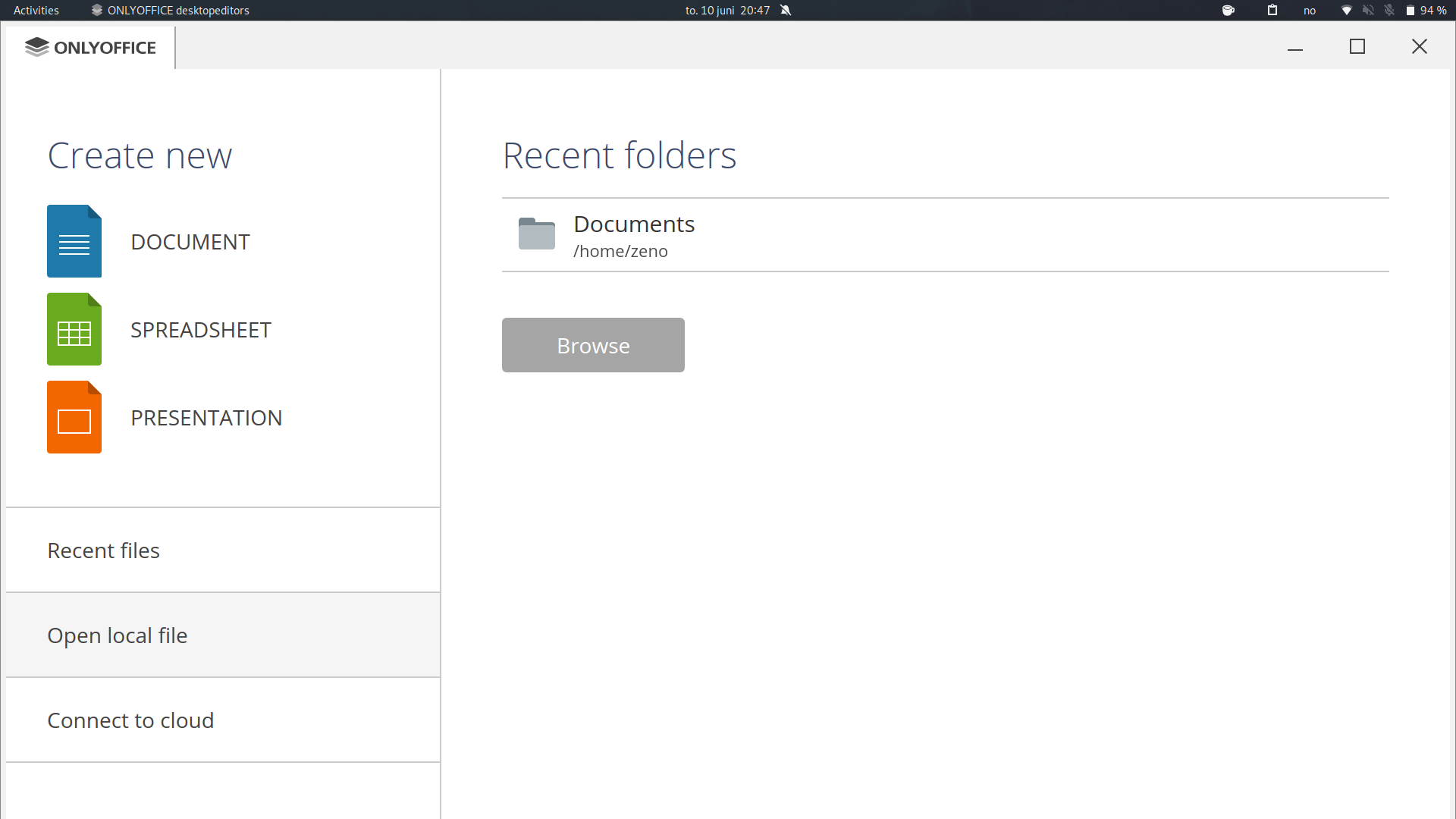


1920x1080. I even tried to change it in the configuration file. However, opening the program reverts the config file to the original state.
Oh, as far as I remember we got troubles with samll displays with FullHD resolution
@matveevms could you take a look? Do we already have an open issue for this?

Any update on this issue? It's too big on 100% scaling and everything is blurry on 125% scaling on wayland.

Sorry for the long wait. Please tell me, is the problem still relevant in new versions of the editor?

Since the problem does not recur in version 7.5.1, we will close this issue. But you can always write here if you still have questions on this topic. Thank you for contacting us.