

 NginxProxyManager
ClouDNS Error Cert
Hello, trying to use ClouDNS to make wildcard cert for my *.subdomain.domain.com using DNS challenge option.
But its throwing error
Error: Command failed: certbot certonly --config "/etc/letsencrypt.ini" --cert-name "npm-40" --agree-tos --email "[email protected]" --domains "*.subdomain.domain.com" --authenticator dns-cloudns --dns-cloudns-credentials "/etc/letsencrypt/credentials/credentials-40"
Traceback (most recent call last):
  File "/usr/local/bin/certbot", line 5, in
    from certbot.main import main
  File "/usr/local/lib/python3.7/dist-packages/certbot/main.py", line 6, in
    from certbot._internal import main as internal_main
  File "/usr/local/lib/python3.7/dist-packages/certbot/_internal/main.py", line 28, in
    from certbot import crypto_util
  File "/usr/local/lib/python3.7/dist-packages/certbot/crypto_util.py", line 42, in
    from certbot import interfaces
  File "/usr/local/lib/python3.7/dist-packages/certbot/interfaces.py", line 21, in
    from acme.client import ClientBase
ImportError: cannot import name 'ClientBase' from 'acme.client' (/usr/local/lib/python3.7/dist-packages/acme/client.py)

    at ChildProcess.exithandler (node:child_process:399:12)
    at ChildProcess.emit (node:events:526:28)
    at maybeClose (node:internal/child_process:1092:16)
    at Process.ChildProcess._handle.onexit (node:internal/child_process:302:5)
Please help me

I have been having this issue as well. Rolling back to previous versions didn't make a difference. I posted details on Reddit, but no one chimed in.

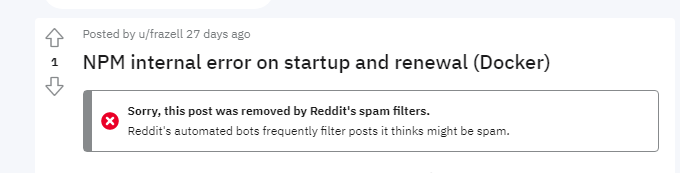
That’ll explain why I didn’t get a response! Thanks for that. I messaged the mods and hopefully they are able to get that converted. I copied the post below so it is here in this issue in case that doesn’t happen.
Original Post:
I'm having an issue with my setup of Nginx Proxy Manager (NPM) being unable issue or renew Let's Encrypt certificates and I'm unable to determine why.
The following error appears in the logs when attempting to issue a certificate, renew a certificate, or on container start.
[12/31/2022] [3:34:30 PM] [SSL      ] › ✖  error     Error: Command failed: certbot renew --non-interactive --quiet --config "/etc/letsencrypt.ini" --preferred-challenges "dns,http" --disable-hook-validation

Traceback (most recent call last):

  File "/usr/local/bin/certbot", line 5, in <module>

    from certbot.main import main

  File "/usr/local/lib/python3.7/dist-packages/certbot/main.py", line 6, in <module>

    from certbot._internal import main as internal_main

  File "/usr/local/lib/python3.7/dist-packages/certbot/_internal/main.py", line 28, in <module>

    from certbot import crypto_util

  File "/usr/local/lib/python3.7/dist-packages/certbot/crypto_util.py", line 42, in <module>

    from certbot import interfaces

  File "/usr/local/lib/python3.7/dist-packages/certbot/interfaces.py", line 21, in <module>

    from acme.client import ClientBase

ImportError: cannot import name 'ClientBase' from 'acme.client' (/usr/local/lib/python3.7/dist-packages/acme/client.py)

    at ChildProcess.exithandler (node:child_process:402:12)

    at ChildProcess.emit (node:events:513:28)

    at maybeClose (node:internal/child_process:1100:16)

    at Process.ChildProcess._handle.onexit (node:internal/child_process:304:5)
Additionally, inside NPM using the site test functionality results in the following error in the UI:
Communication with the API failed, is NPM running correctly?
In developer tools the error returned is a bad gateway error.
From what I've read these errors are usually caused by not having the ports open to NPM or having poor DNS server options. I've confirmed ports are correctly set, DNS options are good. I have taken the following steps to attempt to resolve this issue:
- Confirmed Internet access for the docker container
- Confirmed accurate DNS settings for the container by updating packages via the command line inside the container
- Verified external access via Port 80 and 443 reaching the container
- Completely wiped the container and DB containers to do a new install and the error on startup shows in the log prior to any login
Environment Details:
- VMWare ESXi
- Photon OS 4 as Docker Host
- 4 vCPU, 16GB RAM
- Portainer 2.16
- Docker Engine 20.10.14
Is this a bug in NPM or are there additional steps I can take to isolate an environment issue?
Try to install old version of acme via: pip install --upgrade --force-reinstall acme==1.32.0

I can confirm that your workaround @Wolfilux to downgrade the Acme package to 1.32.0 worked for me.
Normally run that on the vps in console? Or do I need to somehow execute the command in docker container
I try pip install --upgrade --force-reinstall acme==1.32.0 but it didn't work for me

@ririko5834
You should be able to type that into the console in your docker container. I accessed it via Portainer, but Synodocker and Docker directly will allow you to pass commands to the container console.
https://docs.portainer.io/user/docker/containers/console
https://docs.docker.com/engine/reference/commandline/exec/
@rodneyt What about it didn't work? Was it an error or did it downgrade and the issue persisted?
@ririko5834
You should be able to type that into the console in your docker container. I accessed it via Portainer, but Synodocker and Docker directly will allow you to pass commands to the container console.
https://docs.portainer.io/user/docker/containers/console
https://docs.docker.com/engine/reference/commandline/exec/
@rodneyt What about it didn't work? Was it an error or did it downgrade and the issue persisted?
Yes, https://github.com/NginxProxyManager/nginx-proxy-manager/issues/2011#issuecomment-1423022060
@rodneyt Ah I see. Your issue might be different than ours. I have ClouDNS and the above worked for me. From the comment you linked to it appears you're using Cloudflare.
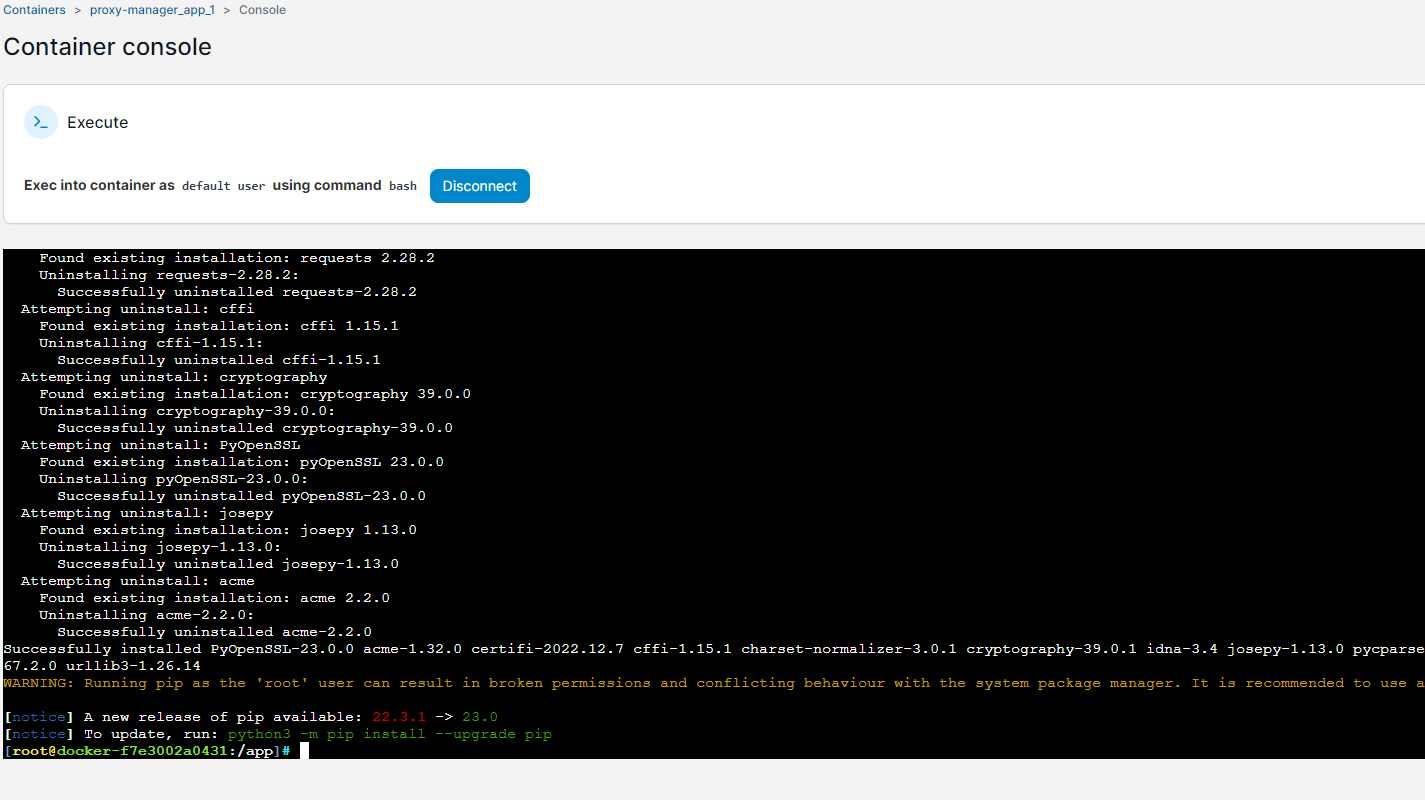 but getting error
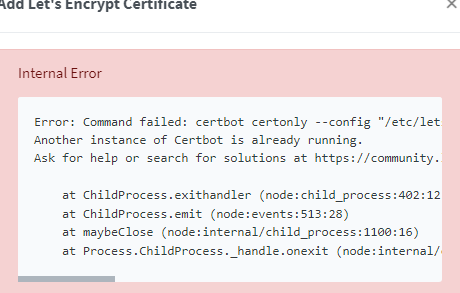
Restarted NPM, but now getting this Saving debug log to /var/log/letsencrypt/letsencrypt.log Error communicating with the ClouDNS API: {'status_code': 200, 'success': False, 'payload': {'status': 'Failed', 'status_description': "You don't have access to the HTTP API. Check your plan."}, 'error': "You don't have access to the HTTP API. Check your plan."}
So you need to pay to use that?
I just want to have wildcard certificate for my domain, cloudflare doesn't allow API for .tk domains, so I tried using cloudns.
Is there any supported DNS challenge provider which has free plan with access to API? Or any different way to make wildcard certificate, like *.mydomain.tk
Recently experienced this myself. Found that the config files were being installed but not the certbot-dns-cloudns dependencies. Checked the plugin creator's Github page and found the following which corroborates what I found:
https://github.com/inventage/certbot-dns-cloudns/issues/2
Followed the steps indicated by 'gregfly' and was able to pull a cert using certbot 2.5.0. Hopefully, the maintainer updates the plugin soon or someone creates a PR and it gets merged.

Issue is now considered stale. If you want to keep it open, please comment :+1:
![github-actions[bot] avatar](https://avatars.githubusercontent.com/in/15368?v=4 "Published by a pub.dev verified publisher")