
LAVFilters
 LAVFilters copied to clipboard
 Nevcairiel
Video configuration dialog doesn't show fully
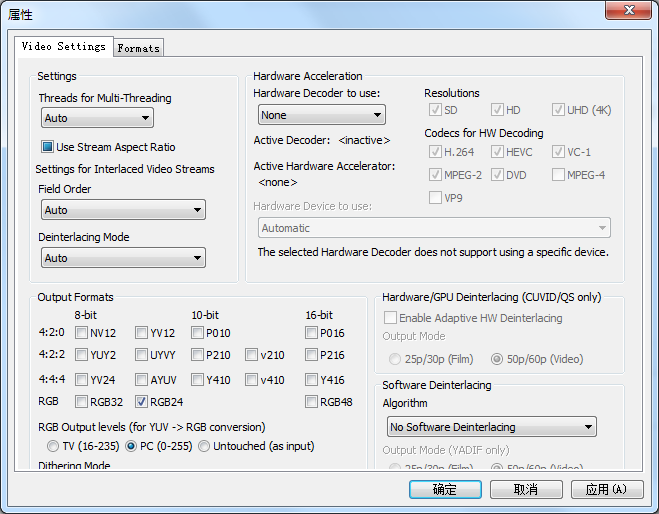

I'm aware that this is happening, but I do not know how to tell Windows to not screw this up, and neither do I have a Chinese Windows (nor would I understand it) for testing.

I thought it's the difference of font causes that, but testing on a English Win 10 machine, turns out that the height is just higher there:

I will try to debug it once I get back to my Chinese machine to see if I can figure out why.
OK, it looks like the problem is irrelevant to OS language. It shows fine in Chinese Win 10 as well (see image below). It also looks fine in VS if I directly open LAVVideo.ax and investigate the dialog 9 itself:
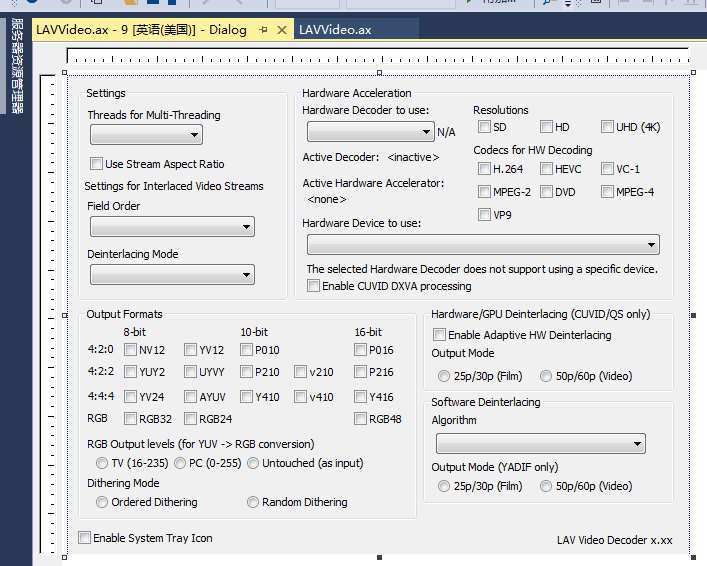
But in Win 7, when showing in the tabbed dialog, the result height is shorter than what it's supposed to be:

In win 10, the height is respected:
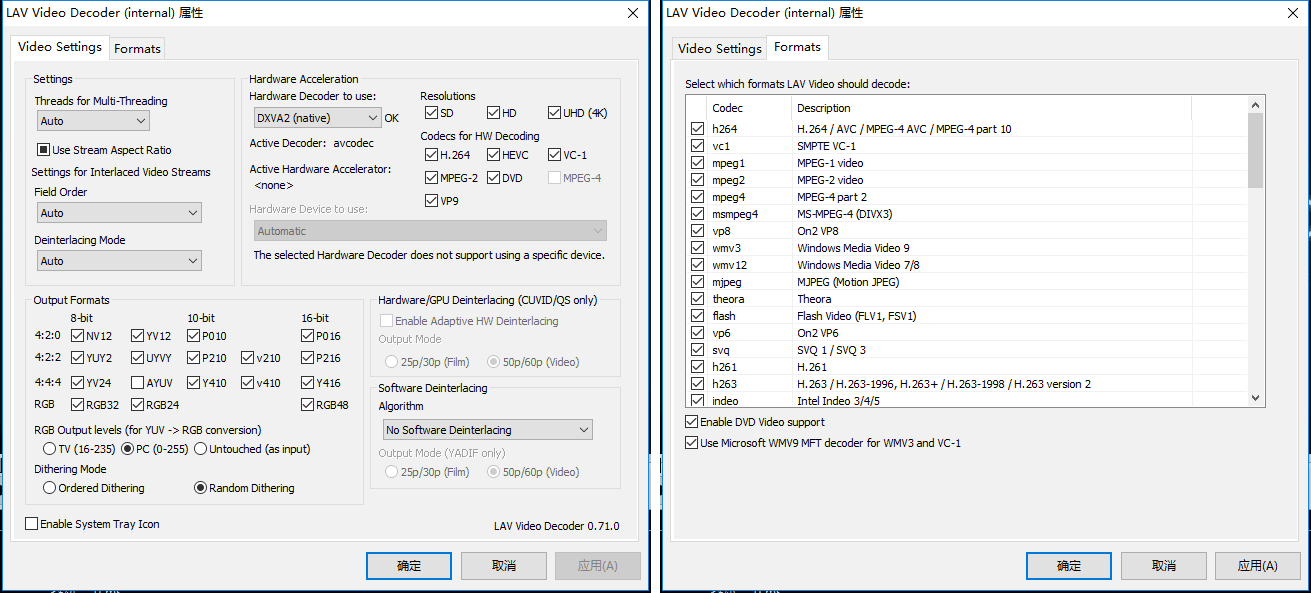
If you compare two, it is obvious that in Win 7, the height is "shortened" because it somehow takes the tab into account:
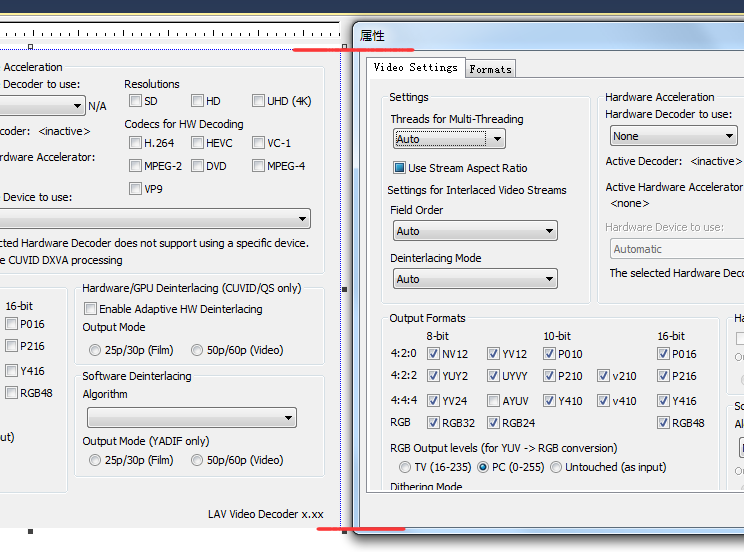
Not sure if this difference a bug or an intended change of MFC.
It shows fine on English Windows 7 however, so maybe they fixed the language-related problems in Windows 10.
I researched this issue a bit in the past, and afaik a certain system font height is used (by MFC) as a scaling reference. However in case of Chinese/Korean/Japanese systems this font has a weird/incorrect height.

I have had this issue. The space inside the tab (where the tab content is) must be the size of its content. This issue is similar to how dialogs without high DPI support looks.

Something I just noticed:
There is NO bug if I open the config from MPC-HC's filter menu.
It WILL bug if I open the config directly (through start menu shortcut), or from the system tray icon.
The shortcut and the tray icon just tell Windows to show the dialog, MPC-HC probably does some of its own magic around it.
MPC-HC doesn't do much magic, but it is DPI aware.
This might help for the Start menu shortcut:
Windows Registry Editor Version 5.00
[HKEY_CURRENT_USER\SOFTWARE\Microsoft\Windows NT\CurrentVersion\AppCompatFlags\Layers]
"C:\\Windows\\System32\\rundll32.exe"="HIGHDPIAWARE"
Weird, since I don't use any hi-dpi device (just a typical 23" 1080p external monitor). But I will give it a try later.