

 Neamar
Since 3.16.4: No custom Icons working
Sinc version 3.16.4, no custom Icons working on my Blackview 9800pro on Android 9. With 3.16.3 everything is fine. The icons turn into white squares or what ever shape they have and thats it. I use articons and tried other custom packs too, same problem. No I remain on the old version.
Thank you!

/close as fixed in 3.16.5, pull to refresh and update your F-Droid index

Tried Arcticons both Dark and Light, no issue here for me with 3.16.5
Can you attach a picture?
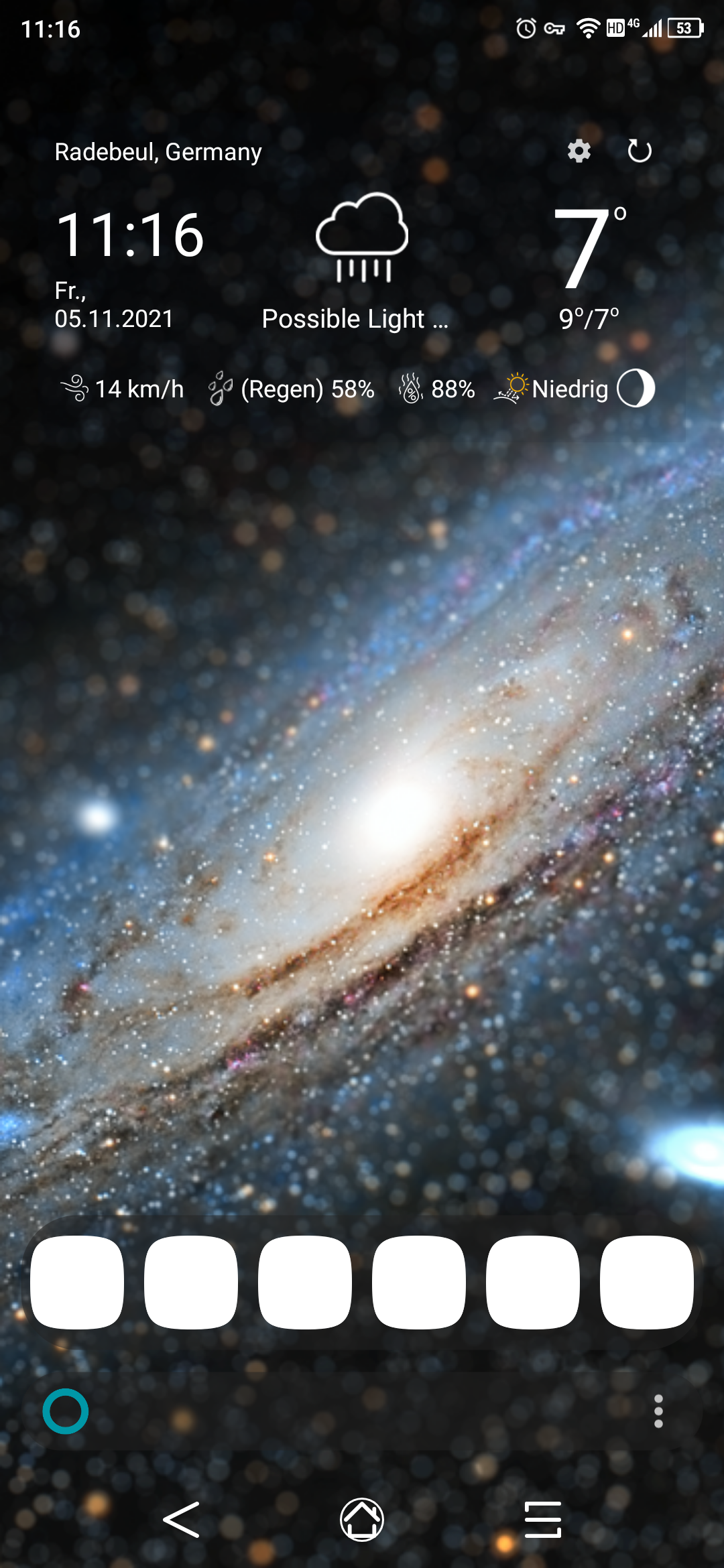

i think got it: it looks like this is a pretty specific problem with arcticons dark and a little bit a side effect of #1802
You need a custom shape for icons, e.g. squircle Then you must use a icon pack with white lines with transparent background, these icons itself are not adaptive. And then there are some kiss settings which changes these icons.
- Settings > User Interface > Force icon background: the white lines are placed on white background, thats also reproducible on 3.16.3 and before
- Settings > User Interface > Force background shape: works similar as the other setting, for shaping icons also the white background is applied. Because of #1802 now also for icon packs, on 3.16.3 this setting was simply ignored.
@patcomplus @licaon-kter which settings have you use? can you confirm this behaviour?
i'm not sure how to solve this:
- should i revert to previous behaviour? then Force background shape from settings will then be ignored for icon packs
- should shape be applied to icons, but without white background? This also may have some unwanted effects
- should there be another background color used? primary color of kiss or a customizable one?
- do you have any other suggestions?

Here my settings. With these, it works. Unfortunatly I dont know my steps to solve it, i tried for myself, some changes with the icon shapes, like you told, restarted KISS and well, thats it.
Hope that my settings helps.
I think pont 2 of your possible solutions would be the best.
{"__v":183,"force-shape":true,"history-hide":true,"gesture-left":"display-history","enable-suggestions-keyboard":true,"large-favorites-bar":true,"pref-rounded-list":true,"transparent-favorites":false,"pref-toggle-tags-list":["Nachrichten","Laden","Appcenter","Store","Appzentrale"],"theme":"semi-transparent-dark","theme-shadow":"enabled","theme-bar-color":"semi-dark","gesture-long-press":"display-menu","history-mode":"frequency","force-adaptive":false,"icons-pack":"com.donnnno.arcticons","pref-hide-search-bar-hint":true,"__tags":{"app://org.mozilla.firefox/org.mozilla.fenix.IntentReceiverActivity":"Internet Web Browser Netz Navigator","app://com.flir.tiger/com.flir.monarch.ui.library.LibraryActivity":"flir","app://com.fsck.k9/com.fsck.k9.activity.MessageList":"E-Mail Nachrichten Post Brief","app://com.android.contacts/com.android.contacts.activities.PeopleActivity":"Kontakte Leute Personen Beziehungen","app://com.android.deskclock/com.android.deskclock.DeskClock":"Uhr Alarm Timer Stoppuhr Wecker","app://com.android.vending/com.android.vending.AssetBrowserActivity":"Market Store App-Center Appcenter Anwendungen Appstore App-Store Laden Appzentrale App-Zentrale","app://com.google.android.apps.messaging/com.google.android.apps.messaging.ui.ConversationListActivity":"Textnachricht Nachrichten SMS MMS","app://com.android.dialer/com.android.dialer.app.DialtactsActivity":"anrufen wählen telefon"}}
Hi! Just stumbled across this issue, and it reminded me of an issue that the trebuchet launcher from LineageOS has too: https://github.com/Donnnno/Arcticons/issues/127 https://gitlab.com/LineageOS/issues/android/-/issues/3326
