
KISS
 KISS copied to clipboard
 Neamar
after reboot/power on, no Apps on SD-Card are available, have to restart KISS in setting
Describe the bug After booting, all apps stored on the SD card are not available. Only the apps from the internal storage are visible in the app list or searchable.
To Reproduce Steps to reproduce the behavior:
- move a app to SD card
- reboot device
- wait until the OS has found and mounted the card
- search for app in app list or type name into search field
- app will not found...
Expected behavior after the OS has mounted the card, I expected that KISS knows about the apps on this card, insert they to app list and make them searchable
Screenshot
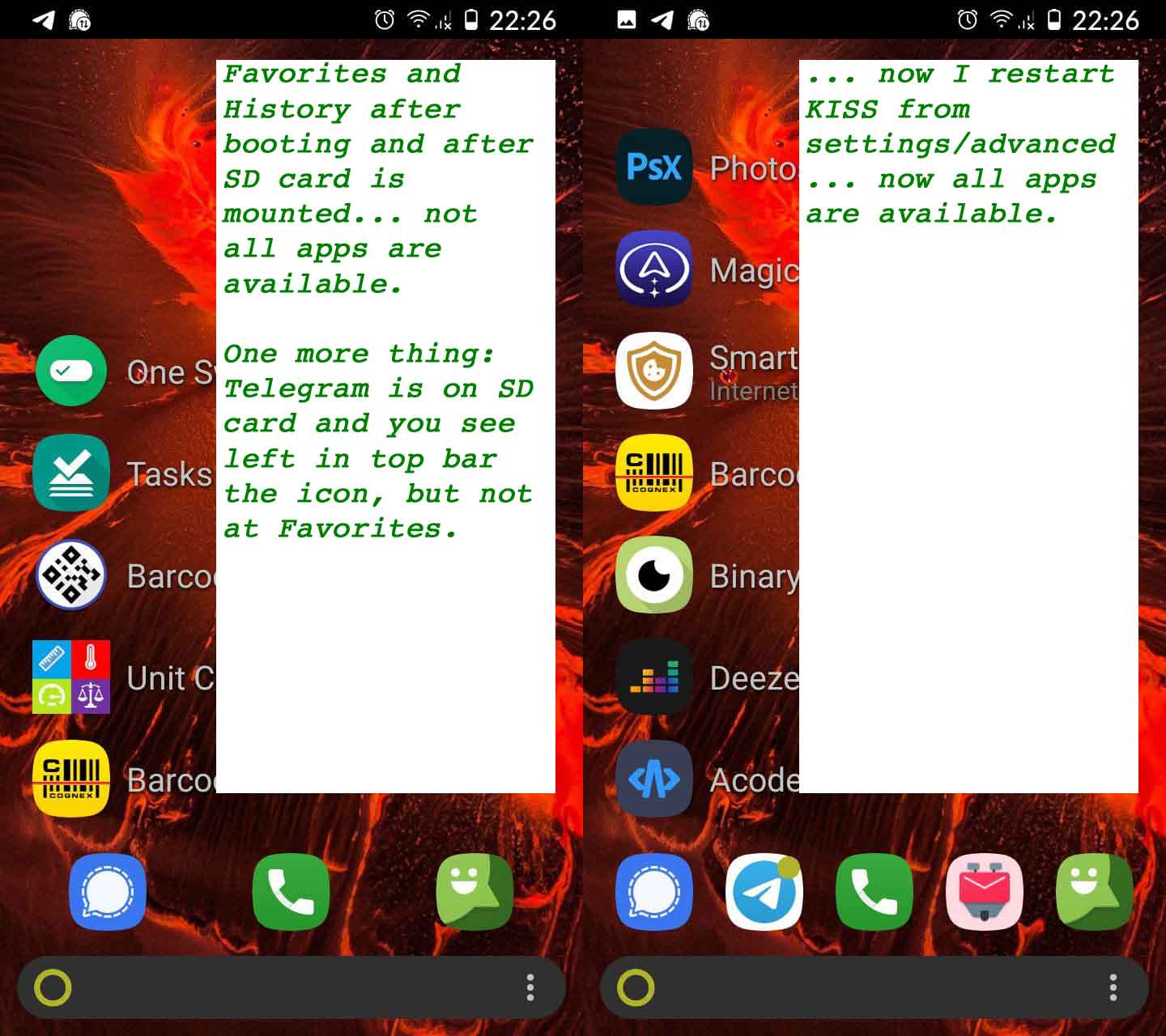
Additional information
- App version: 3.16.3 (and before 3.16.1)
- App installed via: F-Droid + Play Store (both tested)
- Android: 10, LineageOS 17.1-20211010
- API: 29
Additional context work around: after booting of device and card is mounted, do restart of KISS (=>> KISS settings =>> advanced settings =>> reset KISS), all apps are available, in app list, and are searchable.

/close as duplicate #175 #532 and others
KISS can't show apps that Android does not show as existing at that time. After reboot it might take a while for the slow SD card to be read and apps to be accessible.

Maybe two more facts: a) the OS recognizes the Telegram app on the SD card after mounting and starts it, while KISS still doesn't notice anything and b) I use one of the fastest cards in my phone, so I can move programs there without restrictions.
And the two errors you mention are already a little older, something should be possible since version 5/6 of Android.
An easy way to reset the application list (e.g. by pressing "Back") could be a good enough workaround.
