

 NativeScript
Icon display inconsistent behavior for NavigationButton
Please see
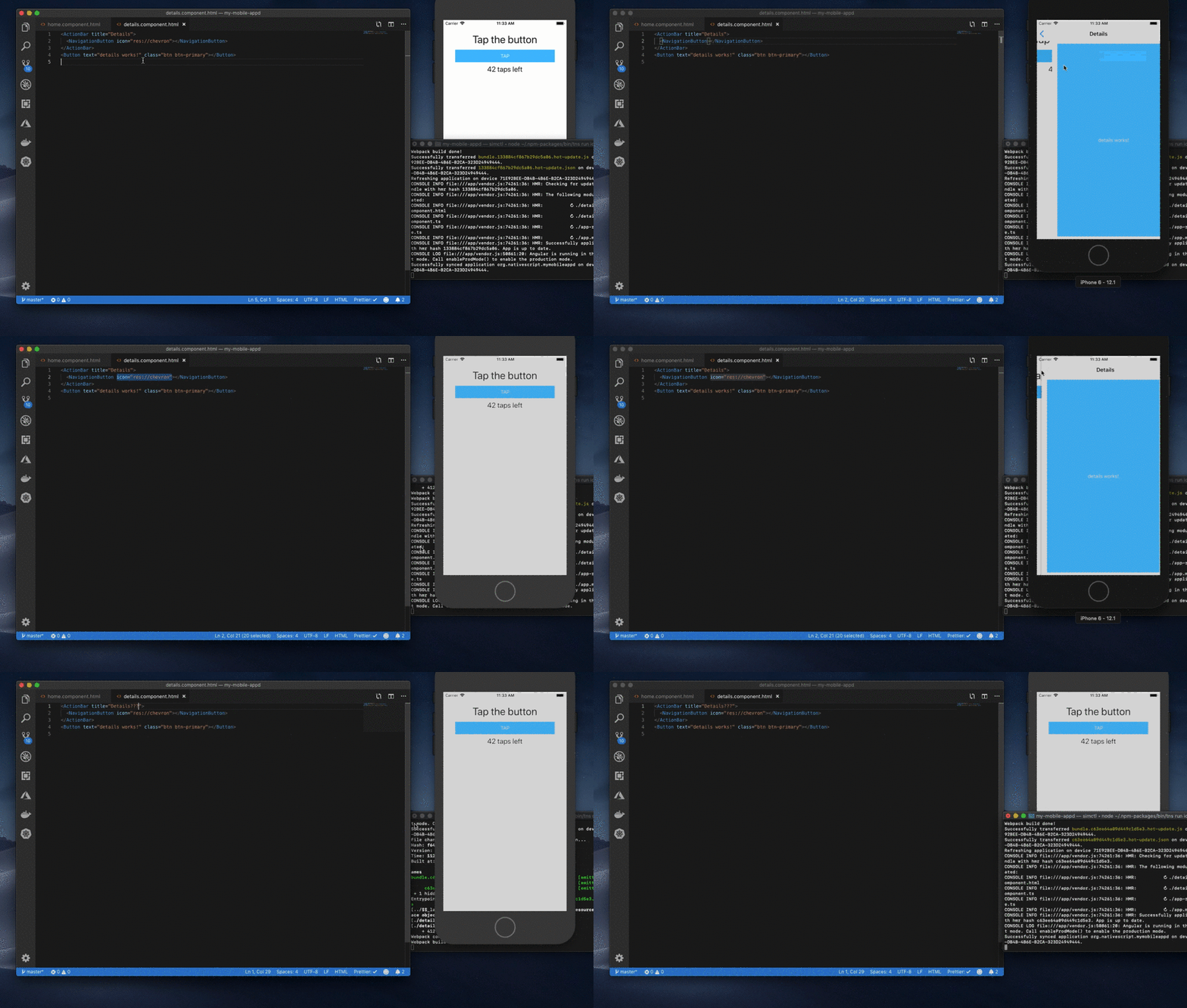 When adding a custom icon to the NavigationButton it will only use the resource after the second time visiting the page, and on. The first time it will use the default icon.
Sample project sample repro
This only happens on iOS This does not happen on a regular Angular +NS app. Only with schematics template.
Environment No changes in the package.json
{ "name": "MyMobileAppd", "license": "SEE LICENSE IN
", "version": "0.0.0", "nativescript": { "id": "org.nativescript.mymobileappd", "tns-ios": { "version": "5.4.0" } }, "dependencies": { "@angular/animations": "~7.2.0", "@angular/common": "~7.2.0", "@angular/compiler": "~7.2.0", "@angular/core": "~7.2.0", "@angular/forms": "~7.2.0", "@angular/http": "~7.2.0", "@angular/platform-browser": "~7.2.0", "@angular/platform-browser-dynamic": "~7.2.0", "@angular/router": "~7.2.0", "nativescript-angular": "~7.2.0", "nativescript-theme-core": "~1.0.4", "reflect-metadata": "~0.1.12", "rxjs": "~6.3.3", "tns-core-modules": "~5.2.0", "zone.js": "^0.8.26" }, "devDependencies": { "@angular/cli": "^7.2.0", "@angular/compiler-cli": "~7.2.0", "@angular-devkit/core": "~7.2.0", "@nativescript/schematics": "~0.4.0", "nativescript-dev-typescript": "~0.8.0", "nativescript-dev-webpack": "^0.20.0", "@ngtools/webpack": "~7.2.0", "typescript": "~3.1.1" } }
Describe the bug When adding a custom icon to the NavigationButton it will only use the resource after the second time visiting the page.
To Reproduce
- ng new --collection=@nativescript/schematics my-mobile-app
- ng g c details
- add code in home page button to navigate to details page
- Add icon to App_Resources, add it to a page and navigate to such page.
- tns run ios
- tap home page button
- watch the icon incorrectly display without the icon
- tap navigation button
- tap home page button again -watch the navigation button correctly styled with the icon.
Expected behavior Icon should appear on NavigationButton of the details page Icon behavior should be consistent.
