

 NVIDIAGameWorks
DIB-R mesh visualization issue
Hi @Caenorst, I'm working on a 3D mesh reconstruction task and until now I was working with the SoftRasterizer renderer. I've tried some months ago the DIB-R renderer without having great success and I decided to leave it there since I've noticed you and your team were heavily updating the Kaolin library during that period. In the past two weeks, I've started using the Kaolin library and the DIB-R renderer together with a 3d reconstruction framework we developed recently. We are using icosaspheres as starting shapes and deform them into a particular object category. Unfortunately, in the visualization process I noticed that the shape has some strange effects just like the shape is transparent and so in some viewing angles we see the back faces of the object that should be not visible. In the images below you can see an example of our result on the car class:
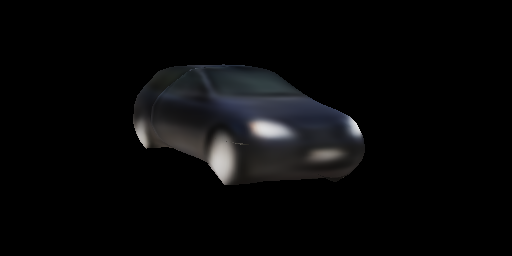
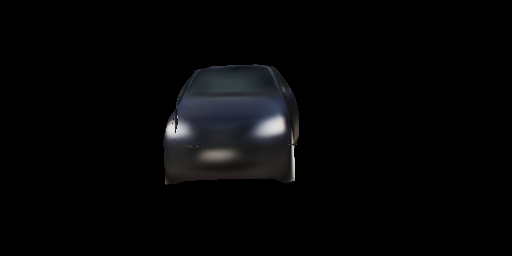
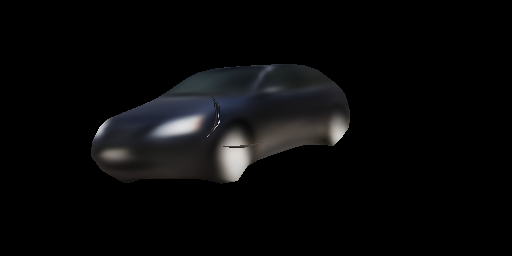
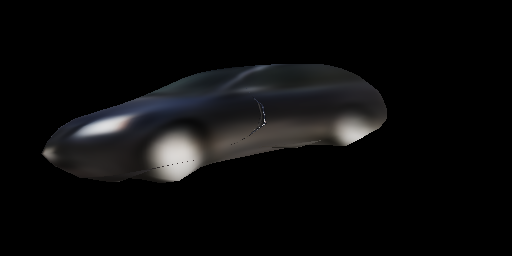

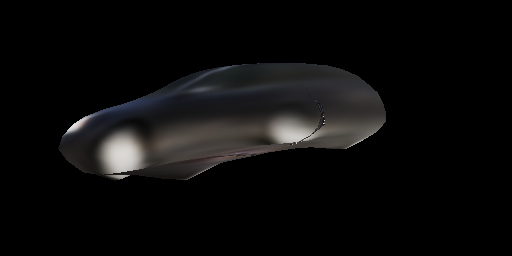
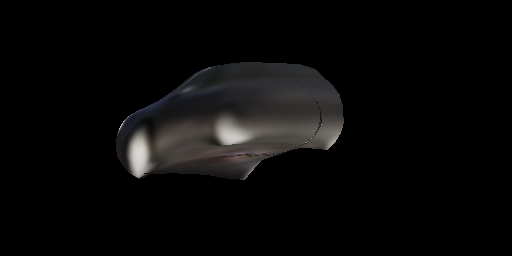
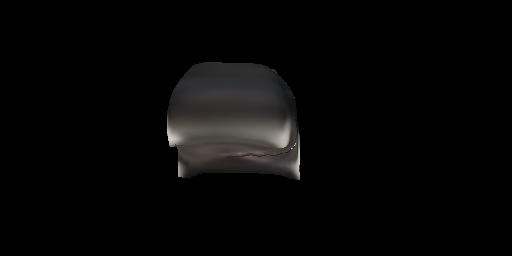


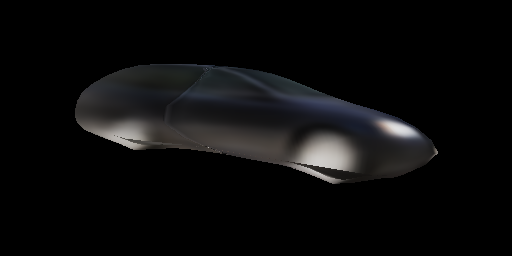
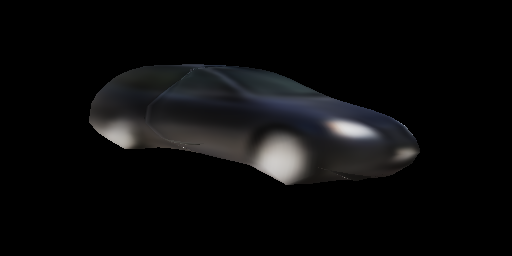
You can see the visualization issue from the second image.
I couldn't find a specific cause of this problem (with SoftRas it's all fine) even after trying different values of sigmainv or boxlen parameters in the dibr_rasterization function. Below I share the code I use for rendering the deformed objects:
face_uvs = index_vertices_by_faces(self.uv, fs)
face_vertices_camera, face_vertices_image, face_normals = prepare_vertices(vs, fs, self.R, self.t, self.K, self.orig_size)
face_attributes = [torch.ones((*face_uvs.shape[:-1], 1), device=face_uvs.device, dtype=face_uvs.dtype),
                             face_uvs]
(texmask, texcoord), improb, imfaceidx = dibr_rasterization(self.height, self.width,
                                                            face_vertices_camera[:, :, :, 2],
                                                            face_vertices_image,
                                                            face_attributes,
                                                            face_normals[:, :, -1],
                                                            boxlen=0.1)
texcolor = texture_mapping(texcoord, textures, mode='bilinear')
img_rgb = torch.clamp(texcolor * texmask, 0, 1)
I've implemented by myself a perspective camera projection instead of the field of view based one for the prepare_vertices function and I share also the two functions I modified in your library in order to use the same perspective projection used with SoftRas:
# In /kaolin/render/camera.py
def rotate_translate_points_extrinsic(points, camera_rot, camera_trans):
    r"""rotate and translate 3D points on based on rotation matrix and transformation matrix.
    Formula is  :math:`\text{P_new} = (R * \text{P_old}) + T`
    Args:
        points (torch.FloatTensor): 3D points, of shape :math:`(\text{batch_size}, \text{num_points}, 3)`.
        camera_rot (torch.FloatTensor): rotation matrix, of shape :math:`(\text{batch_size}, 3, 3)`.
        camera_trans (torch.FloatTensor): translation matrix, of shape :math:`(\text{batch_size}, 3, 1)`.
    Returns:
        (torch.FloatTensor): 3D points in new rotation, of same shape than `points`.
    """
    camera_rot = camera_rot.permute(0, 2, 1)
    output_points = torch.matmul(points, camera_rot) + camera_trans
    return output_points

def perspective_camera_intrinsic(points, camera_proj, orig_size=256.):
    r"""Projects 3D points on 2D images in perspective projection mode.
    Args:
        points (torch.FloatTensor):
            3D points in camera coordinate, of shape :math:`(\text{batch_size}, \text{num_points}, 3)`.
        camera_proj (torch.FloatTensor): projection matrix of shape :math:`(3, 3)`.
    Returns:
        (torch.FloatTensor):
            2D points on image plane of shape :math:`(\text{batch_size}, \text{num_points}, 2)`.
    """
    x, y, z = points[:, :, 0], points[:, :, 1], points[:, :, 2]
    x_ = x / (z + 1e-9)
    y_ = y / (z + 1e-9)
    verts = torch.stack([x_, y_, torch.ones_like(z)], dim=-1)
    verts = torch.matmul(verts, camera_proj.transpose(1, 2))
    u, v = verts[:, :, 0], verts[:, :, 1]
    v = orig_size - v
    # map u,v from [0, img_size] to [-1, 1] to use by the renderer
    u = 2 * (u - orig_size / 2.) / orig_size
    v = 2 * (v - orig_size / 2.) / orig_size
    projected_2d_points = torch.stack([u, v], dim=-1)
    return projected_2d_points

# In /kaolin/render/mesh/utils.py
def prepare_vertices(vertices, faces, camera_rot, camera_trans, camera_proj, orig_size):
    r"""Wrapper function to move and project vertices to cameras then index them with faces.
    Args:
        vertices (torch.Tensor):
            the meshes vertices, of shape :math:`(\text{batch_size}, \text{num_vertices}, 3)`.
        faces (torch.LongTensor):
            the meshes faces, of shape :math:`(\text{num_faces}, \text{face_size})`.
        camera_rot (torch.Tensor):
            the camera rotation matrices,
            of shape :math:`(\text{batch_size}, 3, 3)`.
        camera_trans (torch.Tensor):
            the camera translation vectors,
            of  shape :math:`(\text{batch_size}, 3)`.
        camera_proj (torch.Tensor):
            the camera projection vector, of shape :math:`(3, 1)`.
    Returns:
        (torch.Tensor, torch.Tensor, torch.Tensor):
            The vertices in camera coordinate indexed by faces,
            of shape :math:`(\text{batch_size}, \text{num_faces}, \text{face_size}, 3)`.
            The vertices in camera plan coordinate indexed by faces,
            of shape :math:`(\text{batch_size}, \text{num_faces}, \text{face_size}, 2)`.
            The face normals, of shape :math:`(\text{batch_size}, \text{num_faces})`.
    """
    # vertices_camera = camera.rotate_translate_points(vertices, camera_rot, camera_trans)
    vertices_camera = camera.rotate_translate_points_extrinsic(vertices, camera_rot, camera_trans)
    # vertices_image = camera.perspective_camera(vertices_camera, camera_proj)
    vertices_image = camera.perspective_camera_intrinsic(vertices_camera, camera_proj, orig_size)
    face_vertices_camera = ops.mesh.index_vertices_by_faces(vertices_camera, faces)
    face_vertices_image = ops.mesh.index_vertices_by_faces(vertices_image, faces)
    face_normals = ops.mesh.face_normals(face_vertices_camera, unit=True)
    return face_vertices_camera, face_vertices_image, face_normals
Thank you in advance for your time and response.
Alessandro

Hi @alexj94, thank you for your interest in Kaolin!
Is there a way you can share the problematic model too so I can explore the issue?

Hi,
I share the 3D model and its predicted texture so that you can explore the rendering issue. This problem seems to occur with the learned meanshape so basically every deformed model starting from the meanshape has this issue.
Anyway, I saved the 3D mesh information in a shape_info.npy file where I put a dictionary with the meanshape vertices, the deformed shape vertices and the faces/triangles as vertices indeces. You can load this file as following and obtain the dictionary:
np.atleast_1d(np.load('shape_info.npy', allow_pickle=True))[0]
Separately, I give you also the texture image as texture.npy if you need it. You can load it simply with np.load() function.
If I understand it well the deformed_shape is the one to display.
How should I map the texture? Can you add the uvs too ?
Yes sure sorry for that.
I updated the shape_info.npy with an additional key "uv_map" containing the uv coordinates of the shape. You can visualize both using the mean_shape and deformed_shape as vertices and you'll notice the same visualization issue.
Thanks again for your time.
So, because I was not familiar with Softras projection, I made my own camera setting with:
nb_views = 12
theta = torch.rand(nb_views, device='cuda') * 2 * math.pi
phi = (torch.rand(nb_views, device='cuda') - 0.5) * math.pi
distance = torch.rand(nb_views, device='cuda') * 0.1 + 0.5
x = torch.cos(theta) * distance
y = torch.sin(theta) * distance
z = torch.sin(phi) * distance
cam_pos = torch.stack([x, y, z], dim=-1)
look_at = torch.zeros([1, 3], device='cuda')
cam_up = torch.tensor([[0., 0, 1]], device='cuda').repeat(nb_views, 1)

cam_transform = kal.render.camera.generate_transformation_matrix(cam_pos, look_at, cam_up)
cam_proj = kal.render.camera.generate_perspective_projection(45, 512 / 256).cuda().unsqueeze(0)

face_vertices_camera, face_vertices_image, face_normals = \
    kal.render.mesh.prepare_vertices(
        centered_vertices, faces, cam_proj, camera_transform=cam_transform
    )
After centering the vertices.
I'm afraid I'm not seeing the artifacts you are talking about. I do see the "wiggle" but I assume that's not what you are talking about.
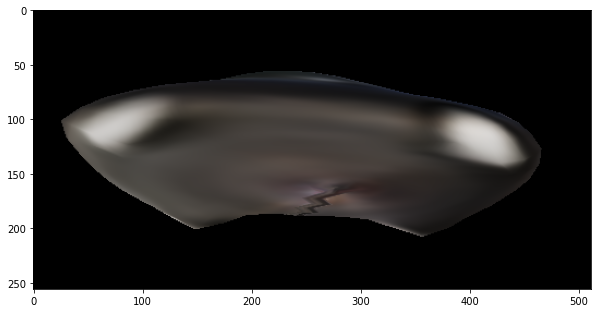
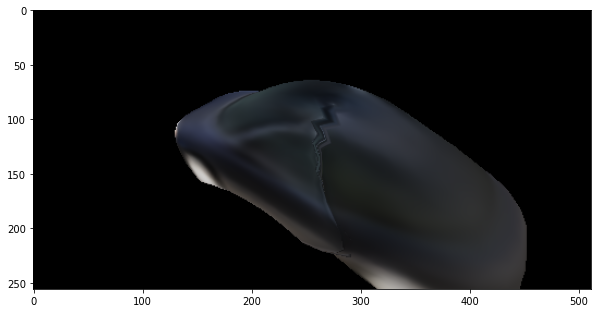

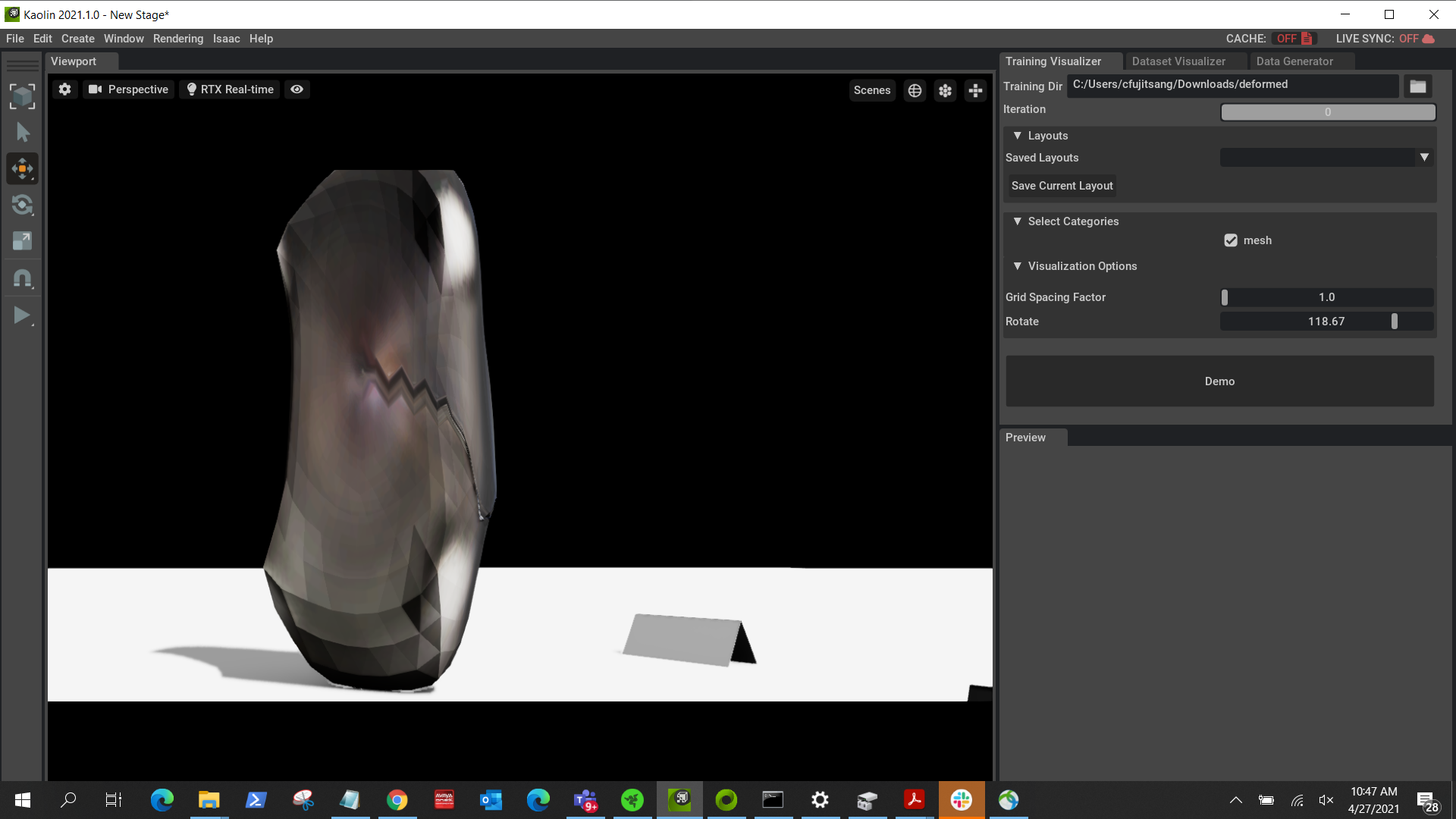
Yes unfortunately the "wiggle" is something present also in SoftRas and it's caused by the independent and non symmetric vertices and faces of the icosasphere from which the shape is deformed/learned during training. Maybe there is something wrong in terms of approximation in my perspective projection that isn't fully compatible with the rendererer and so generates those artifacts. I'll investigate more and I'll keep you updated.
@alexj94 @Caenorst. I have also encountered the same issue since last year. Do you have any idea to avoid this artifact?

I have this issue also. But I can render correct images in windows, when I use the same script to render images in a Linux server, some faces' textures cannot be displayed.
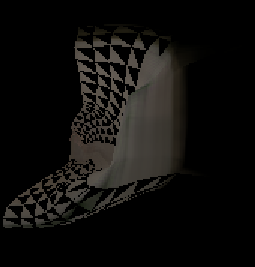
I am using pytorch 1.7.1, python3.6

Hi there, We face similar problem. In some cases, it is due to the point order of mesh faces. If the three points of the face are clock-wise, it will show as regular surface. Otherwise, it will show as a back surface (be transparent).
In Meshlab, there is a setting back-face which by default is single. If set it as double, then the face will be visible from backside.
The case is found by @viridityzhu https://jyzhu.top/obj-format-debugging-vertices-order/
