

 NVIDIA
can I implement dynamic batch in a pipeline?
hi @JanuszL I just wonder if my batch size is dynamic , can I implement a pipeline for this situation? thank you for your reply advance

Hi @leijuzi,
To utilize batch size variability you need to use the external_source operator. In this case, the batch size will depend on the number of samples you return from each iteration.
The native readers (like file reader) don't support this.

hi @JanuszL
you mean this parameter is not used? it just depend on my iteration?

In this case, this is the hint for the pipeline (constrain) about the maximum batch size the pipeline can expect. This value is used to preallocate some data during some operators' construction.
hi @JanuszL
When I used dali to process image I met a err like this:
[2022-05-19 11:42:36][ERROR][rgb_audio_feature_extraction_trt.py:310][17683][Traceback (most recent call last):
File "/usr/local/trpc/bin/efficient_and_vggish_embedding/rgb_audio_feature_extraction_trt.py", line 307, in preprocess_dali
video_preprocess_result = self.image_preprocess_dali(request.frame, request.mini_video)
File "/usr/local/trpc/bin/efficient_and_vggish_embedding/rgb_audio_feature_extraction_trt.py", line 198, in image_preprocess_dali
res_dali = self.video_pipe.run()
File "/data/anaconda3/lib/python3.6/site-packages/nvidia/dali/pipeline.py", line 917, in run
return self.outputs()
File "/data/anaconda3/lib/python3.6/site-packages/nvidia/dali/pipeline.py", line 816, in outputs
return self._outputs()
File "/data/anaconda3/lib/python3.6/site-packages/nvidia/dali/pipeline.py", line 900, in _outputs
return self._pipe.Outputs()
RuntimeError: Critical error in pipeline:
Error when executing Mixed operator ImageDecoder encountered:
[/opt/dali/dali/operators/decoder/nvjpeg/nvjpeg_decoder_decoupled_api.h:548] [/opt/dali/dali/image/image_factory.cc:89] Assert on "CheckIsPNG(encoded_image, length) + CheckIsBMP(encoded_image, length) + CheckIsGIF(encoded_image, length) + CheckIsJPEG(encoded_image, length) + CheckIsTiff(encoded_image, length) + CheckIsPNM(encoded_image, length) + CheckIsJPEG2k(encoded_image, length) == 1" failed: Encoded image has ambiguous format
Stacktrace (12 entries):
[frame 0]: /data/anaconda3/lib/python3.6/site-packages/nvidia/dali/libdali.so(+0x7b73e) [0x7f4dd073f73e]
[frame 1]: /data/anaconda3/lib/python3.6/site-packages/nvidia/dali/libdali.so(dali::ImageFactory::CreateImage(unsigned char const*, unsigned long, dali::DALIImageType)+0x3c0) [0x7f4dd0844c40]
[frame 2]: /data/anaconda3/lib/python3.6/site-packages/nvidia/dali/libdali_operators.so(+0x87fdae) [0x7f4dd1b3ddae]
[frame 3]: /data/anaconda3/lib/python3.6/site-packages/nvidia/dali/libdali_operators.so(+0x88142d) [0x7f4dd1b3f42d]
[frame 4]: /data/anaconda3/lib/python3.6/site-packages/nvidia/dali/libdali.so(void dali::Executor<dali::AOT_WS_Policydali::UniformQueuePolicy, dali::UniformQueuePolicy>::RunHelperdali::MixedWorkspace(dali::OpNode&, dali::MixedWorkspace&)+0x5ae) [0x7f4dd07b8a7e]
[frame 5]: /data/anaconda3/lib/python3.6/site-packages/nvidia/dali/libdali.so(dali::Executor<dali::AOT_WS_Policydali::UniformQueuePolicy, dali::UniformQueuePolicy>::RunMixedImpl()+0x491) [0x7f4dd07b9bc1]
[frame 6]: /data/anaconda3/lib/python3.6/site-packages/nvidia/dali/libdali.so(dali::Executor<dali::AOT_WS_Policydali::UniformQueuePolicy, dali::UniformQueuePolicy>::RunMixed()+0xe) [0x7f4dd07ba4ae]
[frame 7]: /data/anaconda3/lib/python3.6/site-packages/nvidia/dali/libdali.so(+0xa9186) [0x7f4dd076d186]
[frame 8]: /data/anaconda3/lib/python3.6/site-packages/nvidia/dali/libdali.so(+0x127b6c) [0x7f4dd07ebb6c]
[frame 9]: /data/anaconda3/lib/python3.6/site-packages/nvidia/dali/libdali.so(+0x70718f) [0x7f4dd0dcb18f]
[frame 10]: /lib64/libpthread.so.0(+0x7dc5) [0x7f5098db6dc5]
[frame 11]: /lib64/libc.so.6(clone+0x6d) [0x7f5098ae474d]
. File:
Stacktrace (11 entries):
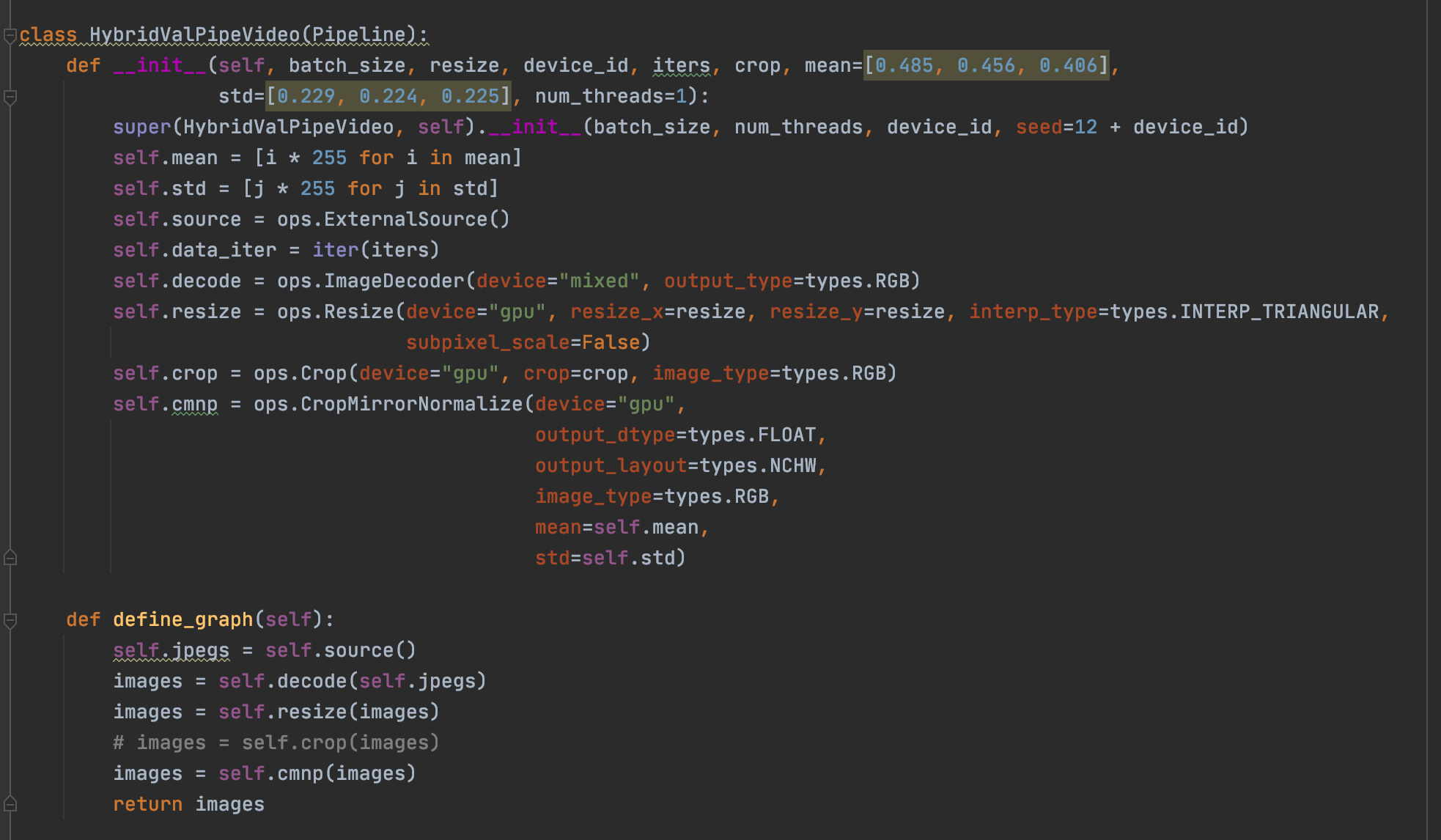
could you please tell what wrong with my code, my code like this:
Hi @leijuzi,
It seems that your image is not a valid encoded image in any format that DALI supports. Is it possible to extract this image and see if you can open it in any viewer? If so can you share it for investigation on our side?
 
I downloaded the file you provided and it works fine:
!wget(https://user-images.githubusercontent.com/42333539/169239754-130464bf-a17f-4e3f-a69c-6d1c487c4c32.png)

@pipeline_def
def simple_pipeline():
    jpegs, _ = fn.readers.file(files=["169239754-130464bf-a17f-4e3f-a69c-6d1c487c4c32.png"])
    images = fn.decoders.image(jpegs, device='mixed')
    return images

pipe = simple_pipeline(batch_size=max_batch_size, num_threads=4, device_id=0)
pipe.build()

pipe_out = pipe.run()
As DALI does prefetching it is possible that the faulty image is in the previous batch that the current that has available when the exception is raised.
You can try to turn off pipelining and prefetching by exec_pipelined=False, exec_async=False
What I'm saying is that DALI has multiple processing stages, when the data is decoded for batch N, the external source loads the data for batch N+1, so when you see an exception and save the data from the external source you probably capture images from batch N+1 while the issue happens in batch N. You can also try out the new debug mode to make sure that you capture the data that causes the issue.
but I have a lock, when dali process finish then next one(N+1) start load to external source
the reason could be my memory is not enough?
I don't think so, in this case, the error would be different, also reducing the batch size should help. Is there any way we can reproduce this problem on our side?
the error is not must recurrent, i just use data that I saved before to try it wroks fine,
If you are downloading the data from the network may be the connection was just corrupted when the issue happened?
yes you are right, it bad img, how can I upload to here? I have one more questions @JanuszL when my pipline is err I need to rebuild it ? or what else I can do to keep it work except restart my code
yes you are right, it bad img, how can I upload to here? I think you can just attach it as a zip file.
I have one more questions @JanuszL when my pipline is err I need to rebuild it ? or what else I can do to keep it work except restart my code
Rebuilding of the pipeline should do.
hi @JanuszL
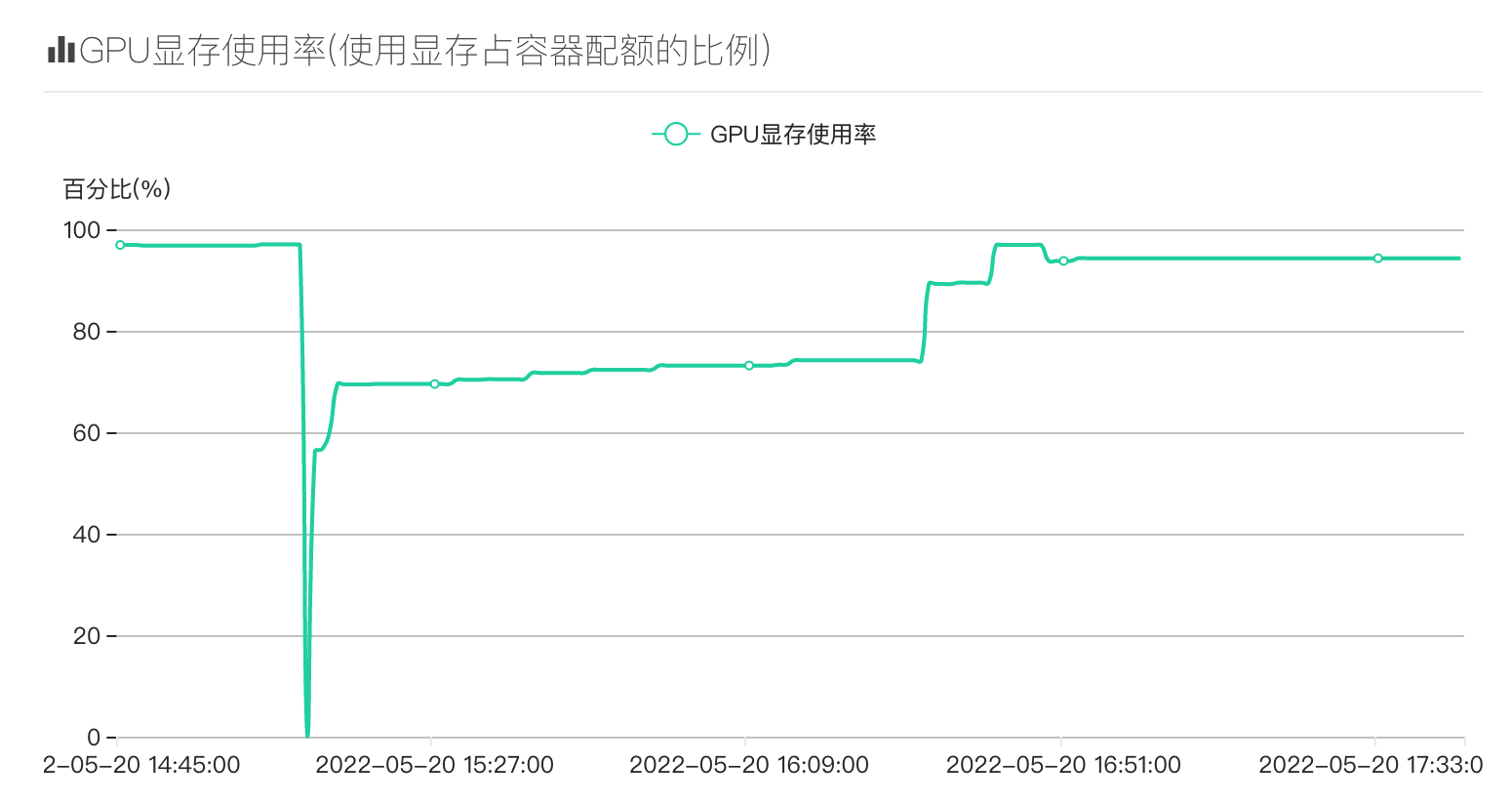
could I release the memory when a pipline occurs tihs err then rebuild pipline. beacuse I found even if I rebuilding pipline, it still not works and cuda memory still high. and I dont know why my memory is not stable,just like this below:
CUDA allocation failed Current pipeline object is no longer valid.
Hi @leijuzi,
DALI uses an internal memory pool that is created once for the lifetime of the process. So when you recreate the pipeline it reused the same pool. The problem you see is if either one of the DALI batches enlarges the pool that much that OOM condition happens. What you can try out, besides reducing the batch size, is adjusting the memory allocation strategy according to this guide.