

 MuntashirAkon
Not following Material You accent in pitch black mode
- [x] I know what my device, OS and App Manager versions are
- [x] I know how to take logs
- [x] I know how to reproduce the issue which may not be specific to my device
Describe the bug I don't know if this is intentional behaviour. App Manager doesn't seem to follow material you accent colors (for toggles and other things) when using the pitch black mode. Even in "Day" mode, if you turn on pitch black mode, the accent/background changes to some pre-default colors or something. see screenshot.
To Reproduce Steps to reproduce the behaviour:
- Go to settings
- Click on turn on pitch black mode
- See the colors changed automatically
Expected behavior Should follow the material you colors on supported devices.
Screenshots
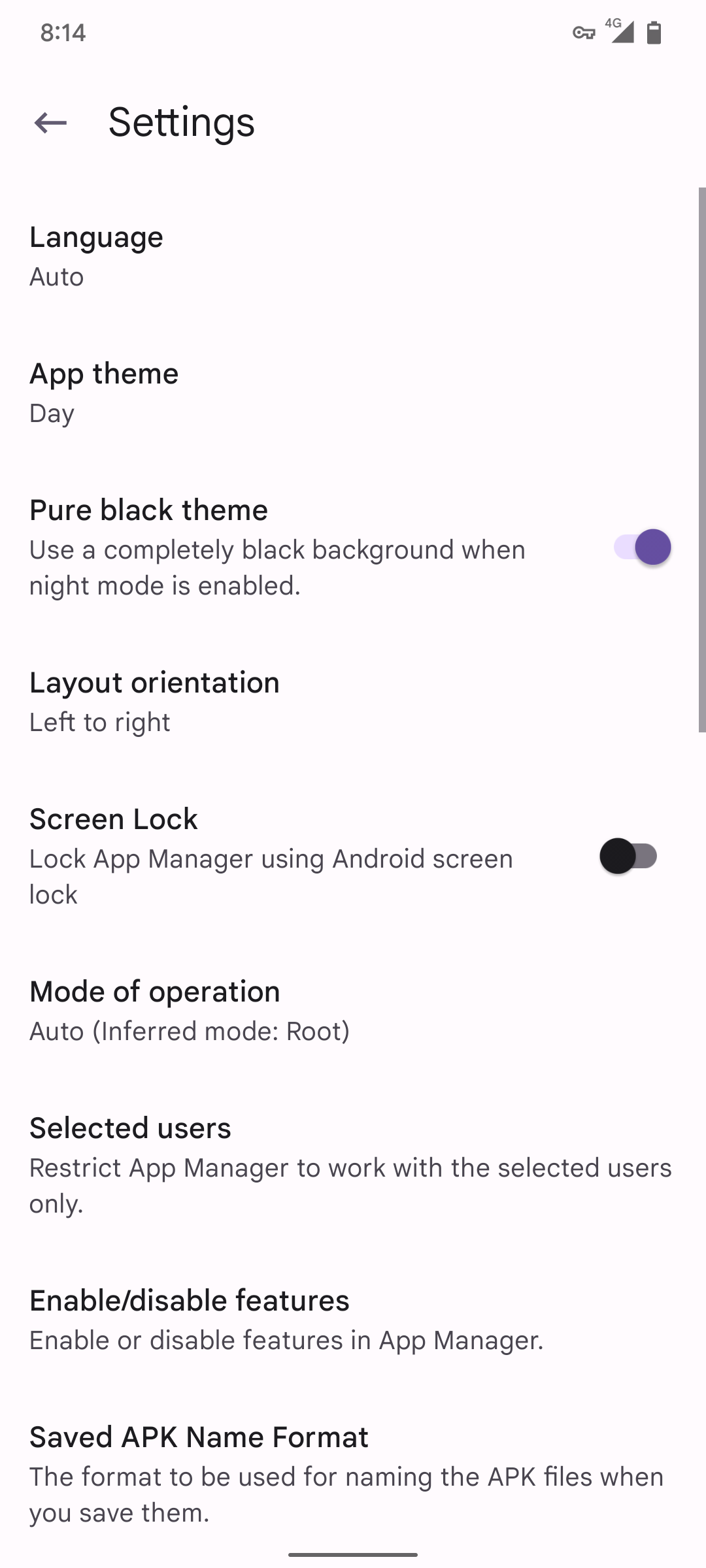
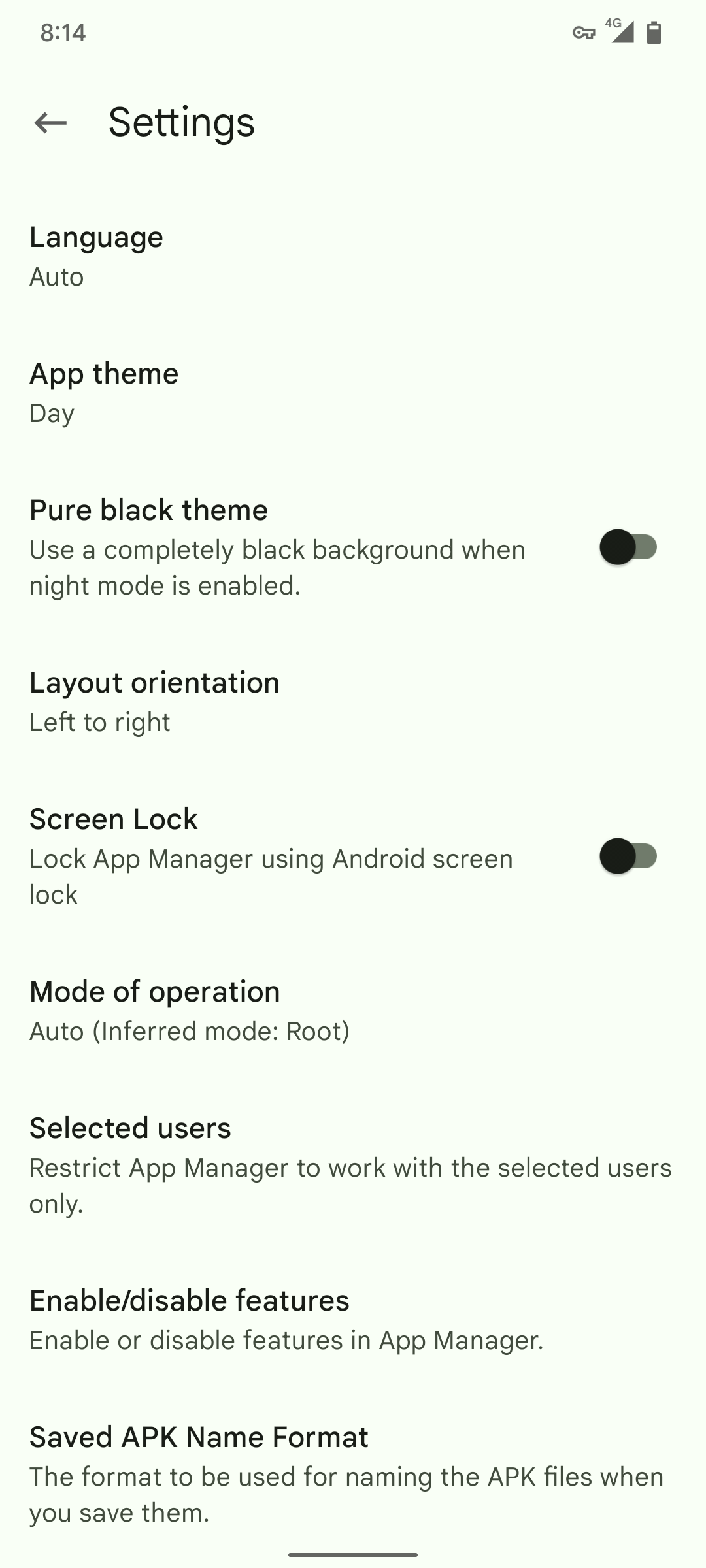
The first image is with Pitch black option turned on. The second with pitch black mode turned off.
Device info
- Device: Note 10 Pro
- OS Version: 12.1/L
- App Manager Version: Debug #1906
- Mode: root

Hmm, I've probably skipped some docs regarding M3. Let me review the docs to see what I did wrong.

Google is yet to release an Google API-less version of Sv2 (Android 12L) iso file for the emulator (Android 12 emulator version does not support Material You). So, I cannot test it for now.
Check 47931efa1a865fb7174193df45d3181ca0c3a169. (Highly unlikely that the issue will be resolved but just in case.)
Check 47931ef. (Highly unlikely that the issue will be resolved but just in case.)
The issue is still there. :-|
Please check 0e02b44ffbaa762d22fa0a9d0cb43cebf3c7eaa7. (I still can't check as I don't have access to an OS that support dynamic colours.)
Please check 0e02b44. (I still can't check as I don't have access to an OS that support dynamic colours.)
Seems working. But because of material you elements it's not completely possible to have pitch black everywhere, that's completely understandable. There seems to be a little issue, when we switch the pure black theme toggle, it automatically send me back to previous page (the main settings page). Everything else seems okay.

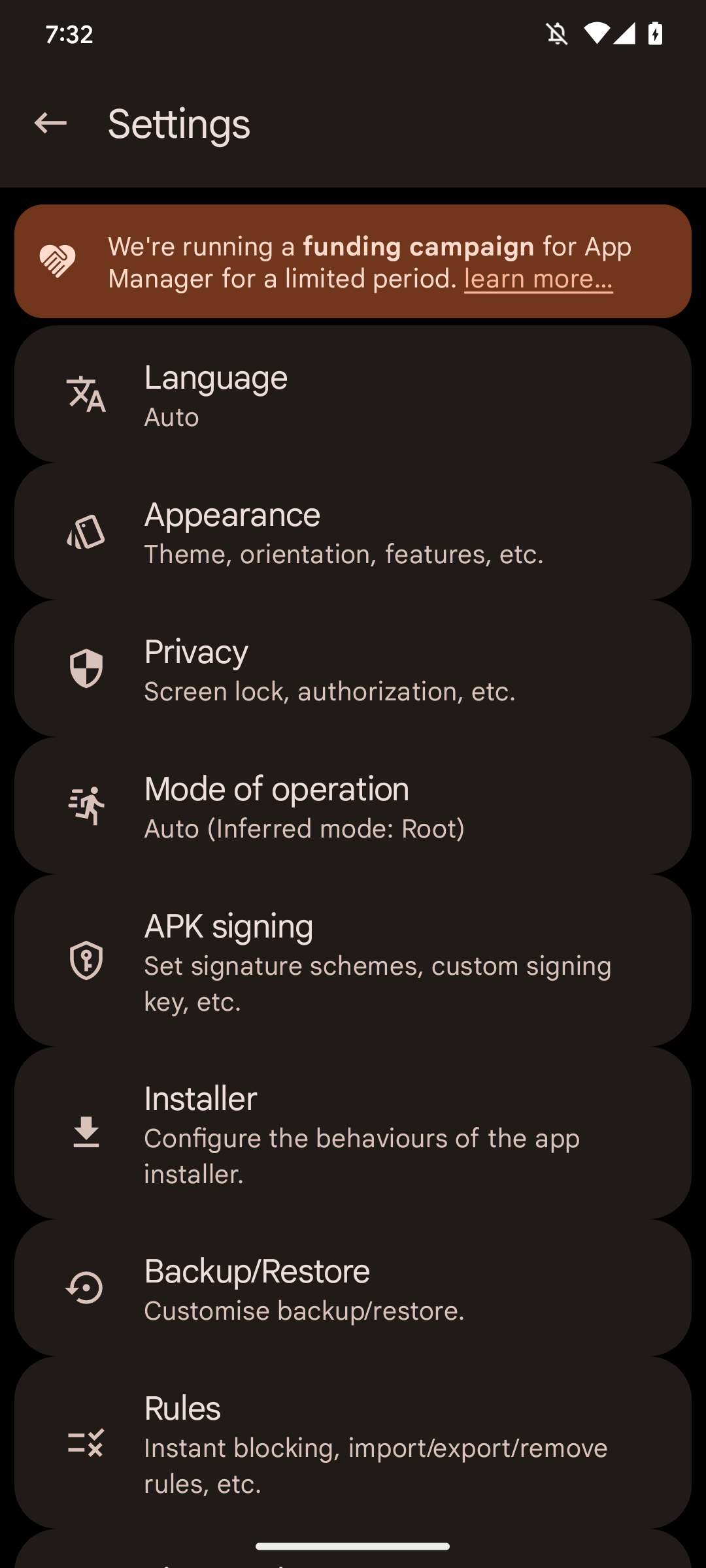
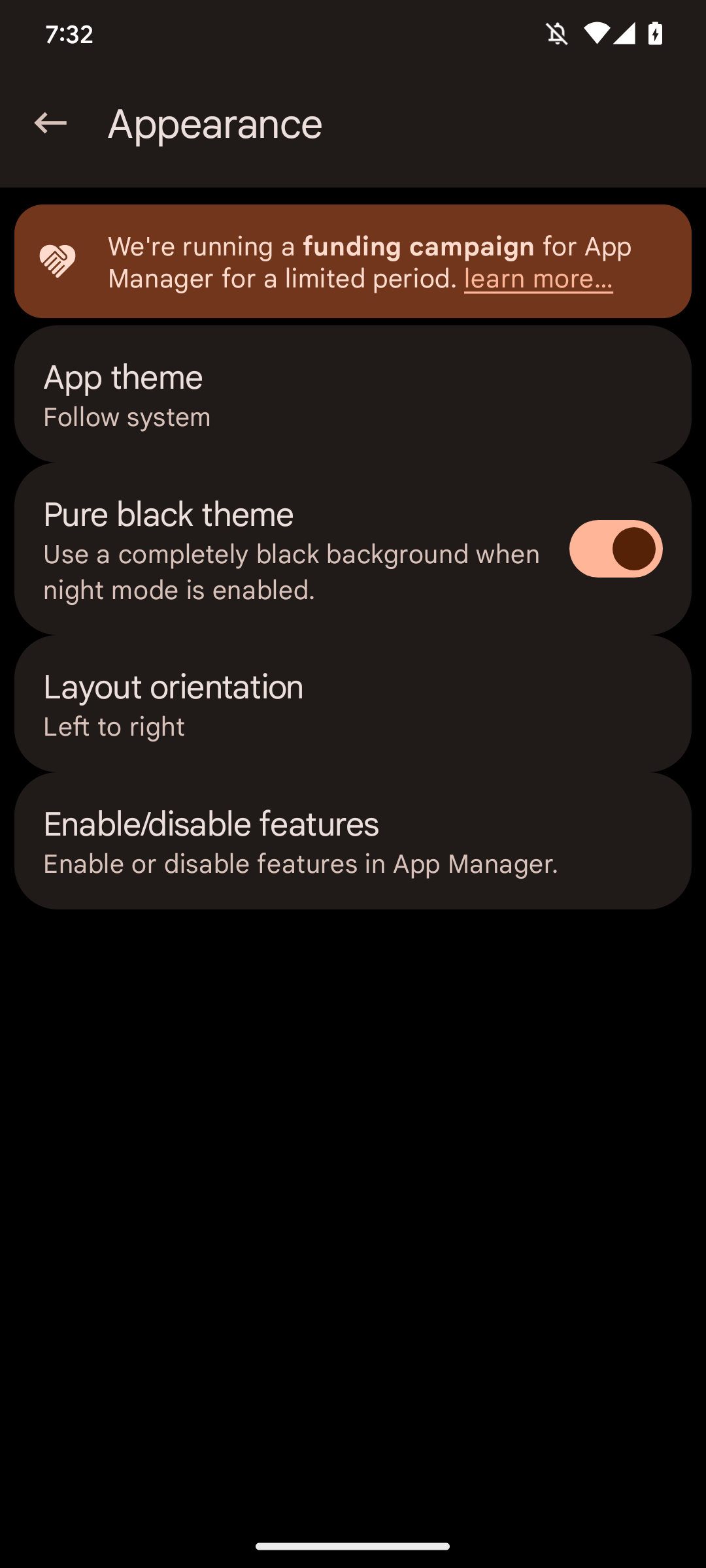
Hmm, there seems to be some sort of elevation present there.
But because of material you elements it's not completely possible to have pitch black everywhere, that's completely understandable.
An option could be added to disable dynamic colouring, too.