

 MuntashirAkon
Empty App Usage
- [x] I know what my device, OS and App Manager versions are
- [x] I know how to take logs
- [x] I know how to reproduce the issue which may not be specific to my device
Describe the bug I have given all necessary permission to AM, like usage access and accessibility permission but AM still returning no information on App Usage section
To Reproduce Steps to reproduce the behaviour:
- Open App Manager
- Click on 3 dot button
- Select App Usage
- See error
Expected behavior It should display app usage, like SoT etc
Screenshots
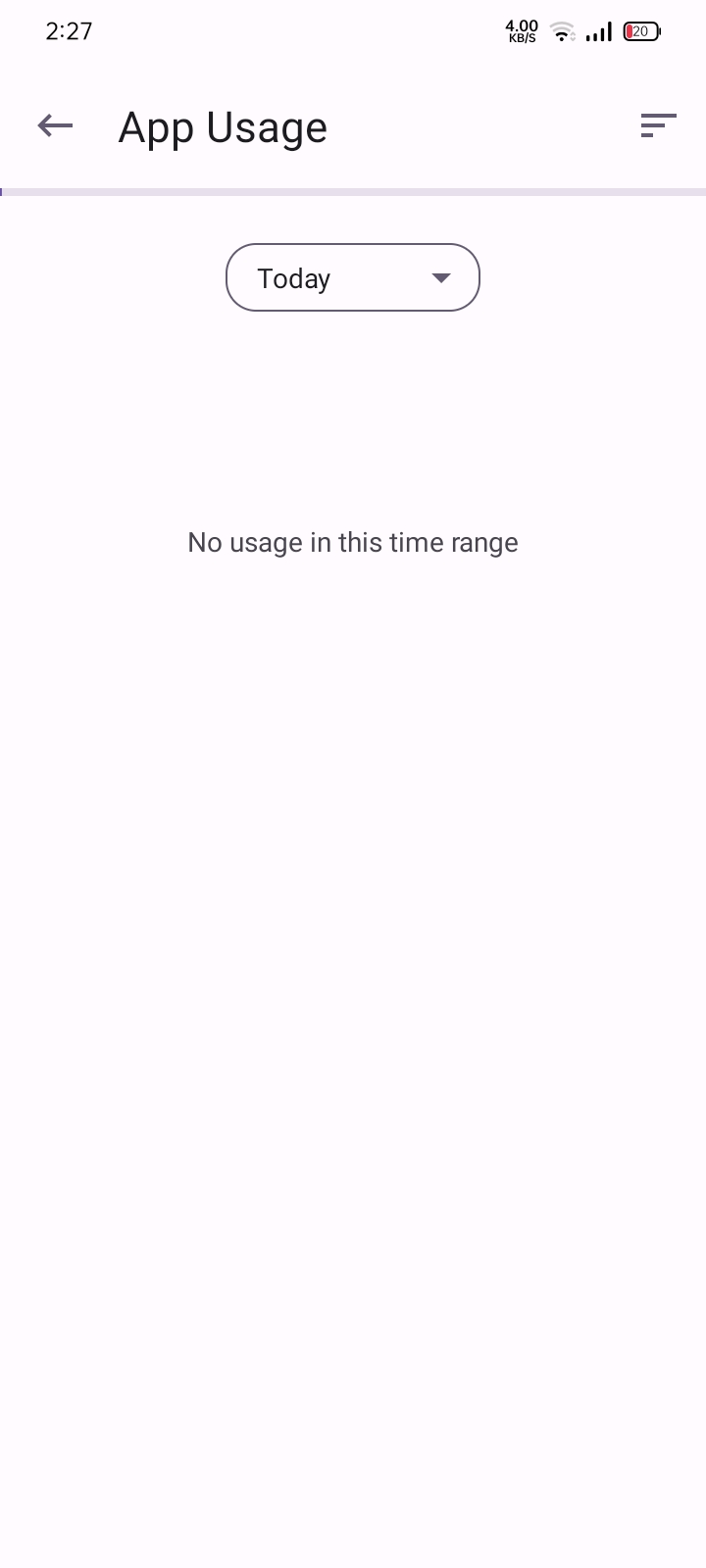
Device info
- Device: Realme C3
- OS Version: Android 11
- App Manager Version: 3.0.0-rc04 (406)
- Mode: no-root

You have to install a debug build and send some logs before I can figure out what went wrong here.

I have no idea what that is, but I'm willing to help in whatever way I can.
- Download debug releases from any one of the links given in the docs: https://muntashirakon.github.io/AppManager/en/#subsec:binary-distribution-sources
- Open App Manager and select “Log Viewer” from the three-dots menu (you may have to grant storage access permission). A new window will open.
- In the Log Viewer page, select file > record to start recording logs.
- Now, in the previous window, open usage access. Try refreshing a few times by swiping down and changing usage type. (today, yesterday, weekly, etc.)
- Go back to the log viewer page and stop recording.
- Send me the log files. The recorded logs are saved in /sdcard/AppManager/logs directory.
Since you're running in no-root, it will only store logs from App Manager by default. So, you don't have to apply any filters.
Downloaded the latest apk from the telegram channel, here's the log file: 2022-07-11-16-05-57.am.log
App Ussage widget is crashing on the latest App Manager Github version 3.10 alpha02
Crash report:
java.lang.RuntimeException: Unable to start receiver io.github.muntashirakon.AppManager.usage.ScreenTimeAppWidget: java.lang.SecurityException: No permission to query usage stats for this user: uid 10102 does not have android.permission.INTERACT_ACROSS_USERS_FULL.
    at android.app.ActivityThread.handleReceiver(ActivityThread.java:4385)
    at android.app.ActivityThread.access$1600(ActivityThread.java:257)
    at android.app.ActivityThread$H.handleMessage(ActivityThread.java:2103)
    at android.os.Handler.dispatchMessage(Handler.java:106)
    at android.os.Looper.loopOnce(Looper.java:201)
    at android.os.Looper.loop(Looper.java:288)
    at android.app.ActivityThread.main(ActivityThread.java:7876)
    at java.lang.reflect.Method.invoke(Native Method)
    at com.android.internal.os.RuntimeInit$MethodAndArgsCaller.run(RuntimeInit.java:548)
    at com.android.internal.os.ExecInit.main(ExecInit.java:48)
    at com.android.internal.os.RuntimeInit.nativeFinishInit(Native Method)
    at com.android.internal.os.RuntimeInit.main(RuntimeInit.java:355)
 Caused by: java.lang.SecurityException: No permission to query usage stats for this user: uid 10102 does not have android.permission.INTERACT_ACROSS_USERS_FULL.
   at android.os.Parcel.createExceptionOrNull(Parcel.java:2427)
   at android.os.Parcel.createException(Parcel.java:2411)
   at android.os.Parcel.readException(Parcel.java:2394)
   at android.os.Parcel.readException(Parcel.java:2336)
   at android.app.usage.IUsageStatsManager$Stub$Proxy.queryEventsForUser(IUsageStatsManager.java:931)
   at io.github.muntashirakon.AppManager.compat.UsageStatsManagerCompat.queryEvents(UsageStatsManagerCompat.java:32)
   at io.github.muntashirakon.AppManager.usage.AppUsageStatsManager.getUsageStats(AppUsageStatsManager.java:185)
   at io.github.muntashirakon.AppManager.usage.ScreenTimeAppWidget.updateAppWidget(ScreenTimeAppWidget.java:41)
   at io.github.muntashirakon.AppManager.usage.ScreenTimeAppWidget.onUpdate(ScreenTimeAppWidget.java:96)
   at android.appwidget.AppWidgetProvider.onReceive(AppWidgetProvider.java:66)
   at android.app.ActivityThread.handleReceiver(ActivityThread.java:4376)
   at android.app.ActivityThread.access$1600(ActivityThread.java:257)
   at android.app.ActivityThread$H.handleMessage(ActivityThread.java:2103)
   at android.os.Handler.dispatchMessage(Handler.java:106)
   at android.os.Looper.loopOnce(Looper.java:201)
   at android.os.Looper.loop(Looper.java:288)
   at android.app.ActivityThread.main(ActivityThread.java:7876)
   at java.lang.reflect.Method.invoke(Native Method)
   at com.android.internal.os.RuntimeInit$MethodAndArgsCaller.run(RuntimeInit.java:548)
   at com.android.internal.os.ExecInit.main(ExecInit.java:48)
   at com.android.internal.os.RuntimeInit.nativeFinishInit(Native Method)
   at com.android.internal.os.RuntimeInit.main(RuntimeInit.java:355)

Device Info:
App version: 3.1.0-alpha02
App version code: 415
Android build version: 2022112800
Android release version: 12
Android SDK version: 32
Android build ID: SP1A.210812.016.C2.2022112800
Device brand: google
Device manufacturer: Google
Device name: blueline
Device model: Pixel 3
Device product name: blueline
Device hardware name: blueline
ABIs: [arm64-v8a, armeabi-v7a, armeabi]
ABIs (32bit): [armeabi-v7a, armeabi]
ABIs (64bit): [arm64-v8a]
System language: en-US
In-App Language: auto
Mode: auto
Inferred Mode: no_root

App Ussage widget is crashing on the latest App Manager Github version 3.10 alpha02
This is a different issue and fixed in 5ced904a7225f79985bd1a55095bba23126b619c
@metronightly: Can you take logs again from the latest debug?
On the latest debug version from telegram, app usage shows up perfectly.
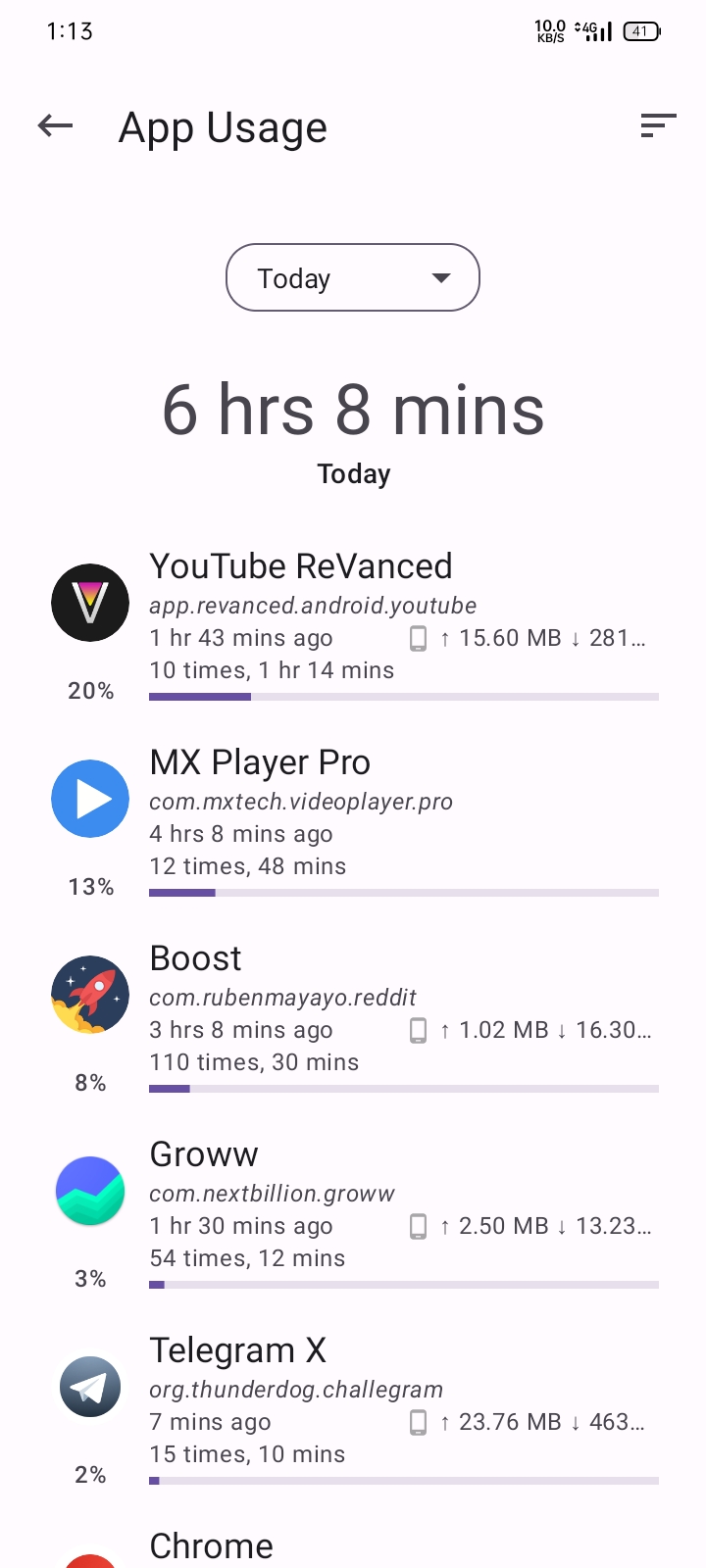
Here's the log anyway: 2023-03-08-13-07-05.am.log
@metronightly: Can you take logs again from the latest debug?
Hey I also updated to 3.0.4 from github release and app usage shows up there too. Seems like the issue has been fixed.