
Launcher

Launcher copied to clipboard
 MultiMC
Java arguments still get applied when "Java arguments" checkbox is unticked
Operating System
Windows
Description of bug
Inserting Java arguments in the "Settings" tab of an instance and then unticking "Java arguments" doesn't disable the arguments and the instance still applies them to Java.
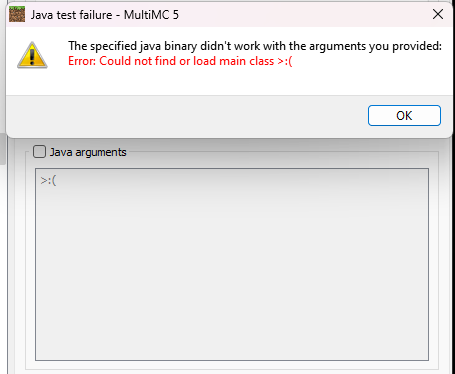
Clicking "Close" will reset the textbox of the arguments.
Steps to reproduce
- Edit instance
- Go to "Settings">"Java"
- Tick "Java arguments" on
- Insert arguments in "Java arguments"
- Untick "Java arguments"
- Press "Test"/"Launch" The arguments still get applied
Suspected cause
The checkbox does not do anything
This issue is unique
- [X] I have searched the issue tracker and did not find an issue describing my bug.

I think a similar thing happened to me but I don't know. MultiMc just won't load and keeps crashing.

I can only reproduce this for the "Test" button, when actually launching the game it works as intended.
