
Mudlet
 Mudlet copied to clipboard
 Mudlet
Infrastructure: upload performance data to an online spreadsheet
Brief overview of PR changes/additions
Upload performance data from raspberry pi to google sheets.
Motivation for adding to Mudlet
So we can compare data over time.
Other info (issues closed, discussion etc)

Hey there! Thanks for helping Mudlet improve. :star2:
Test versions
You can directly test the changes here:
- linux: https://make.mudlet.org/snapshots/7a658a/Mudlet-4.16.0-testing-pr6309-11c72a1d-linux-x64.AppImage.tar
- osx: https://make.mudlet.org/snapshots/c9c61a/Mudlet-4.16.0-testing-pr6309-11c72a1d.dmg
- windows: https://make.mudlet.org/snapshots/fca03e/Mudlet-4.16.0-testing-pr6309-11c72a1d-windows.zip
No need to install anything - just unzip and run. Let us know if it works well, and if it doesn't, please give details.
![add-deployment-links[bot] avatar](https://avatars.githubusercontent.com/u/6158612?v=4 "Published by a pub.dev verified publisher")
I haven't yet provided the credentials or actions input, so I expect it to be failing on that, but it seems to be failing on package setup instead. Does it make sense to you @keneanung? https://github.com/Mudlet/Mudlet/actions/runs/3042787043/jobs/4901328685

To export output from an action, I previously wrote to /tmp/, for example https://github.com/Mudlet/Mudlet/blob/development/.github/workflows/build-mudlet.yml#L360. Is that still the best way @keneanung?
Right now, the action reads the data to upload from an environment variable, which contains CSV data.
Yup, I mean the performance data from the previous action that ran the benchmark
Still need to add a date to a commit so they could be compared against each other chronologically. Otherwise we have a collection of random commits that we can't make a graph for (and counting on their order on the spreadsheet is not ideal).
I don't have time to work on this, but the following command will get you a date that google sheets will recognise as one for a particular commit:
TZ=UTC0 git show --quiet --date='format-local:%Y-%m-%dT%H:%M:%S' --format="%cd" <commit>
I will spend some time tonight adding the date to it and getting it to perform the test 4 times

Not sure if you caught this, but the last two commit dates have a ' in front of them in the sheet.
I had not seen that no, will adjust. Maybe that's why it wouldn't print beyond the first cell. It doesn't show it to me if I just look at the sheet itself, only when I click on the value and look up top. weird.
That's deliberate because the apostrophe has meaning. If a cell has a value like '123 then it will be treated as text not number.

Ahhh, that explains a lot actually. I haven't been going in and checking each cell for any of these and I wondered why things weren't aligned the same. I think these are being added in the upload action then, it's definitely being sent as just a number in the csv string that's assembled. We do want it as a number, yeah?
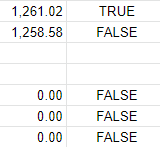

These columns being filled in already is actually causing the newest values to be written down on row 997+ I think. For a bit I thought they were disappearing into the void but then I decided to try scrolling down to see if I could find them and there they were. Is it possible to have these columns only fill in after the other data is entered? The two showing on the top page are from when I set the starting cell trying to see what was up. Seems it would force itself onto the specified row for that, then look for the next empty one after if it for subsequent runs.
In the second picture is actually the first time I tried to add the date, I just tacked it on the end because I hadn't looked at the sheet yet. I thought maybe that was the reason it hadn't actually displayed the new row originally.
Ok, so the full test takes ~45 minutes, and I think we have to clear ccache for this in order to ensure that it's got the proper sha in the version. Current rows 997-1007 are all reporting the same sha in the version, but were 3 different commits as shown by the times pulled from git. But after I manually cleared ccache 1008-1011 show the right sha
Ok, testing a different option for processing the input so it processes it as though it were entered by a person.
It also occurs to me we could work around the version/sha issue in a few ways without losing the speed increase from ccache
- we could add a column for the sha, it's available in the environment so I can pull it and add it to the csv.
- we could use the sha from the environment and adjust the version accordingly before upload (kind of like this one best)
- we could move away from using the mudlet version and just repurpose that column for the sha (I like this one least, but included for completeness)
hmm, I think I might be missing a build step for the github action. It's changed in the root of the project but I think I maybe need to run a build to get it into dist for actual use. Values being uploaded are the same as before.
I will try to figure out the build command later, need to do some other stuff for a bit. I haven't worked with javascript actions yet, stuck with shell scripts and such for the ones I've done so far.
I opened a PR at https://github.com/Mudlet/gsheets-append-action/pull/3 anyhow, but marked it as a draft.
ok, so ghas do not necessarily report the sha of the latest commit in the PR as GITHUB_SHA in the environment but some other sha I have not been able to correlate to anything as yet, something about the latest merge. Which makes the "make sure the sha is right" inaccurate for PRs. But it does work when run on a branch. I am going to test setting it to run on push to this branch and make sure it reports correctly there. The results from push to development is the main stat we're after but I would like to make it usable in PRs we want to do more targeted performance testing in if possible.
But it's producing 4 results per workflow run and uploading them all to the google sheet now, just a couple minor details to iron out.
The SHA logic for PRs is the merge-commit between the branch head and target head (the commit that is ran). The result SHA after merging the PR is different as date/time metadata is different. The logic is codified in https://github.com/Mudlet/Mudlet/blob/development/CI/travis.set-build-info.sh already
I think we are super close, the only thing is that gsheets isn't recognising a date because it has the ' prefix. If I remove it, gsheets then recognises and parses it:
Screen recording 2022-09-28 1.43.10 PM.webm
I think we are super close, the only thing is that gsheets isn't recognising a date because it has the
'prefix. If I remove it, gsheets then recognises and parses it:
It's a future improvement maybe but not blocking here, in fact it was done deliberately in https://github.com/Mudlet/Mudlet/pull/6309/commits/80238fa53115c5b9f5c63c88bcea41b3c14995c5 As it stands, the date is not even processed further in gsheets, so that's a minor inconvenience if any. I say let's merge this soon to start gathering more data automatically, then review the format later.
Sounds good. The idea in the end is to have a chart that can show us date-by-date the performance changes of our builds.