

 ModernFlyouts-Community
Bug: Switching themes causes crash
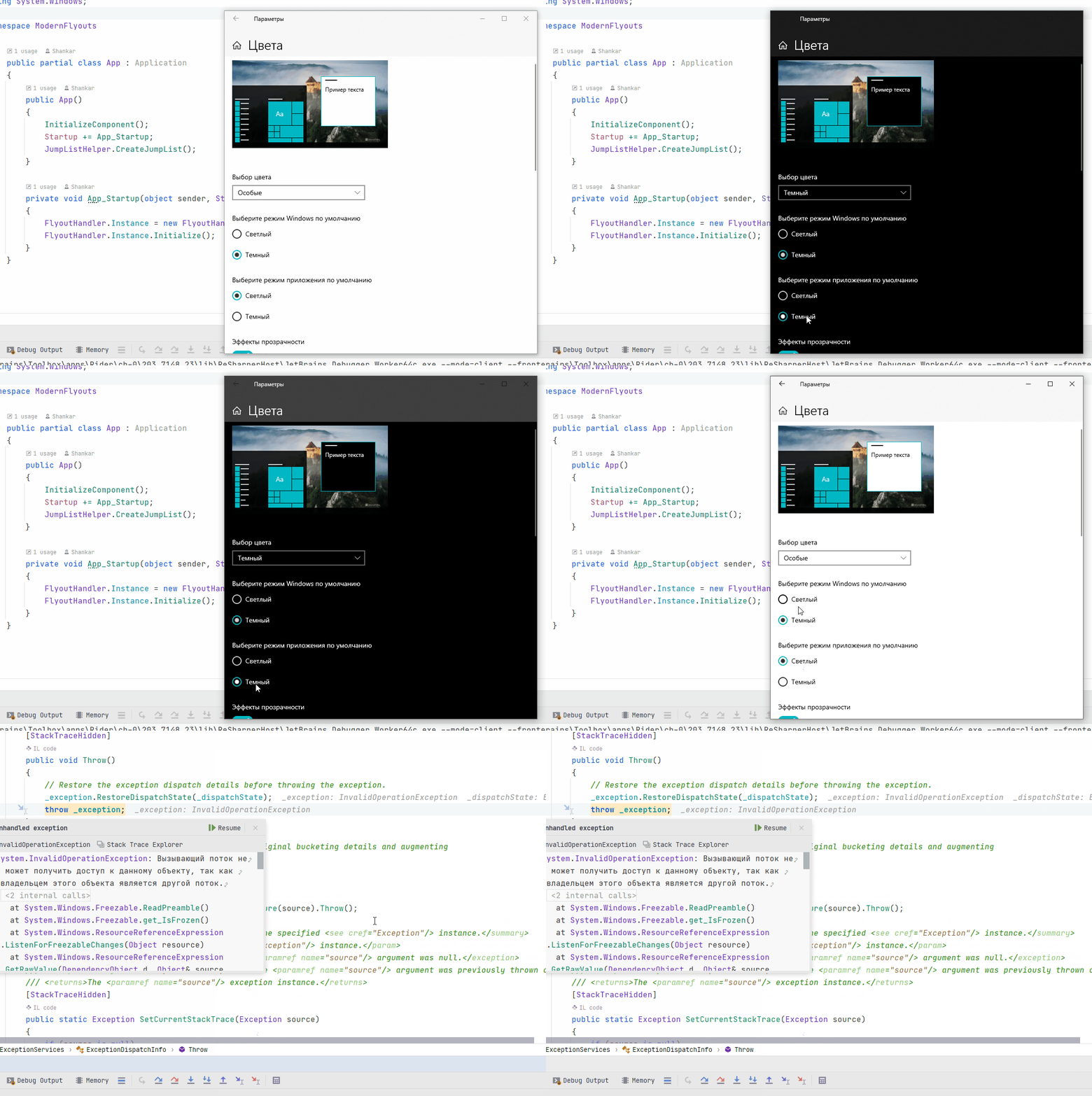
Describe the bug: Playing with themes in Windows setting causes crash
To Reproduce: Steps to reproduce the behavior:
- Open Windows Settings
- Then Personalisation
- Then Colors
- Switch between themes for application
- Switch between system themes
- Crash (Switching back to system dark theme will cause crash)
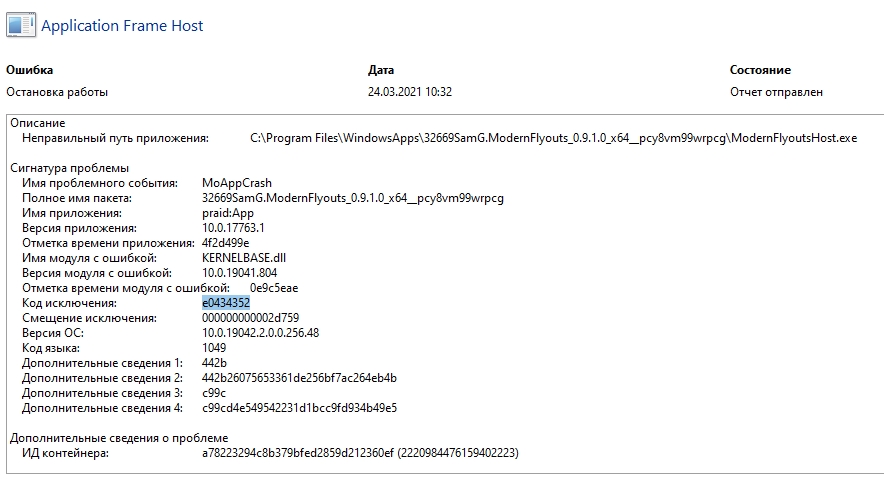
Reliable monitor: exception code highlightied
Gif:
Show
OS Version:
- Windows 10 Version: 20H2
ModernFlyouts Version:
- Version: v0.9.1.0
Additional context: Full stack trace here: https://pastebin.com/idCMuRgx

Can confirm this one, since I have tasks scheduled to run and switch system themes at certain times of the day (i.e. when it's night or first thing in the morning) and the app crashes whenever the theme switching happens.

Can confirm this one, since I have tasks scheduled to run and switch system themes at certain times of the day (i.e. when it's night or first thing in the morning) and the app crashes whenever the theme switching happens.
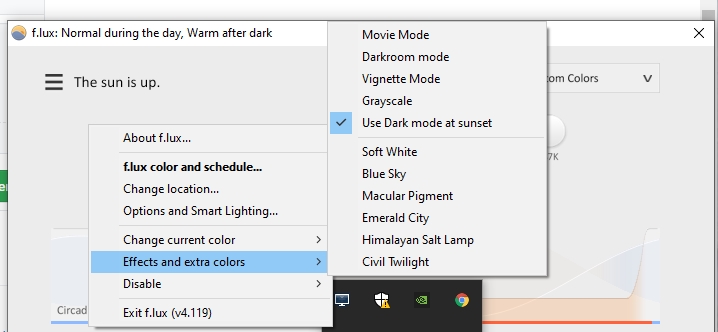
Off topic, try f.lux.
https://github.com/ModernFlyouts-Community/ModernFlyouts/issues/557#issue-855057601
Describe the bug: (Found a similar issue #522 , maybe you can close this one after you solve it :) ) I use Auto Dark Mode for auto-switching my theme. Every time the theme change happens, the app just crashes. Soon after the switch, I can invoke the flyout while I can't open the setting panel. A hour (maybe sooner) after the switch, the app will be totally down. To Reproduce: Steps to reproduce the behavior: Install and launch Auto Dark Mode Wait or invoke a theme change (taskbar color and app theme included) The setting panel starts to crash The whole app is down. Screenshots: (It will crash, so no screenshots 😥) OS Version: Windows 10 Version: 21H1 (19043.906) ModernFlyouts Version: Version: 0.9.0.1 (Latest for now)

For anyone looking for a workaround, I wrote a script to automatically restart ModernFlyouts when a crash happens. Let me know if there's anything that needs changed.
modernflyouts.vbs:
Set WshShell = CreateObject("Wscript.Shell")
WshShell.Run("powershell -windowstyle hidden -executionpolicy bypass -noninteractive & { $app = (get-appxpackage -name 32669SamG.ModernFlyouts | select -expandproperty PackageFamilyName) ; start shell:appsfolder\$app!App } "),0
Set WshShell = Nothing
You will need to provide the path to the script as a program argument in the task.
Task Scheduler:
<?xml version="1.0" encoding="UTF-16"?>
<Task version="1.4" xmlns="http://schemas.microsoft.com/windows/2004/02/mit/task">
<RegistrationInfo>
<Description>Run ModernFlyouts app for volume and brightness control.</Description>
<URI>\Modern Flyouts</URI>
</RegistrationInfo>
<Triggers>
<EventTrigger>
<Enabled>true</Enabled>
<Subscription><QueryList><Query Id="0" Path="Application"><Select Path="Application">
*[System[(Level=2) and (EventID=1000)]]
and
*[EventData[(Data='ModernFlyoutsHost.exe')]]
</Select></Query></QueryList></Subscription>
</EventTrigger>
</Triggers>
<Principals>
<Principal id="Author">
<LogonType>InteractiveToken</LogonType>
<RunLevel>LeastPrivilege</RunLevel>
</Principal>
</Principals>
<Settings>
<MultipleInstancesPolicy>Queue</MultipleInstancesPolicy>
<DisallowStartIfOnBatteries>false</DisallowStartIfOnBatteries>
<StopIfGoingOnBatteries>false</StopIfGoingOnBatteries>
<AllowHardTerminate>false</AllowHardTerminate>
<StartWhenAvailable>false</StartWhenAvailable>
<RunOnlyIfNetworkAvailable>false</RunOnlyIfNetworkAvailable>
<IdleSettings>
<StopOnIdleEnd>false</StopOnIdleEnd>
<RestartOnIdle>false</RestartOnIdle>
</IdleSettings>
<AllowStartOnDemand>true</AllowStartOnDemand>
<Enabled>true</Enabled>
<Hidden>false</Hidden>
<RunOnlyIfIdle>false</RunOnlyIfIdle>
<DisallowStartOnRemoteAppSession>false</DisallowStartOnRemoteAppSession>
<UseUnifiedSchedulingEngine>true</UseUnifiedSchedulingEngine>
<WakeToRun>false</WakeToRun>
<ExecutionTimeLimit>PT0S</ExecutionTimeLimit>
<Priority>7</Priority>
</Settings>
<Actions Context="Author">
<Exec>
<Command>WScript.exe</Command>
<Arguments></Arguments>
</Exec>
</Actions>
</Task>
