

 Miserlou
🐛 BUG: JS for the webpage not working after beta47 (inline hydration script)
What version of astro are you using?
v16.15.0
Are you using an SSR adapter? If so, which one?
None
What package manager are you using?
npm
What operating system are you using?
Linux
Describe the Bug
The website is fine in beta 46, after upgrading the beta 47, all the JS in the webpage is not working.
I had attached a diff of the output of a webpage between 46 beta and 47 beta. html-diff.txt
The website is closed source ATM so I can't provide "Link to Minimal Reproducible Example".
Link to Minimal Reproducible Example
TBD
Participation
- [ ] I am willing to submit a pull request for this issue.

I faced a similar issue and found the Content-Security-Policy header to be the reason. By default inline scripts are ignored for security reasons. Removing the CSP header will allow inline scripts to run again but has security implications.
Optimally, the Astro team would set a nonce or provide a way to use the inline script hash.
At least, I think that is the problem. I could very well be wrong.

I already have allowed 'unsafe-inline' for script-src in my CSP. I didn't seem to find any log in the browser that complaint about CSP violation.

@patrickdung no problem at all that your full project is closed source! Would you mind trying to reproduce it with one of the starters on astro.new?

It is difficult to create the repo on astro.new/blitz/gitpod/codespaces, it is because I have lots of customization and uses AsciiDoctor instead of Markdown.
At the moment, my main site is fine (build with beta 46): www.cloudnative.quest
This preview site has problem (JS not effective) and is build with beta 47 https://62b0a1b0e39add5d6b984d3d--kbaby0n-a5cd432f-clever.netlify.app/
I hope the info is enough, if not I may need to send my repo to devs (by dropbox?) only for troubleshooting.
No, that wouldn't really be helpful at all. Can you be more specific about what is not working? Hydrated components, how are they not working? Saying that "JS not effective" is not really an actionable thing we can fix. I don't doubt there's a bug here but we need a lot more detail to do anything about it. What i would do is try to isolate what is broken. If it's a hydrated component try removing all features you are using until it starts working. Then you'll know what feature causes it to break. Then let us know what that feature is.
Here's some examples:
- https://www.cloudnative.quest/posts/security/2022-01-01/improve-supply-chain-security-with-github-actions-and-open-source-tools/
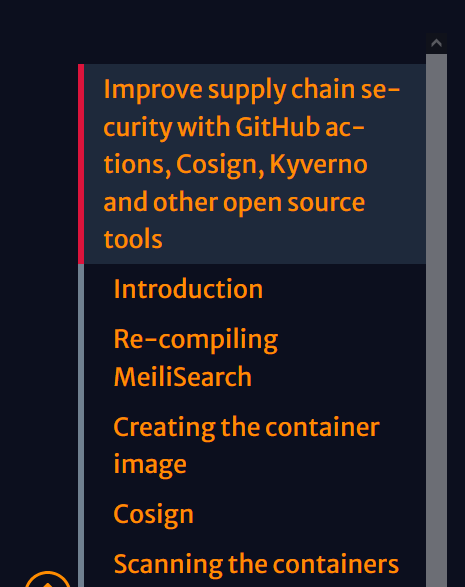
For the sidebar, if you scroll the main page, the red indicator would scroll according to the title/anchor. In beta 47, it is not working.
- For the code block
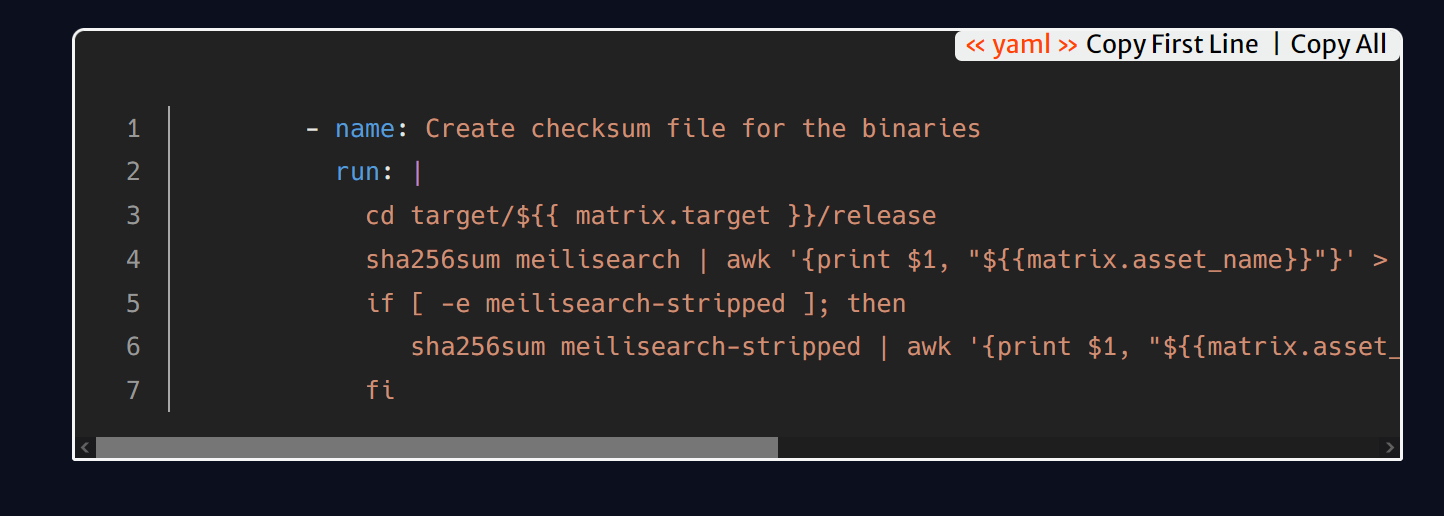
In beta 47, the copy button is not displayed
- On the top right corner of the page

The collapse button should collapse the TOC. In beta47, the button has no effect.
- The button that switch dark and light theme won't work.
Additional info: I am using Windicss instead of TailwindCSS. The JS components that is not working (non-interactive) are svelte components loaded using "client only: svelte".
The JS in these pages are working, examples: https://627131711945ff006faa2b7c--kbaby0n-a5cd432f-clever.netlify.app/about/ https://627131711945ff006faa2b7c--kbaby0n-a5cd432f-clever.netlify.app/privacy-policy/ https://627131711945ff006faa2b7c--kbaby0n-a5cd432f-clever.netlify.app/tags/
The JS in the articles are not working, examples: https://627131711945ff006faa2b7c--kbaby0n-a5cd432f-clever.netlify.app/posts/security/2022-01-01/improve-supply-chain-security-with-github-actions-and-open-source-tools/
So I take a deeper look on the astro page/layout related to articles and have some finding: If I disable "src/components/RightSideBarToggle.svelte", then the article page is now working.
It's the collapse button on the top right corner:

Here's some pseudo code:
src/pages/posts/[category]/[date]/[slug].astro
import Asciidoctor from '$components/Asciidoctor.astro';
import ArticleLayout from '$layouts/ArticleLayout.astro';

<ArticleLayout>
  <Asciidoctor content={content} filePath={adocPathOnly} />
</ArticleLayout>
src/layout/ArticleLayout.astro
import BaseLayout from './BaseLayout.astro';
src/components/Asciidoctor.astro
import RightSideBarToggle from '$components/RightSideBarToggle.svelte'

<article
  <div class="z-5 shadow-md fixed top-0 right-0 mt-2 mr-1 ml-1">
    <RightSideBarToggle client:load />
  </div>
</article>
src/components/RightSideBarToggle.svelte
<script lang="ts">

  function rightSideBarToggle () {
    let rightElementToggleButton = document.getElementById('rightSideBarToggle');
    if (rightElementToggleButton != null) {
      //Code to findout rightSideBar ID and toggle/hide it
    }
  }

</script>

<button on:click={rightSideBarToggle} aria-label="Toggle right sidebar"
  id="rightSideBarToggle" class="btn btn-xs btn-square btn-outline btn-primary mt-5 xs:hidden">
  <svg xmlns="http://www.w3.org/2000/svg" aria-hidden="true" role="img" width="24" height="24" preserveAspectRatio="xMidYMid meet" viewBox="0 0 32 32"><path fill="none" stroke="currentColor" stroke-linecap="round" stroke-linejoin="round" stroke-width="2" d="M12 8h15M5 16h22M5 24h22M5 11l3-3l-3-3"/></svg>
</button>
I moved the code for RightSideBarToggle.svelete from src/components/Asciidoctor.astro to src/layout/ArticleLayout.astro and the site now working again with the latest Astro.
Sounds like you got everything resolved. Please open a new issue if there's a problem you experience on the latest Astro versions.