

 MilosKozak
Patched dexcom app got actual readings but dont send to aaps
Many times a day this happens with my new Samsung Galaxy S20 5G. Patched dxcom app 120 actual reading and aaps value is 8 minutes ago....
How can this be solved? I dont want to restart my phone everytime this error occurs.
I'm using aaps 2.7.0 rc4
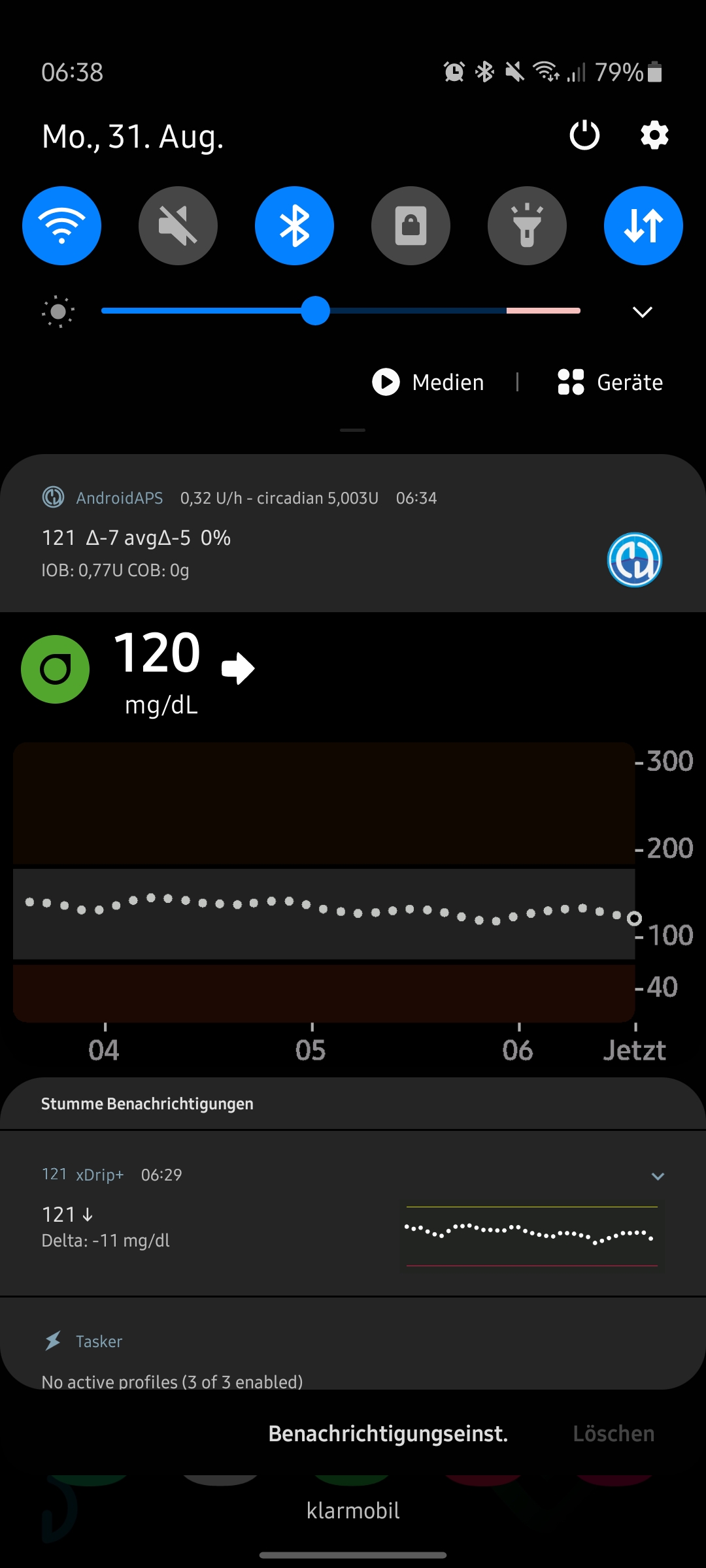
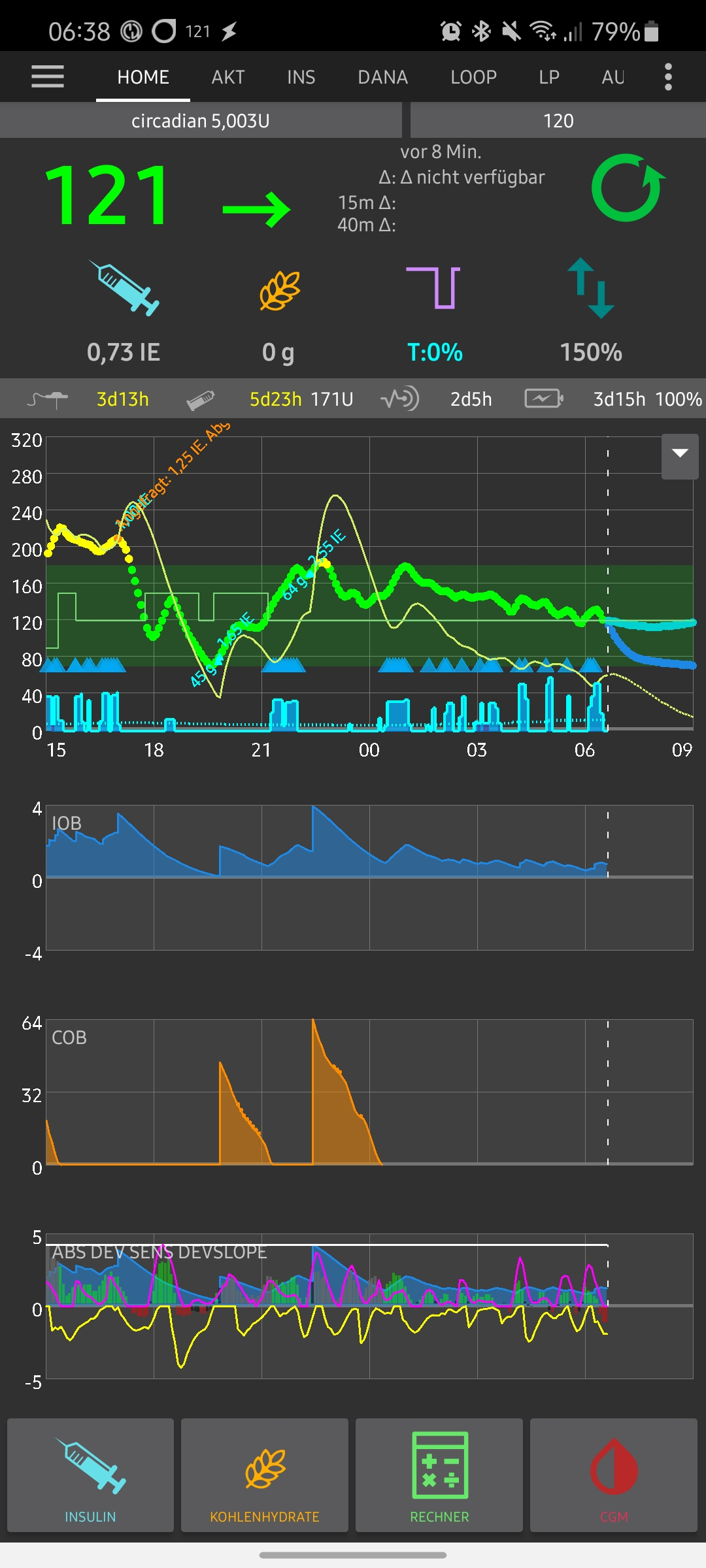
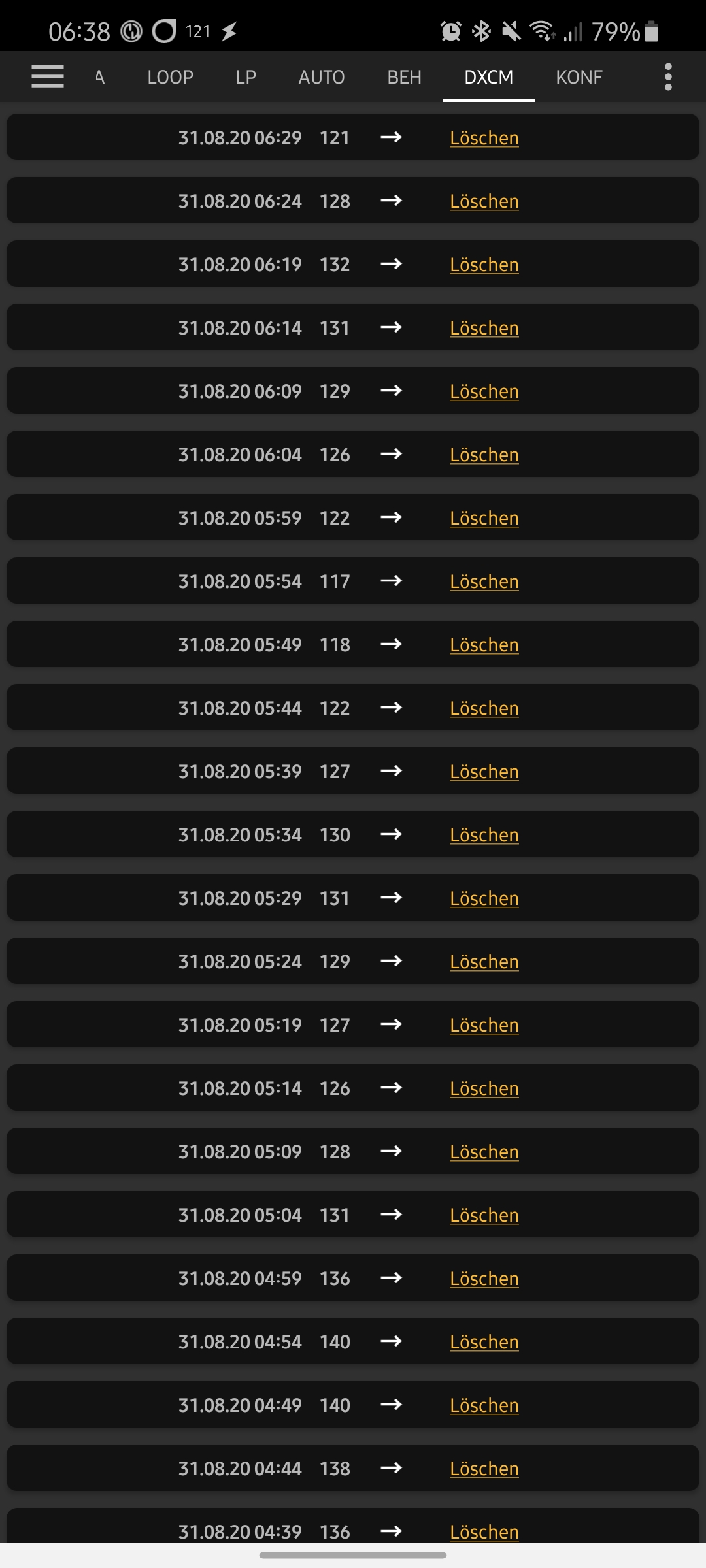

i belive the problem is not not received value but time difference on dexcom side. Can you check on locked screen if AAPS notification is changed and dexcom change it's value? but i don't have solution for this anyway. it will fix itself with new sensor probably

Yesterday I changed my sensor because its really annoying to lose the connextions.....
But the same issue aöpeard just a few minutes left.
You can see that the patched dexcom app got actual reading but its not sending them to aaps.
I started the new sensor yesterday exacrly at 12:00 o clock. So where could be the issue?
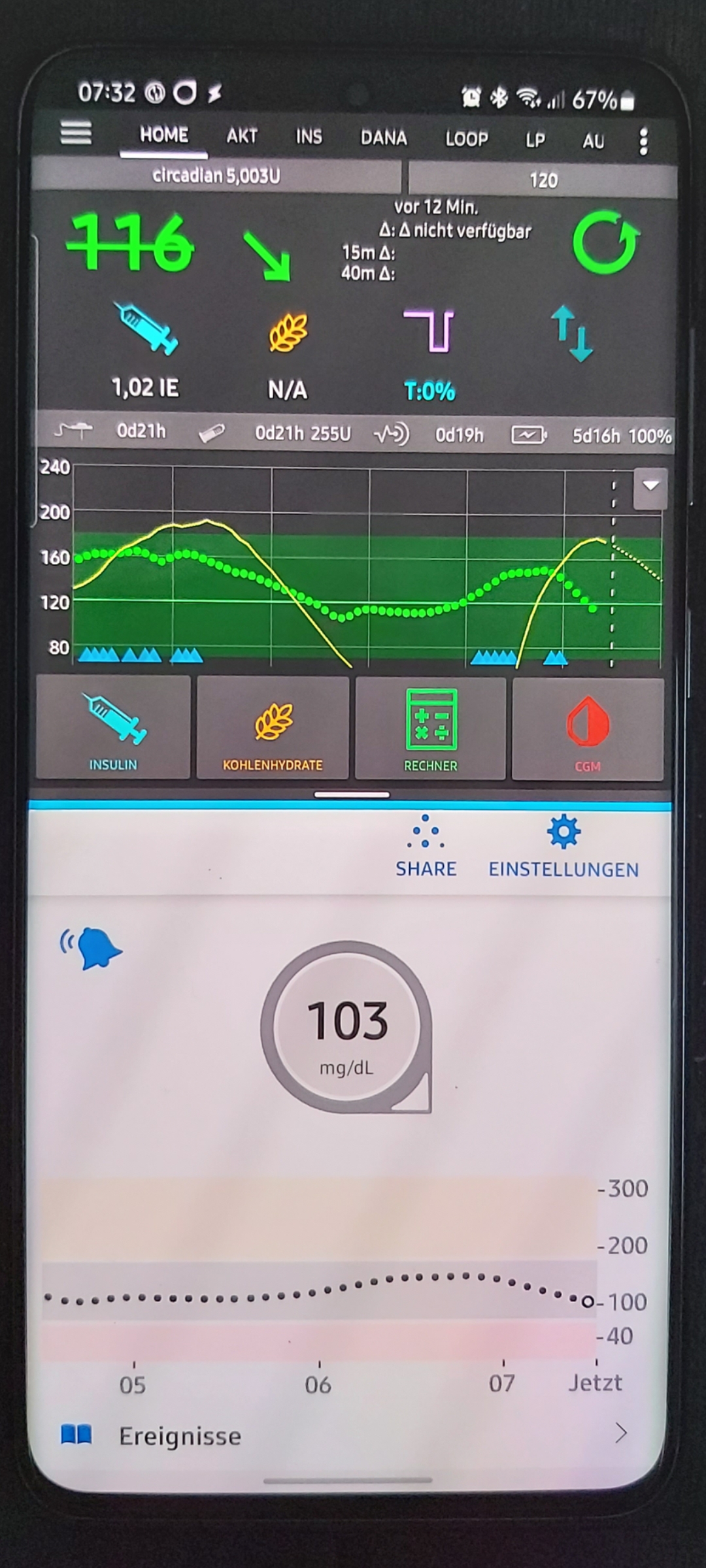
same issue here since i'am using RC4 / RC5. It happen's mostly if i don't use my phone for some time AND change location. I am not sure, but it seems there is a process unwanted ending in AAPS because i see AAPS starting with the start screen if i call it by hotkey (Samsung xcover Button). With the release Version that doesn't happen. No changes in mobile configuration on my side...

same issue here since i'am using RC4 / RC5. It happen's mostly if i don't use my phone for some time AND change location. I am not sure, but it seems there is a process unwanted ending in AAPS because i see AAPS starting with the start screen if i call it by hotkey (Samsung xcover Button). With the release Version that doesn't happen. No changes in mobile configuration on my side...
I have the same experience on 2.7-RC5. And the NSClient versions (2.7-RC5) closing unwanted too. When I unlock the phone, the App starting new. Baterry Optimalizationis off on all my phones (Master App on Samsung A40, NSClients on Samsung S10e and Note10+).

Hi, here is the log file from my NSclient App. The App is falling down from my screen when I haved it opened. The time of the crash was 11:24. Then I have started it again, exactly on 11:32. AndroidAPS_LOG_1601285561178.log[1].zip
Since switching to 2.7.0, I have the same problem. However, on my side it re-occurs very regularly and predictable. Every night at 2:31:5x, AAPS crashes and therefore stops receiving data from the patched dexcom app, which continues to run and receive data from the sensor. I checked the logs for the last two nights and I cannot see anything speial happening before the app crashes, The first night (at 2:31 on 2020-10-13), it seems it was looping through the same few profile changes in the local database (for whatever reason, maybe as preparation of the loop calculation) over and over again, then receives the last BG value from Dexcom at 02:31:56.799 and crashes shortly afterwards at 02:31:57.003.
The second night (2020-10-14), it was just handling some cached data with [RxCachedThreadScheduler] (maybe as preparation for Loop calculation, not sure), then got a new BG value from Dexvom at 02:31:49.966, continued the data handling and crashed shortly afterwards at 02:31:53.872.
After waking up shortly before 6 in the morning, I hit the AndroidAPS icon again to re-start AAPS, which is visible in the logs as the next entries after the crash.
I have attached the two log files, maybe the more experienced developers can find a hint what is going on here. AAPS Logs.zip
Last night, it crashed again, but I do not have the log any more.
If you need more details, I am happy to help. Is there any scheduled task at 2:30 in the night (e.g. backup, cleanup), which might cause the crash?

In the associated issue 28, it was mentioned that NSClient might be the reason for crashing AAPS. However, I set NSClient to paused last night and still got the crash at 2:30. I kept the logs and can provide them, if helpful.
@T-o-b-i-a-s the crashing issue is separate from missing values from the dex app. The logs show no entries around that time and the app is usually able to log a crash before dying. Not entries in the log points to Android killing the app. To figure out why you could look at the logcat output around that time, there's usually a reason given why an app is killed. Since logcat uses a small buffer that is rotated, it only contains the most recent entries. If you're phone is rooted you could use Logcat Extreme to record the log into a file and check that in the morning.
Concerning missing readings from Dexcom, like Milos pointed out, the values are send to AAPS, but the timestamp of a reading is a couple of minutes into the future (more than 2m, so they're not loading into the cache, since closeToNow() likely returns false, so a value with a future timestamp is only read when its timestamp isn't in the future anymore and another value is retrieved that triggers an update of the cache AFAIK). So the main issue appears to be with the Dex app sending incorrect timestamp. Maybe try disabling sync with S Health and/or Share to see if that plays a factor?

I got the same issue. Had this with fl2 and xdrip too. And i dont sync with s health or similar.

Hello @jotomo , thanks for reviewing my logs and your feedback. I will check if I can access the logcat logs shortly after 2:30. I am using always the most recent builds of LineageOS 17.1 on a Xiaomi Mi Mix 2, but did not root my phone as I consider that setup more secure and did not need root since upgrading to 17.1. I actually never had LineageOS kill any Apps, because it does not use aggressively power saving "features" as the branded Android versions. No Samsung stuff in use and I have not enabled Dexcom share, even blocked access to the Internet for the patched Dexcom App completely, which is possible with LineageOS. Once I have the logcat entries, I will either try to resolve the issue or create a new issue. Sorry for mixing up my issue with the Dexcom time shift issue.
Root access isn't absolutely necessary, it would also work to run adb logcat -f nightly-log.txt throughout the night to retrieve the log (and probably some other ways I'm not aware of). Android can also kill apps for other reasons (e.g. when running out of memory, processes can be killed to ensure the system can continue to run). (Netguard is a solid firewall that can be used on non-rooted (non-LineageOS) devices)
@jotomo , just a short update: After having the phone connected to my laptop one whole night capturing the logcat, it did not kill AAPS neither that night, nor any following night. However, I could see in the logs that LineageOS in fact kills apps every now and then, it seems to have a counter/ranking of apps currently running and frequently kills all apps that are on position 17 and above in that list. So I will stop distracting this issue with my issue that does not seem to be related to the problem described by @FreDiabetics, even though it looks similar to the user. Thanks again for your help, @jotomo .