MicrosoftEdge
Content not loading after updating to runtime 99.0.1150.39 (evergreen)
Description One of our customers can't work after runtime updated to 99.0.1150.39 (evergreen). The content is not loading any more. The area of the webview is grey. Our product hasn't changed. Replacing the runtime by 94.0.992.31 fixes the problem. The 94.* is the last one working version. All newer versions fail too. We load the content by setting the Source property to a local html file (url = file://...). The application is accessed via RDP.
Version SDK: 1.0.1054.31 Runtime: Evergreen 99.0.1150.39 Framework: WinForms (x86) OS: Windows Server 2016 Standard
Repro Steps To prove that it hasn't to do with our productive code, we implemented a mini sample capable of loading certain targets or a local file. Interestingly, on our test systems and many other customers it works with both runtimes, but at one customer it works only with 94.0.992.31 and fails with 99.0.1150.39. To prove the difference we replaced the contents of the evergreen installation (99.0.1150.39) with the contents of the fixed version (94.0.992.31). Compile solution, start it, click on "Test load..." and then on "Load".
Screenshot of working examples

Screenshot of failing examples

Additional context


@fdzatdtv Thanks for the bug report, and sorry you're customer is hitting this.
To confirm:
- This started happening with Edge 95?
- This only happens for the one customer, or for all customers?
- Is there any error returned from the functions?
- If you turn on Narrator, is it able to see and navigate to the expected web content?
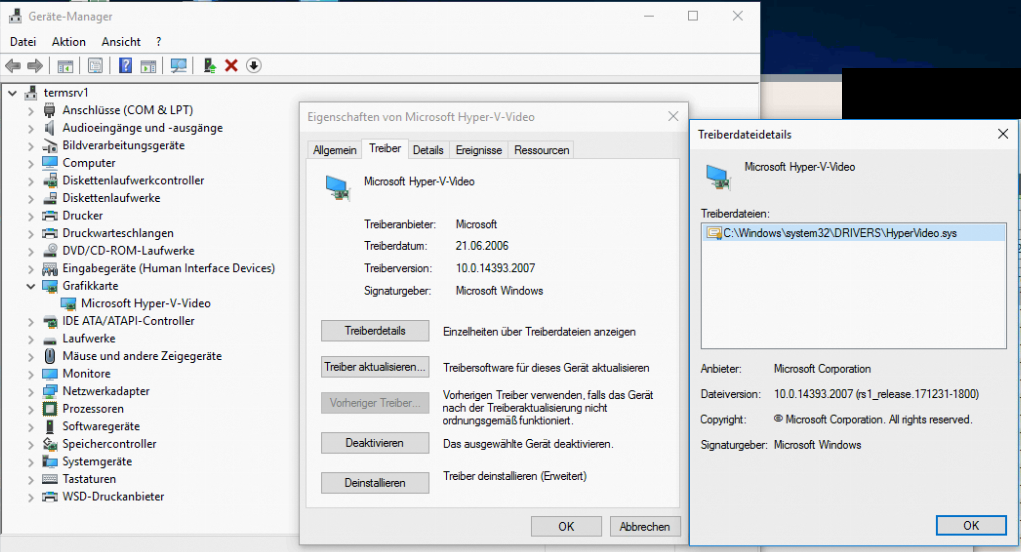
My hunch is that this might have something to do with the graphics driver and settings on that particular machine. If you want, you can try disabling some GPU changes with the following browser arguments:
--ignore-gpu-blocklist --disable-gpu-driver-bug-workarounds
If that resolves the issue, then that would indicate a graphics driver issue.

- This started happening with Edge 95?
Yes.
- This only happens for the one customer, or for all customers?
Only for one.
- Is there any error returned from the functions?
No.
- If you turn on Narrator, is it able to see and navigate to the expected web content?
I've only seen Narrator for Windows 10 or 11. Is this also available for Windows Server 2016?
My hunch is that this might have something to do with the graphics driver and settings on that particular machine. If you want, you can try disabling some GPU changes with the following browser arguments:
--ignore-gpu-blocklist --disable-gpu-driver-bug-workaroundsIf that resolves the issue, then that would indicate a graphics driver issue.
By setting the browser arguments from above, the desired content is loaded with the runtime 99.*. So, probably this can pinpoint the problem.