
windows-powershell-docs
 windows-powershell-docs copied to clipboard
 MicrosoftDocs
Commandlet names are stuck to go.microsoft.com links
Searching in VS Code for "\w+http://go.microsoft.com" shows around 5K links that are cmdlet name stuck to go.microsoft.com links
https://github.com/MicrosoftDocs/windows-powershell-docs/blame/b3ab7fb7c6bcee8b5e16460eec698d183bf451fd/docset/winserver2012-ps/dnsserver/Remove-DnsServerResourceRecord.md#L83
New-CimSessionhttp://go.microsoft.com/fwlink/p/?LinkId=227967
You might be able to use regex to break them apart or reformat them as Markdown formatted links, but I figure the size of this change is better done internally.


@nschonni
The Markdown link formatting issue has been noted and the repository is being updated accordingly to address the issue.
Thank you for bringing this to attention.
I think there is something wrong with your bot setup, since it keeps on closing issues as soon as you comment, then reopening when anyone else comments
To make it easier for you to submit feedback on articles on learn.microsoft.com, we're transitioning our feedback system from GitHub Issues to a new experience.
As part of the transition, this GitHub Issue will be moved to a private repository. We're moving Issues to another repository so we can continue working on Issues that were open at the time of the transition. When this Issue is moved, you'll no longer be able to access it.
If you want to provide additional information before this Issue is moved, please update this Issue before December 15th, 2023.
With the new experience, you no longer need to sign in to GitHub to enter and submit your feedback. Instead, you can choose directly on each article's page whether the article was helpful. Then you can then choose one or more reasons for your feedback and optionally provide additional context before you select Submit.
Here's what the new experience looks like.
Note: The new experience is being rolled out across learn.microsoft.com in phases. If you don't see the new experience on an article, please check back later.
First, select whether the article was helpful:
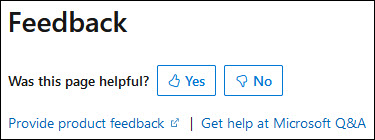
Then, choose at least one reason for your feedback and optionally provide additional details about your feedback:
| Article was helpful | Article was unhelpful |
|---|---|
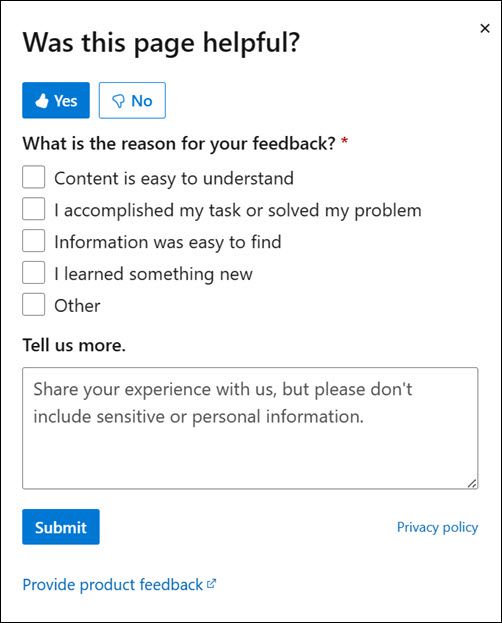 |
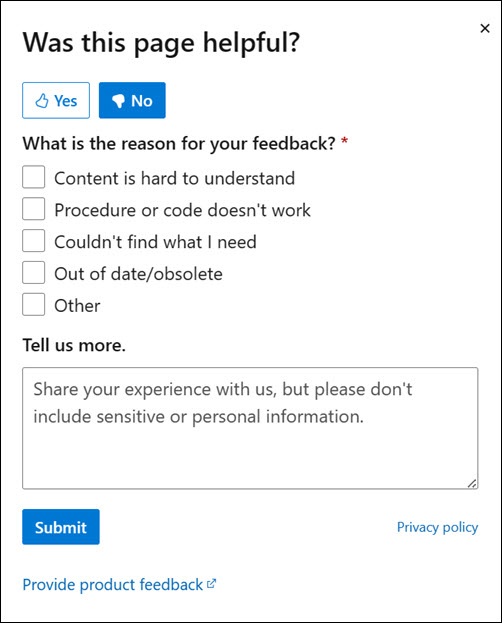 |
Finally, select Submit and you're done!
