
windows-powershell-docs
 windows-powershell-docs copied to clipboard
 MicrosoftDocs
cert parameter does not accept multiple objects
The documentation says that the cert parameter can accept an array of certificate objects. But it does not. If you pass it a single object of System.Security.Cryptography.X509Certificates.X509Certificate2, it works as expected. If you pass it an array or collection of System.Security.Cryptography.X509Certificates.X509Certificate2, it fails with "Export-Certificate : Cannot convert 'System.Object[]' to the type 'Microsoft.CertificateServices.Commands.Certificate' required by parameter 'Cert'. Specified method is not supported."
Demonstration:
# select more than one certificate
$cert = Get-ChildItem -Path cert:\localmachine -recurse | out-gridview -passthru
# This works as expected
Export-Certificate -Cert $cert[0] -Type sst -FilePath C:\Users\Public\Documents\certexport.sst
# this throws an error
Export-Certificate -Cert $cert -Type sst -FilePath C:\Users\Public\Documents\certexport.sst
# This constructs an array of certificates and throws an error too
$cert | foreach-object -Begin { $cert2 = @() } -Process { $cert2 += $_ }
# even though they are both arrays
$cert.gettype()
$cert2.gettype()
# and they are arrays of System.Security.Cryptography.X509Certificates.X509Certificate2
$cert | get-member
$cert2 | get-member
# it looks like the problem is a fault in the new constructor of Microsoft.CertificateServices.Commands.Certificate
[Microsoft.CertificateServices.Commands.Certificate]::new($cert[0]) | Get-member
# That should not be a PSCustomObject
Document Details
⚠ Do not edit this section. It is required for docs.microsoft.com ➟ GitHub issue linking.
- ID: 75c6b91f-0156-26c1-76f6-60f11d39bc37
- Version Independent ID: aedf27ba-abfc-7e5d-4c69-cbf370fdac2b
- Content: Export-Certificate (pki)
- Content Source: docset/windows/pki/export-certificate.md
- Product: w10
- GitHub Login: @brianlic-msft
- Microsoft Alias: brianlic

Uh it looks like this thing ate my hash marks and made headings. Everything in the big bold type should be preceded by a #
Hello @jordanmills
In our investigation we have been able to reproduce the issue as a bug. The issue is being escalated as a bug.
Thank you for your valuable input.

@e0i Can you please let me know if there is any page which has solution to this problem, or any steps are documented to solve the problem mentioned above


This still appears to be a problem, why was this issue closed?
Microsoft closes all of these, regardless of actual status. That way it looks like there are no bugs or problems.
This repository is for PowerShell core documentation. You seem to be looking for support, which we can't provide here.
I suggest you try posting your issue with context in one of the available community support forums.

This repository is for PowerShell core documentation. You seem to be looking for support, which we can't provide here.
I suggest you try posting your issue with context in one of the available community support forums.
No, it has nothing to do with support. Either the documentation or the product needs to be fixed. Has either been done?
To make it easier for you to submit feedback on articles on learn.microsoft.com, we're transitioning our feedback system from GitHub Issues to a new experience.
As part of the transition, this GitHub Issue will be moved to a private repository. We're moving Issues to another repository so we can continue working on Issues that were open at the time of the transition. When this Issue is moved, you'll no longer be able to access it.
If you want to provide additional information before this Issue is moved, please update this Issue before December 15th, 2023.
With the new experience, you no longer need to sign in to GitHub to enter and submit your feedback. Instead, you can choose directly on each article's page whether the article was helpful. Then you can then choose one or more reasons for your feedback and optionally provide additional context before you select Submit.
Here's what the new experience looks like.
Note: The new experience is being rolled out across learn.microsoft.com in phases. If you don't see the new experience on an article, please check back later.
First, select whether the article was helpful:
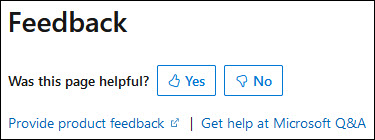
Then, choose at least one reason for your feedback and optionally provide additional details about your feedback:
| Article was helpful | Article was unhelpful |
|---|---|
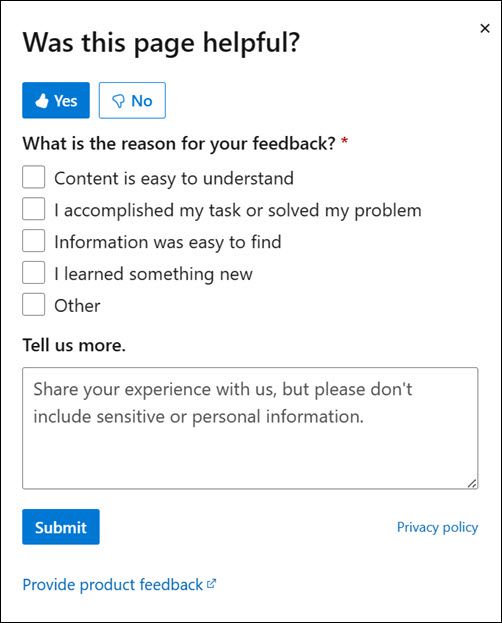 |
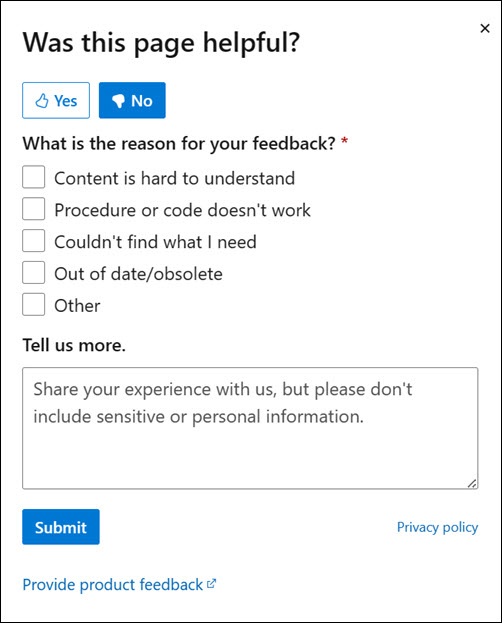 |
Finally, select Submit and you're done!
