
windows-powershell-docs
 windows-powershell-docs copied to clipboard
 MicrosoftDocs
generated pages with no info added is not documentation
This page shows a list of the parameters to this cmdlet. I can see how you might think that what you're documenting here is the cmdlet and not the controls to the feature we're setting parameters for, so all you need is the name of the parameter and the data type, but from a consumer perspective, you have completely missed the point. When I come here looking at the command documentation, I'm looking for more than just cmdlet --help info. This is the only documentation on these settings that you are providing us, at least that I can find. You need to include more information about the effects of these settings beyond the setting names, which are somehow both overly verbose and overly cryptic. If you can't provide that documentation here, or are going to pretend that information is being offered elsewhere, you need to include a link to where that information is available. (the SMB technical specifications that you have to sign non-disclosure for do not count)
Document Details
⚠ Do not edit this section. It is required for docs.microsoft.com ➟ GitHub issue linking.
- ID: 663f4b24-8e6d-5c26-43e9-f8ff5fdefe88
- Version Independent ID: 33e79b50-9b3a-1fa7-0950-aa902d128d44
- Content: Set-SmbServerConfiguration (SmbShare)
- Content Source: docset/winserver2022-ps/smbshare/Set-SmbServerConfiguration.md
- Product: w10
- Technology: windows
- GitHub Login: @JasonGerend
- Microsoft Alias: jgerend

To make it easier for you to submit feedback on articles on learn.microsoft.com, we're transitioning our feedback system from GitHub Issues to a new experience.
As part of the transition, this GitHub Issue will be moved to a private repository. We're moving Issues to another repository so we can continue working on Issues that were open at the time of the transition. When this Issue is moved, you'll no longer be able to access it.
If you want to provide additional information before this Issue is moved, please update this Issue before December 15th, 2023.
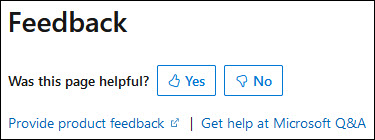
With the new experience, you no longer need to sign in to GitHub to enter and submit your feedback. Instead, you can choose directly on each article's page whether the article was helpful. Then you can then choose one or more reasons for your feedback and optionally provide additional context before you select Submit.
Here's what the new experience looks like.
Note: The new experience is being rolled out across learn.microsoft.com in phases. If you don't see the new experience on an article, please check back later.
First, select whether the article was helpful:
Then, choose at least one reason for your feedback and optionally provide additional details about your feedback:
| Article was helpful | Article was unhelpful |
|---|---|
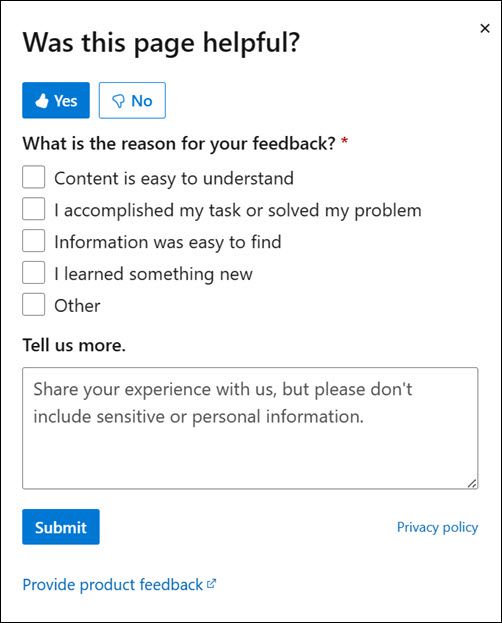 |
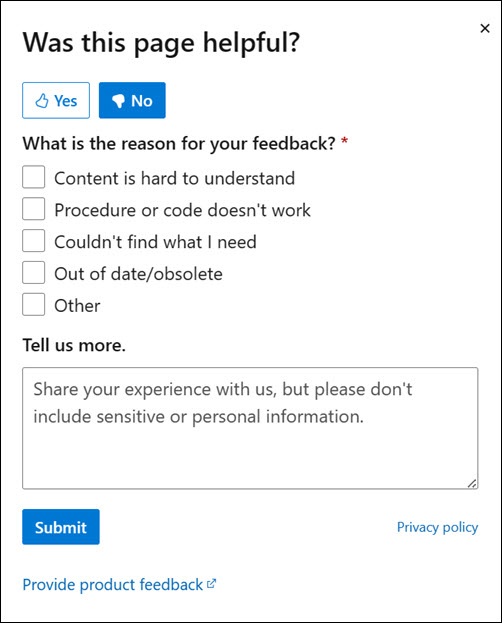 |
Finally, select Submit and you're done!
