
windows-powershell-docs
 windows-powershell-docs copied to clipboard
 MicrosoftDocs
Module Installation Source/Instructions
Lots of great documentation, but no mention of where to get the modules documented. Wouldn't it make sense to include that info so people search for the module or a cmdlet can find and install it?
Document Details
⚠ Do not edit this section. It is required for docs.microsoft.com ➟ GitHub issue linking.
- ID: efdf9060-b969-c7d7-02e4-d2662d03cf58
- Version Independent ID: f79d1f92-19cd-90b1-36ce-8737f9475a1b
- Content: Get-AdfsCertificate (ADFS)
- Content Source: docset/winserver2022-ps/adfs/Get-AdfsCertificate.md
- Product: w10
- Technology: windows
- GitHub Login: @JasonGerend
- Microsoft Alias: jgerend

I second this. I am trying to figure out how to install the NPS module now and nothing I have tried has worked include manually copying all of the contents and saving the module files in my $env to be imported into PowerShell. I really expected that to work above all the automatic attempts to install but it did not. If anyone can tell me how they installed this I would be very grateful.

In windows 11, location of modules C:\Windows\System32\WindowsPowerShell\v1.0\Modules C:\Program Files\WindowsPowerShell\Modules

In windows 11, location of modules C:\Windows\System32\WindowsPowerShell\v1.0\Modules C:\Program Files\WindowsPowerShell\Modules
I have windows 10 and placed the files in both of those locations and tried to import the module however it tells me it cant find any modules named NPS. I also tried using the normal methods of installing and importing powershell modules but it just tells me it cant find any modules named NPS on or off github.
In windows 11, location of modules C:\Windows\System32\WindowsPowerShell\v1.0\Modules C:\Program Files\WindowsPowerShell\Modules
Yes that is where PS modules install, but where do they come from? MS should include links to download and/or install modules. Simply presenting each cmdlet does is only part of the data needed to use the modules. Yes some are on popular Repos like PSGallery but many are not. In some cases MS only allows you access by installing them with a server role, but no where else for management from a workstation or script server.
To make it easier for you to submit feedback on articles on learn.microsoft.com, we're transitioning our feedback system from GitHub Issues to a new experience.
As part of the transition, this GitHub Issue will be moved to a private repository. We're moving Issues to another repository so we can continue working on Issues that were open at the time of the transition. When this Issue is moved, you'll no longer be able to access it.
If you want to provide additional information before this Issue is moved, please update this Issue before December 15th, 2023.
With the new experience, you no longer need to sign in to GitHub to enter and submit your feedback. Instead, you can choose directly on each article's page whether the article was helpful. Then you can then choose one or more reasons for your feedback and optionally provide additional context before you select Submit.
Here's what the new experience looks like.
Note: The new experience is being rolled out across learn.microsoft.com in phases. If you don't see the new experience on an article, please check back later.
First, select whether the article was helpful:
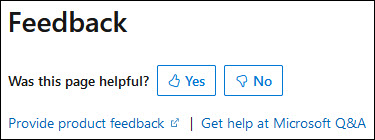
Then, choose at least one reason for your feedback and optionally provide additional details about your feedback:
| Article was helpful | Article was unhelpful |
|---|---|
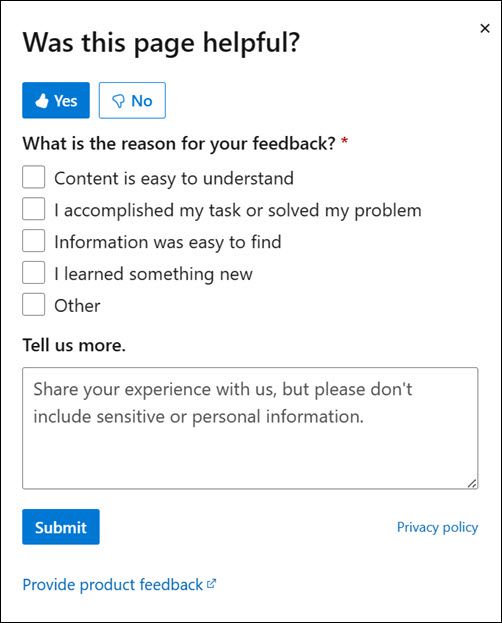 |
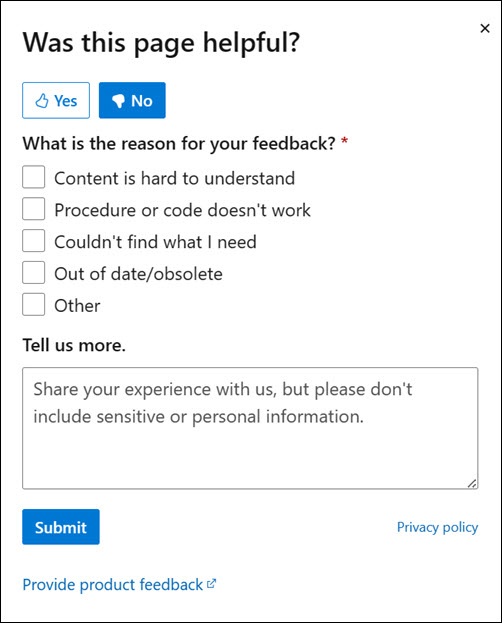 |
Finally, select Submit and you're done!
