
windows-powershell-docs
 windows-powershell-docs copied to clipboard
 MicrosoftDocs
"-Execute" - Problem
Hello!
I´ve recently used this powershell command and I wanted to let you know that there is a problem with the text.
I´ve copy-pasted the commands I needed in order to build my script. When I wanted to test my script in a VM (Virtual Machine), it didn´t run until I changed something inside the script and saved it.
The problem was the "-" before Execute. The dash is a En-Dash (Decimal Unicode 8211) and Powershell wasn´t able to read it. I fixed the problem by using an extension in Visual Studio Code called Highlight Bad Chars to look up where it appeared and change it with a normal one. Almost every time the dash was before "Execute" parameter.
I wanted to let you know that inside your script is a little spell-problem so that you can change it. It took me one whole week to find the source the problem why my script couldn´t run until it had been saved. I hope I could help others save some time! :)
Kind regards
Noddcrack
Document Details
⚠ Do not edit this section. It is required for docs.microsoft.com ➟ GitHub issue linking.
- ID: 5668dee1-337b-70f9-bda1-ff14edea5399
- Version Independent ID: f5c93e63-f016-bc44-e4d1-5e3657cd4bbe
- Content: New-ScheduledTaskAction (ScheduledTasks)
- C
 ontent Source: docset/winserver2022-ps/scheduledtasks/New-ScheduledTaskAction.md
 - Product: w10
- Technology: windows
- GitHub Login: @JasonGerend
- Microsoft Alias: jgerend

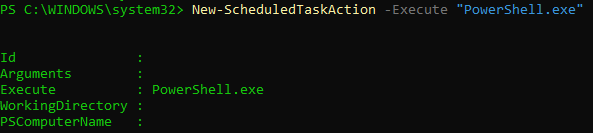
@noddcrack this command New-ScheduledTaskAction -Execute "PowerShell.exe" is worked fine on windows 11


@noddcrack Thank you for your feedback. Looks like this bug might have been fixed as it works now without any issues
@scanum This can be closed.
Thanks Sri

Thank you for submitting feedback. We understand that this issue has been resolved. Please feel free to re-open this issue if there is a specific area of the docs that we can improve or make better. Thank you.
