
windows-powershell-docs
 windows-powershell-docs copied to clipboard
 MicrosoftDocs
Please consider adding more details about parameters like AlwaysRequireAuthentication
[Enter feedback here] Hi friends, this document is very good but maybe we can consider adding some details of parameters who has only basic information. For example: AlwaysRequireAuthentication only has a description like 'Indicates to always require authentication.'. But as I know if enable this parameter, it will ignore the existing SSO cookie and re-authenticate the user in a opening browser.
Shell we consider adding some more details about the parameters that has only basic description so that the customers can better understand the cmdlets? Thanks in advance!
Document Details
⚠ Do not edit this section. It is required for docs.microsoft.com ➟ GitHub issue linking.
- ID: 01f8414b-875b-a24a-393c-57810d870f69
- Version Independent ID: 5732f9c9-5481-c68c-5dab-2142ef14e8b5
- Content: Set-AdfsRelyingPartyTrust (ADFS)
- Content Source: docset/winserver2022-ps/adfs/Set-AdfsRelyingPartyTrust.md
- Product: w10
- Technology: windows
- GitHub Login: @JasonGerend
- Microsoft Alias: jgerend

To make it easier for you to submit feedback on articles on learn.microsoft.com, we're transitioning our feedback system from GitHub Issues to a new experience.
As part of the transition, this GitHub Issue will be moved to a private repository. We're moving Issues to another repository so we can continue working on Issues that were open at the time of the transition. When this Issue is moved, you'll no longer be able to access it.
If you want to provide additional information before this Issue is moved, please update this Issue before December 15th, 2023.
With the new experience, you no longer need to sign in to GitHub to enter and submit your feedback. Instead, you can choose directly on each article's page whether the article was helpful. Then you can then choose one or more reasons for your feedback and optionally provide additional context before you select Submit.
Here's what the new experience looks like.
Note: The new experience is being rolled out across learn.microsoft.com in phases. If you don't see the new experience on an article, please check back later.
First, select whether the article was helpful:
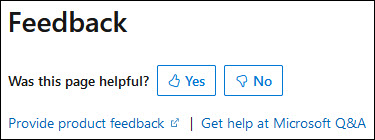
Then, choose at least one reason for your feedback and optionally provide additional details about your feedback:
| Article was helpful | Article was unhelpful |
|---|---|
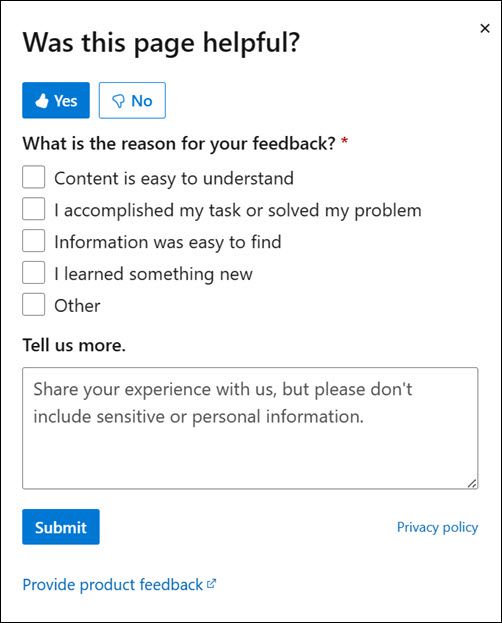 |
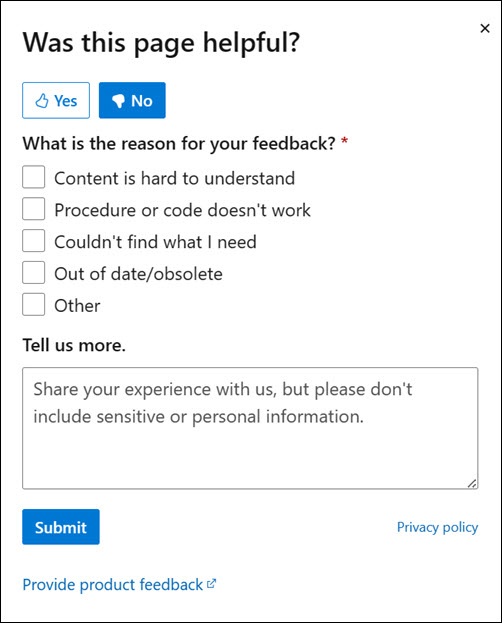 |
Finally, select Submit and you're done!
