
windows-powershell-docs
 windows-powershell-docs copied to clipboard
 MicrosoftDocs
Remove-DnsClientNrptRule documentation is incomplete
The documentation only mentions -Name and -GpoName to identify a rule, but completely neglects that in local scenarios a DNS client and an NRPT can be in use. In such a case the outpuf of Get-DnsClientNrptPolicy yields neither of those mentioned before and so there is currently no (or no documented) way to remove a rule from the NRPT via this cmdlet:
~$ Get-DnsClientNrptPolicy|ft
Namespace                 DA     DADnsServers                   DnsSec NameServers                         NameEncoding
---------                 --     ------------                   ------ -----------                         ------------
.internal.company.tld                                           False  1.2.3.4                             Utf8WithoutMapping
sub.domain.tld                                                  False  1.2.3.4                             Utf8WithoutMapping
(I used |ft for brevity mostly)
The attempt to remove will yield something like:
~$ Remove-DnsClientNrptRule -Name internal.company.tld
Remove-DnsClientNrptRule: Rule internal.company.tld was not found.
~$ Remove-DnsClientNrptRule internal.company.tld
Remove-DnsClientNrptRule: Rule internal.company.tld was not found.
It should also be noted that the natural workaround does not work:
~$ Get-DnsClientNrptPolicy|Where-Object {$_.Namespace -eq "internal.company.tld"}|Remove-DnsClientNrptRule
Remove-DnsClientNrptRule: The input object cannot be bound to any parameters for the command either because the command does not take pipeline input or the input and its properties do not match any of the parameters that take pipeline input.
If this is the wrong project to file the ticket, please point me to the appropriate one and feel free to close this one as invalid.

To make it easier for you to submit feedback on articles on learn.microsoft.com, we're transitioning our feedback system from GitHub Issues to a new experience.
As part of the transition, this GitHub Issue will be moved to a private repository. We're moving Issues to another repository so we can continue working on Issues that were open at the time of the transition. When this Issue is moved, you'll no longer be able to access it.
If you want to provide additional information before this Issue is moved, please update this Issue before December 15th, 2023.
With the new experience, you no longer need to sign in to GitHub to enter and submit your feedback. Instead, you can choose directly on each article's page whether the article was helpful. Then you can then choose one or more reasons for your feedback and optionally provide additional context before you select Submit.
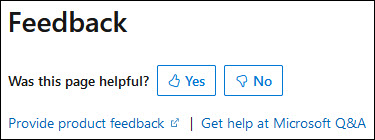
Here's what the new experience looks like.
Note: The new experience is being rolled out across learn.microsoft.com in phases. If you don't see the new experience on an article, please check back later.
First, select whether the article was helpful:
Then, choose at least one reason for your feedback and optionally provide additional details about your feedback:
| Article was helpful | Article was unhelpful |
|---|---|
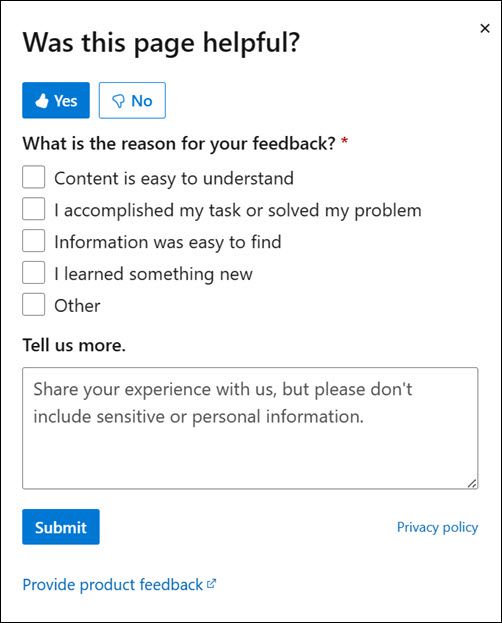 |
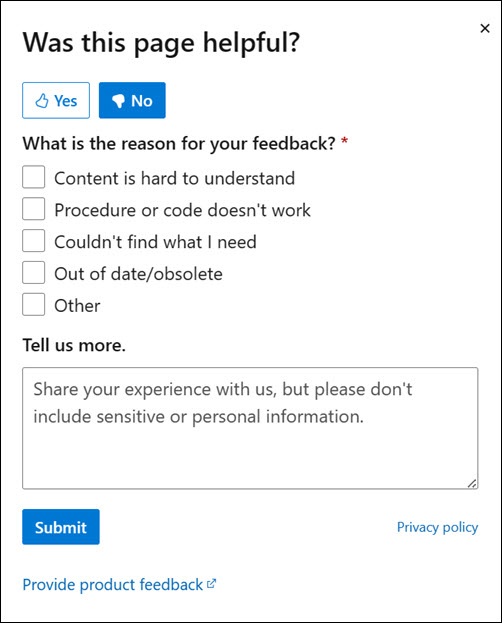 |
Finally, select Submit and you're done!
